Alexa Enterprise Presentation Layer
Design Problem:
How might we reimagine the enterprise Alexa experience with the launch of Alexa’s new AI capabilities?
my role
• Design exploration
• Design definition
Deliverables
• Layout and scalable components
• Customization framework
Team
• Product
• Engineering
Timeline
1 year
Alexa Smart Properties
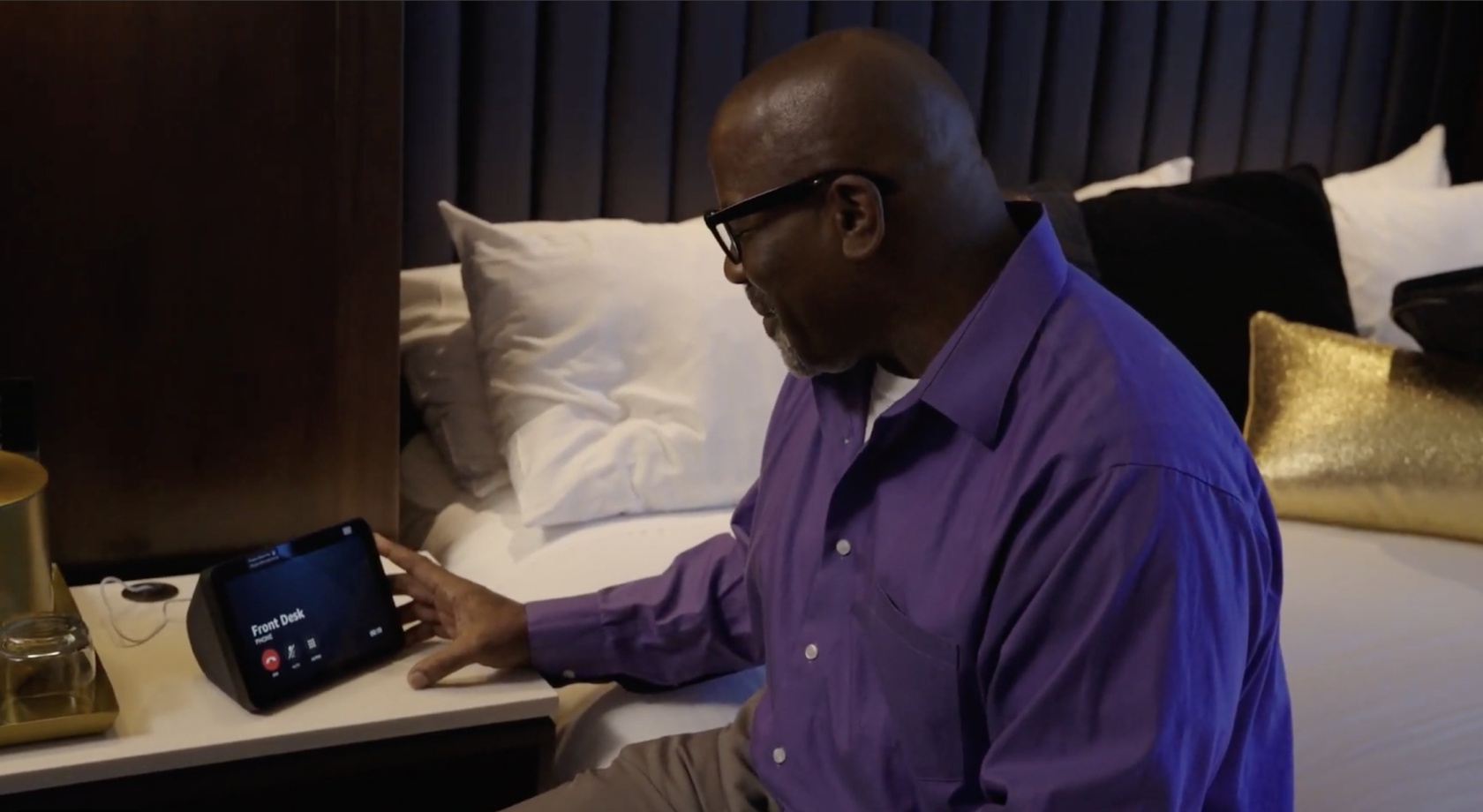
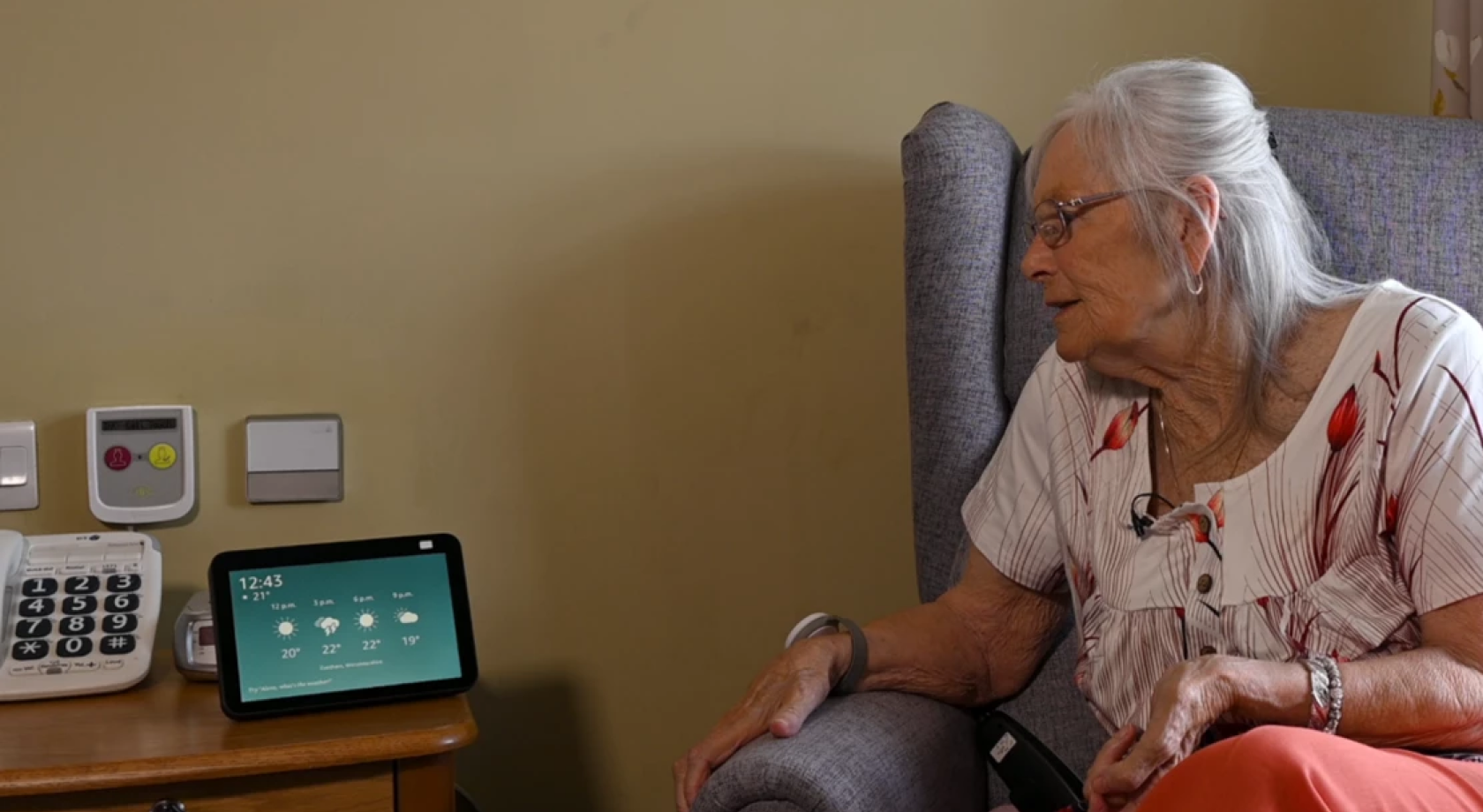
The ASP organization is responsible for large-scale enterprise deployments of Alexa devices in hotels and senior living facilities. These deployments include standard Alexa features like voice commands, setting timers, and playing music, but also come with unique property-specific features, like ordering room service at hotels or contacting staff at senior living.
Alexa Classic Home Screen
Echo Show Device
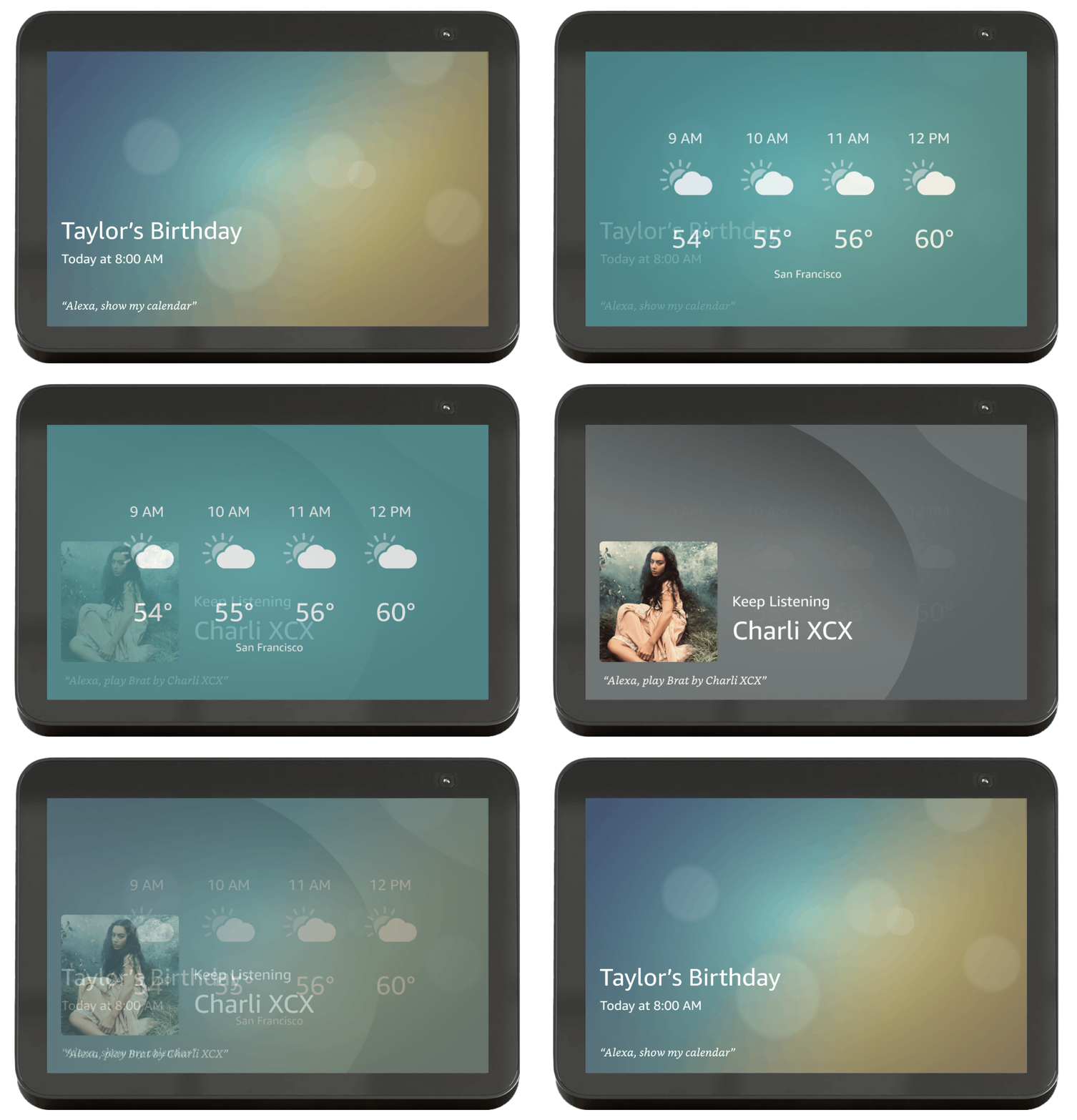
Alexa devices with screens are called Echo Shows. With classic Alexa, consumers see rotating cards with information personalized to them, and suggestions for what to say to engage with Alexa.
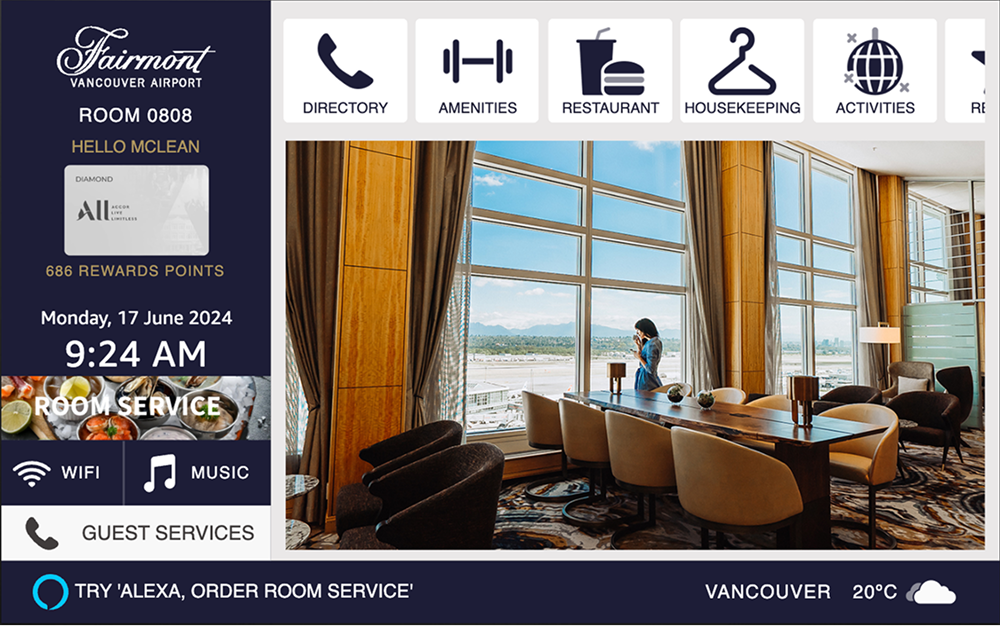
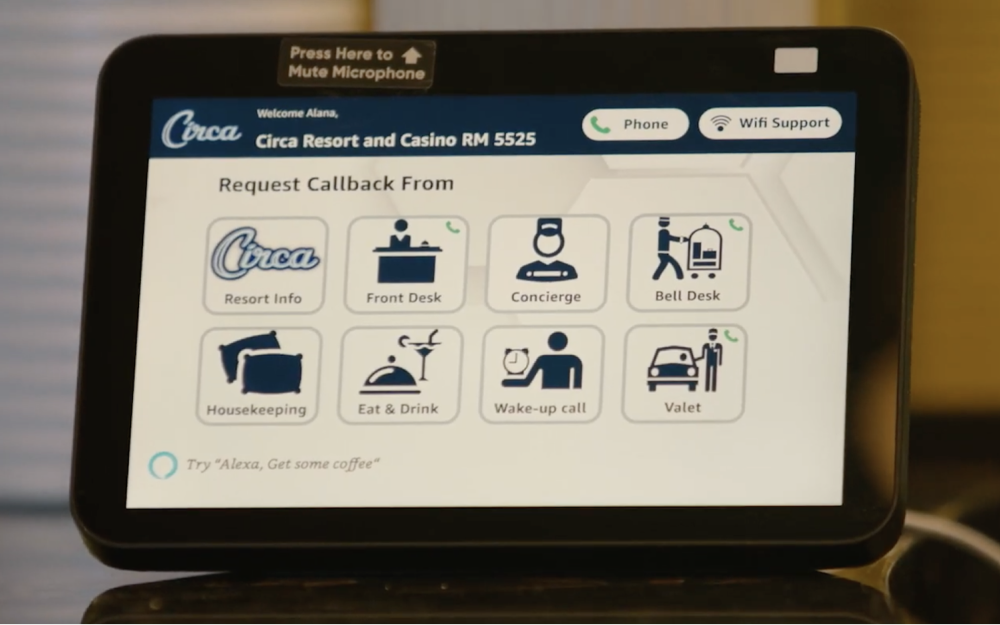
Enterprise on Alexa Classic
Echo Show Device
The classic Alexa home screen was not ideal for enterprise properties like hotels, which want to offer persistent access to information and services. Enterprises would solve for this inelegantly with tappable text on a rotating card that opens a menu.
Enterprise on Alexa Classic
Enterprises built their screen experiences themselves or with the help of outside providers. As a result, the quality of the experience was highly variable and often inconsistent, not meeting the bar that users typically expect for an Alexa device.
Alexa+ Consumer Multimodal Home
Echo Show Device
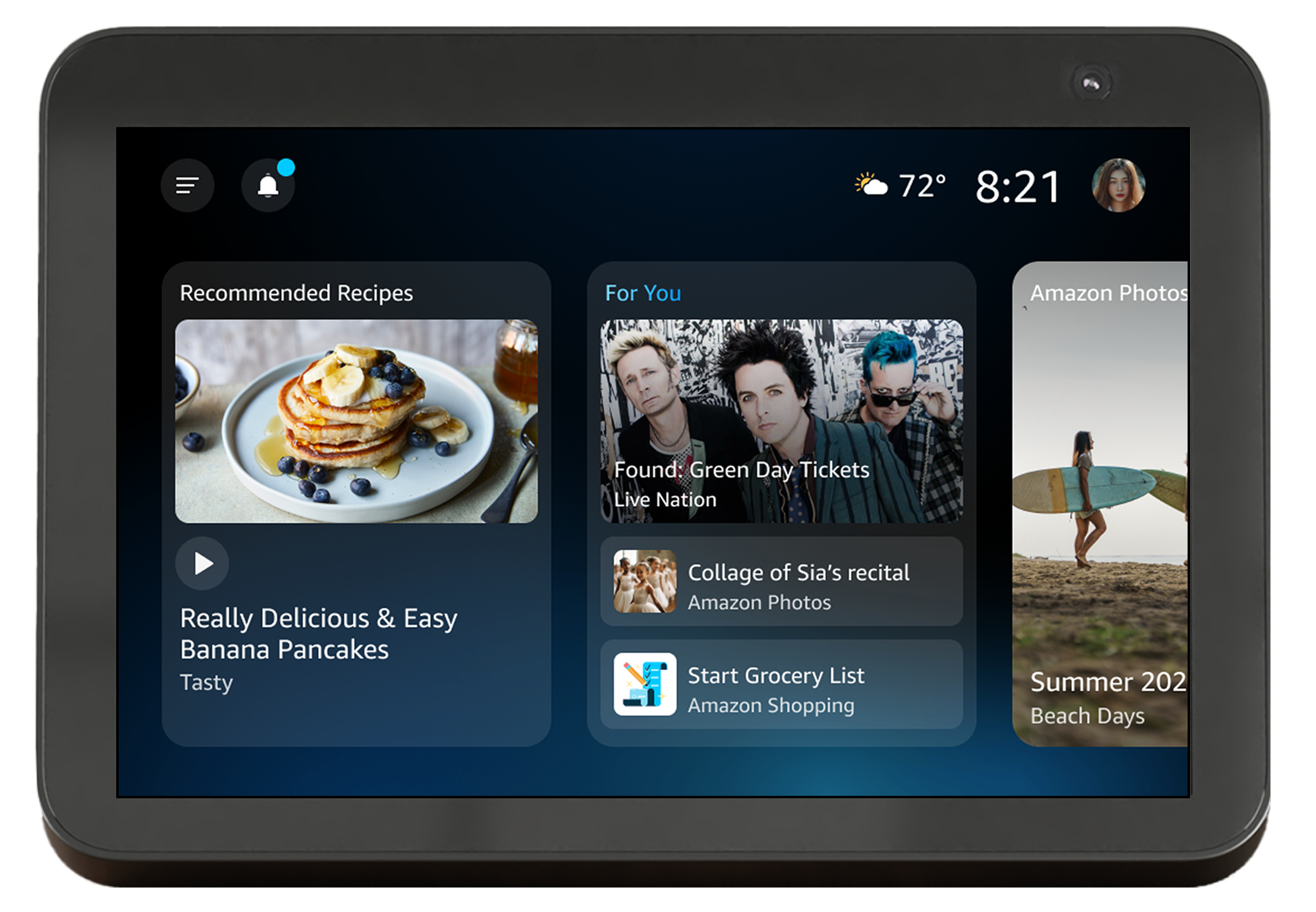
In 2025, Amazon launched Alexa+, the new and improved Alexa with LLM capabilities. Alongside the new voice capabilities, the consumer team also launched a new homescreen experience. The rotating full-screen experience was replaced with a series of customizable widgets with personalized information.
Goal
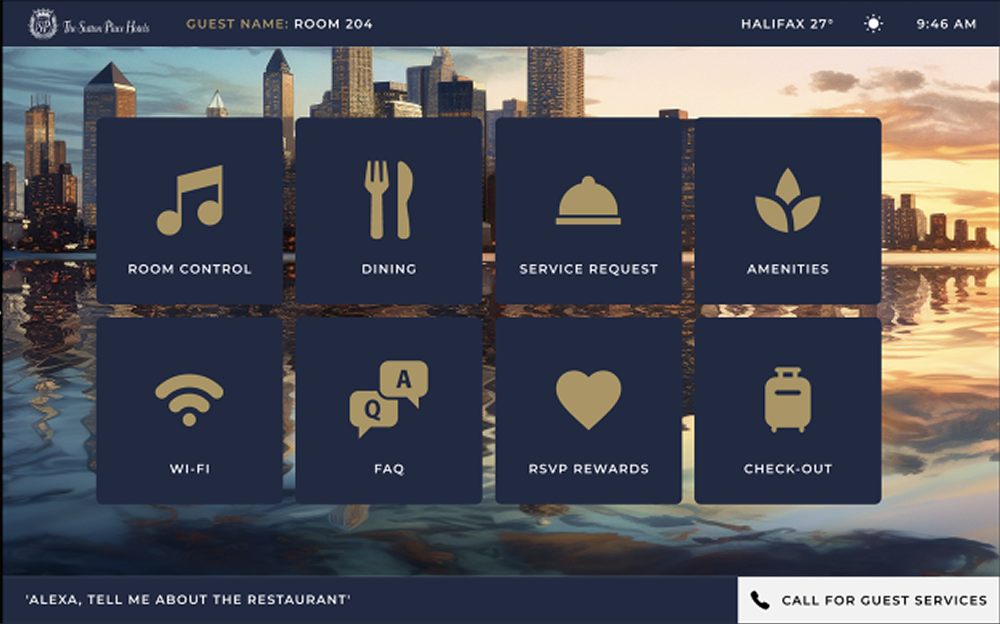
Since the old framework we built for Alexa classic home is going away, this presented us with an opportunity to create an Alexa UX that is tailored to the specific needs of enterprise partners and end customers. This includes:
Access: Persistent access to enterprise information and services onscreen
Content: Property-specific content and branding
Quality: Ensuring a bar for UX quality and consistency across enterprise partner experiences
Solution
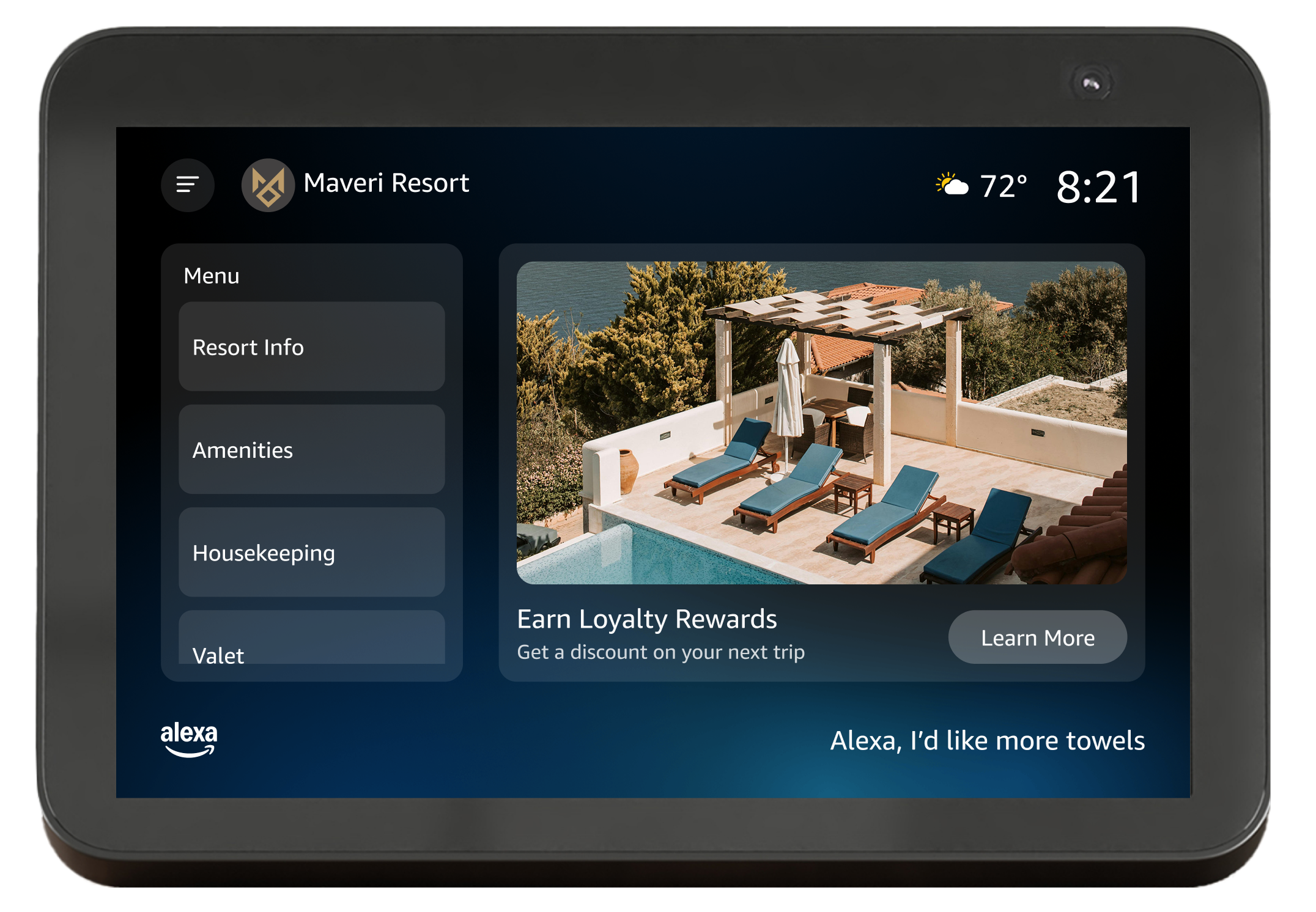
Enterprise Presentation Layer
A webapp that is displayed on the Echo Show screen. Enterprise partners can customize all the content onscreen, and end users will have access to Alexa+ voice conversations and other features like timers and music.
Users
Users span two industries. This project required designing for both property staff and end users (hotel guests and senior living residents). Senior living residents have special needs and considerations that impacted my approach to the final designs.
Senior living staff
Share information
Share upsells and generate revenue
Senior living guests
Get help with common issues or requests
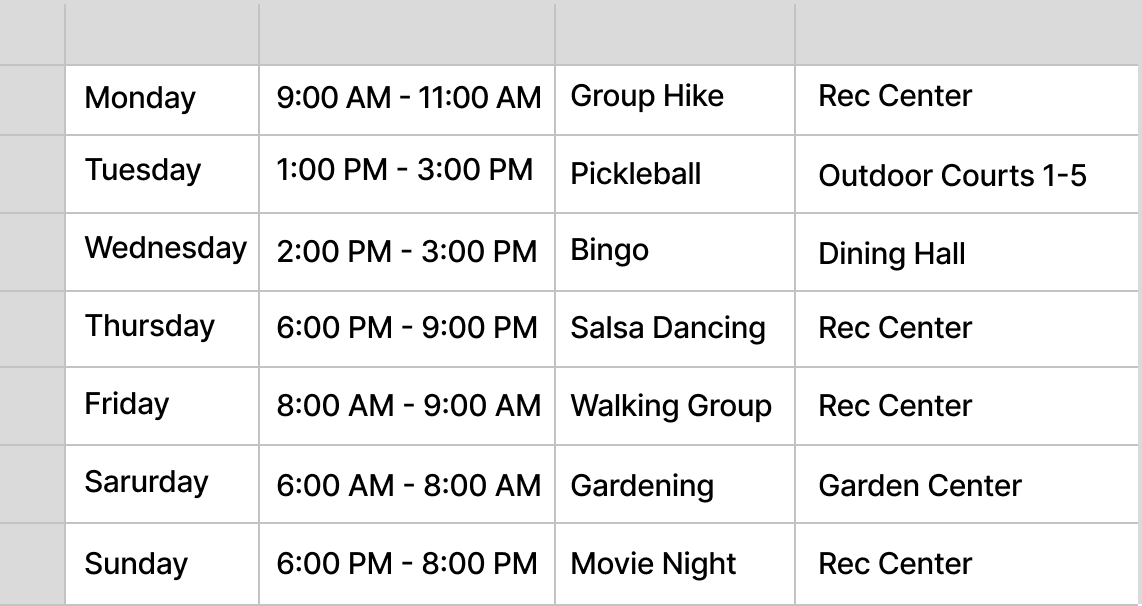
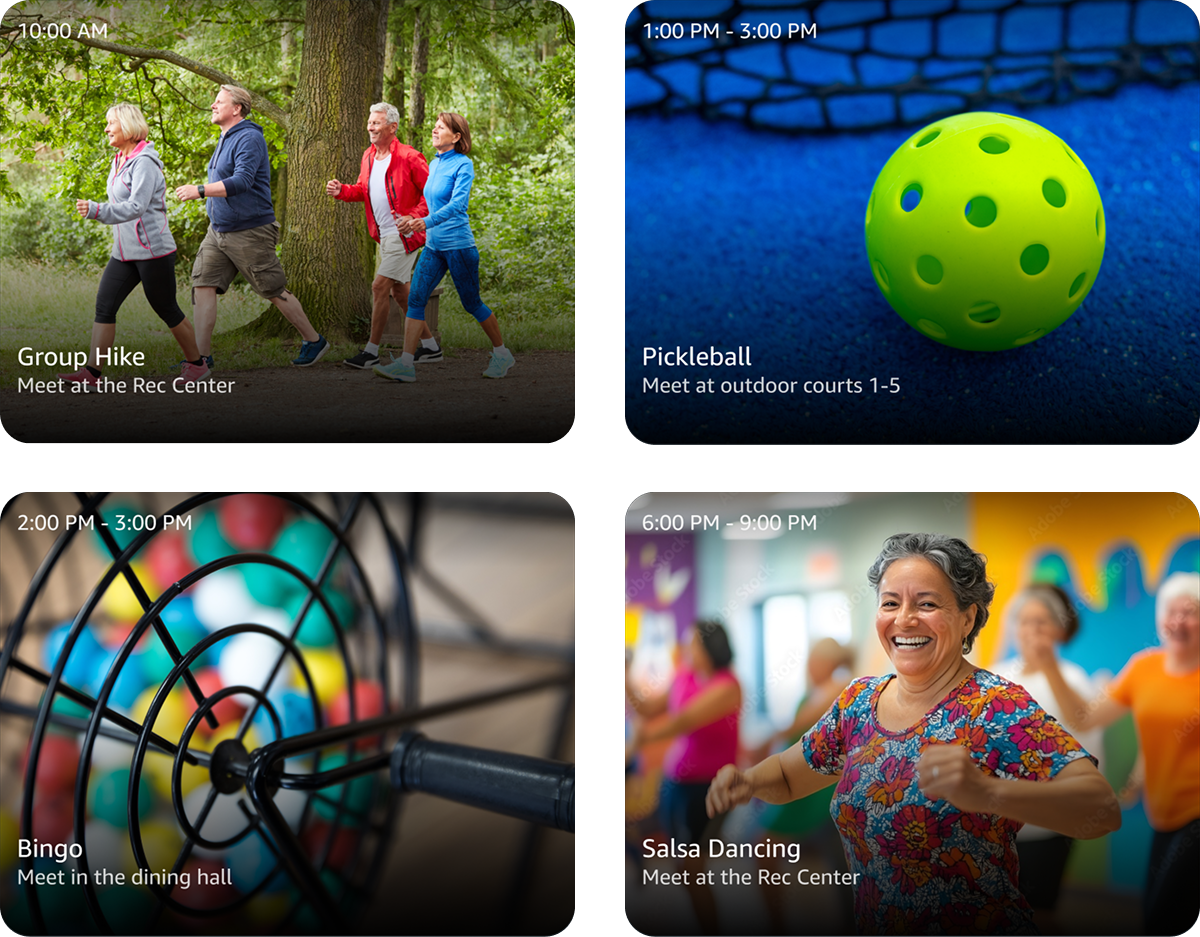
Learn about upcoming events onsite
Lower tech-savvy
Visual and hearing impairments
hospitality staff
Share information
Share upsells and generate revenue
hospitality guests
Get help with common issues or requests
Learn about events and amenities onsite
Three Potential Approaches
Product, engineering, and I discussed three potential approaches to the presentation layer:
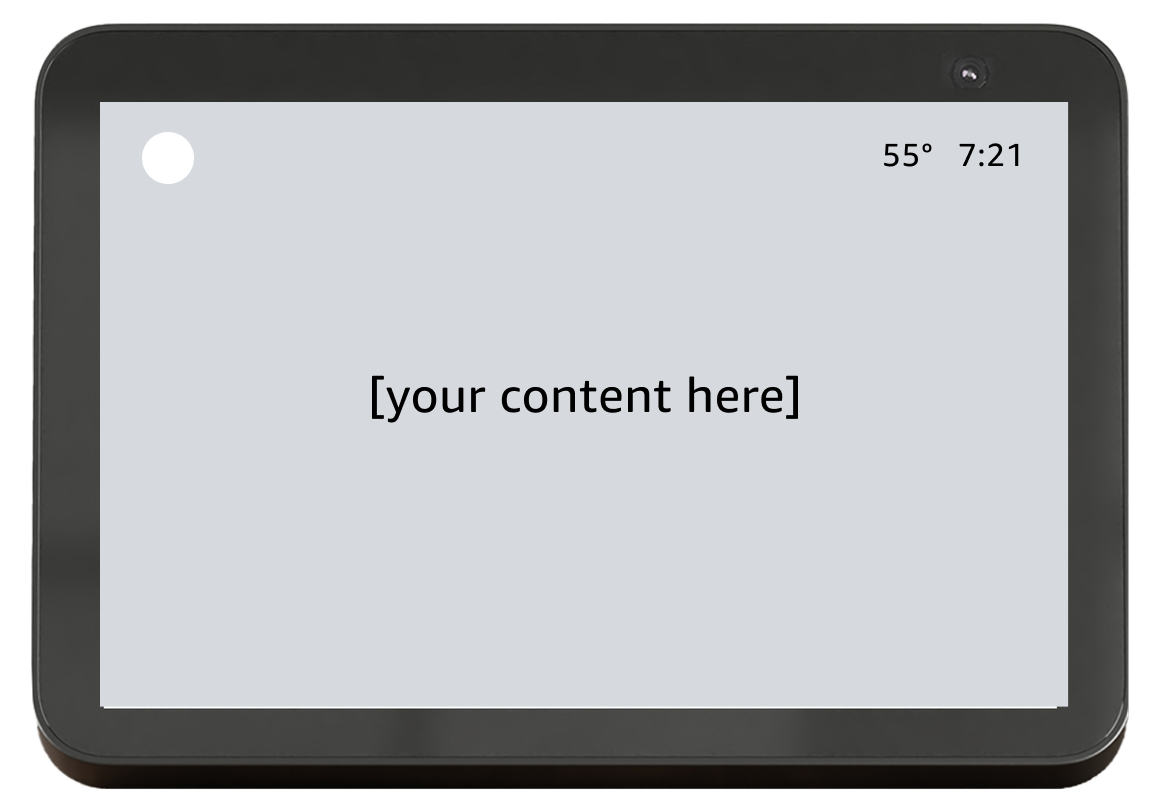
blank canvas
High customizability
High effort for partners
Limited UX consistency
This approach would allow partners to design and build whatever they want. It would offer high customizability, but is also high effort for partners, and gives our team limited ability to monitor the UX quality.
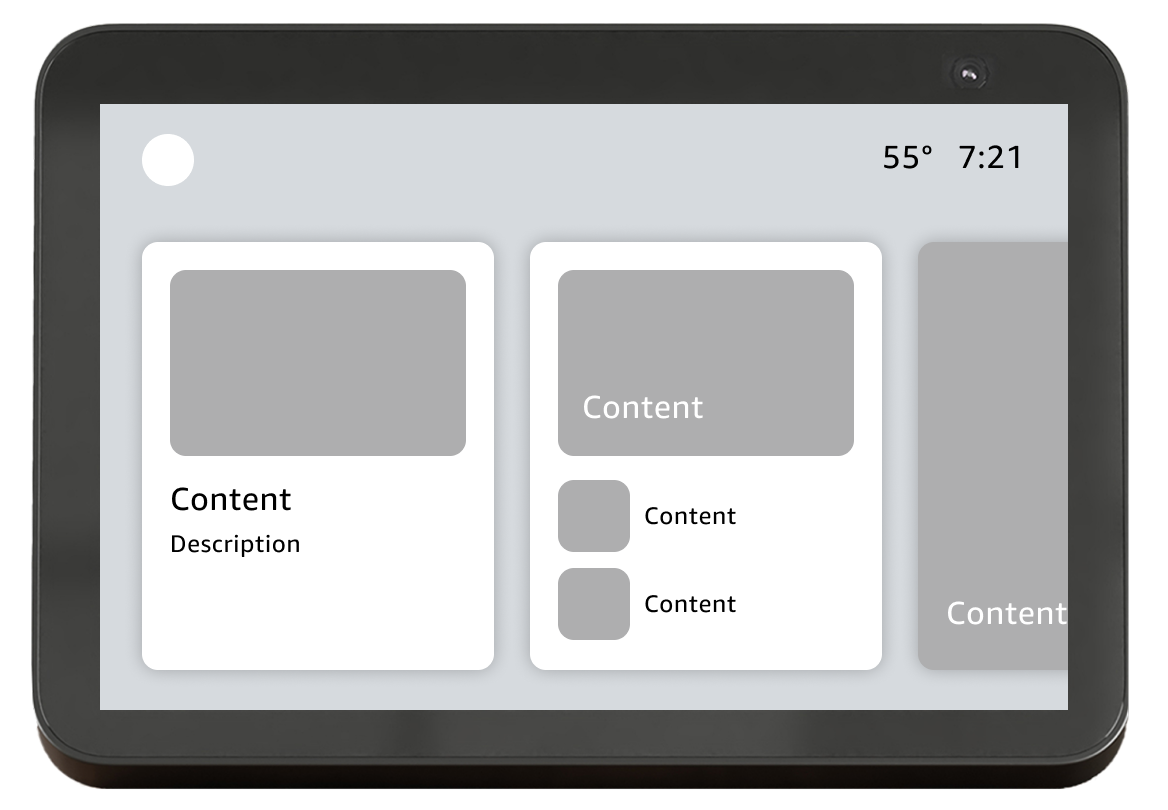
recreate consumer alexa+ home
High level of coordination
Difficult to scale over time
Not optimized for enterprise
Recreating the layout of the consumer Alexa+ would create continuity between the two experiences, but would require a high level of coordination with the consumer Alexa+ team. The layout is not created with enterprise use cases in mind.
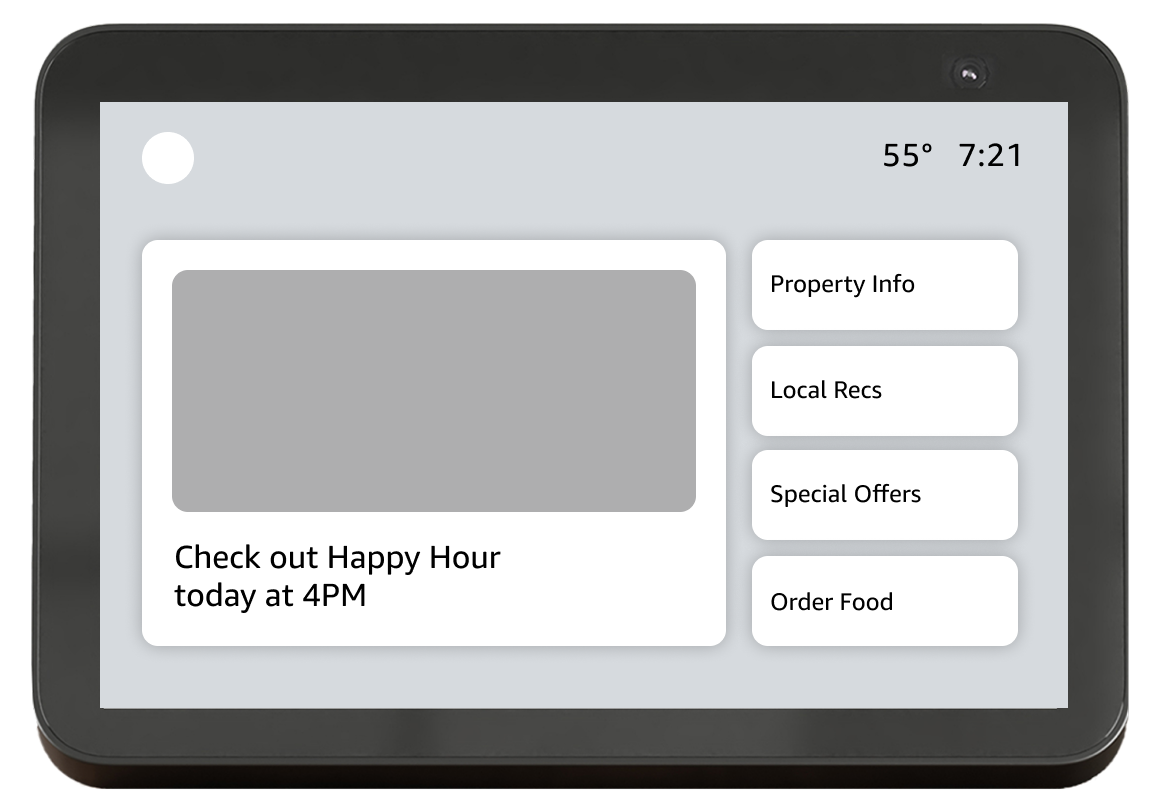
Fixed Menu Template ✅
Customizable content but not layout
Low effort for partners
UX consistency across partners
Our team aligned on the fixed menu template. We will offer a template layout that would mean lower effort for partners and help maintain UX consistency. The content onscreen would be customizable but the layout would be determined by our team internally.
Layout Exploration
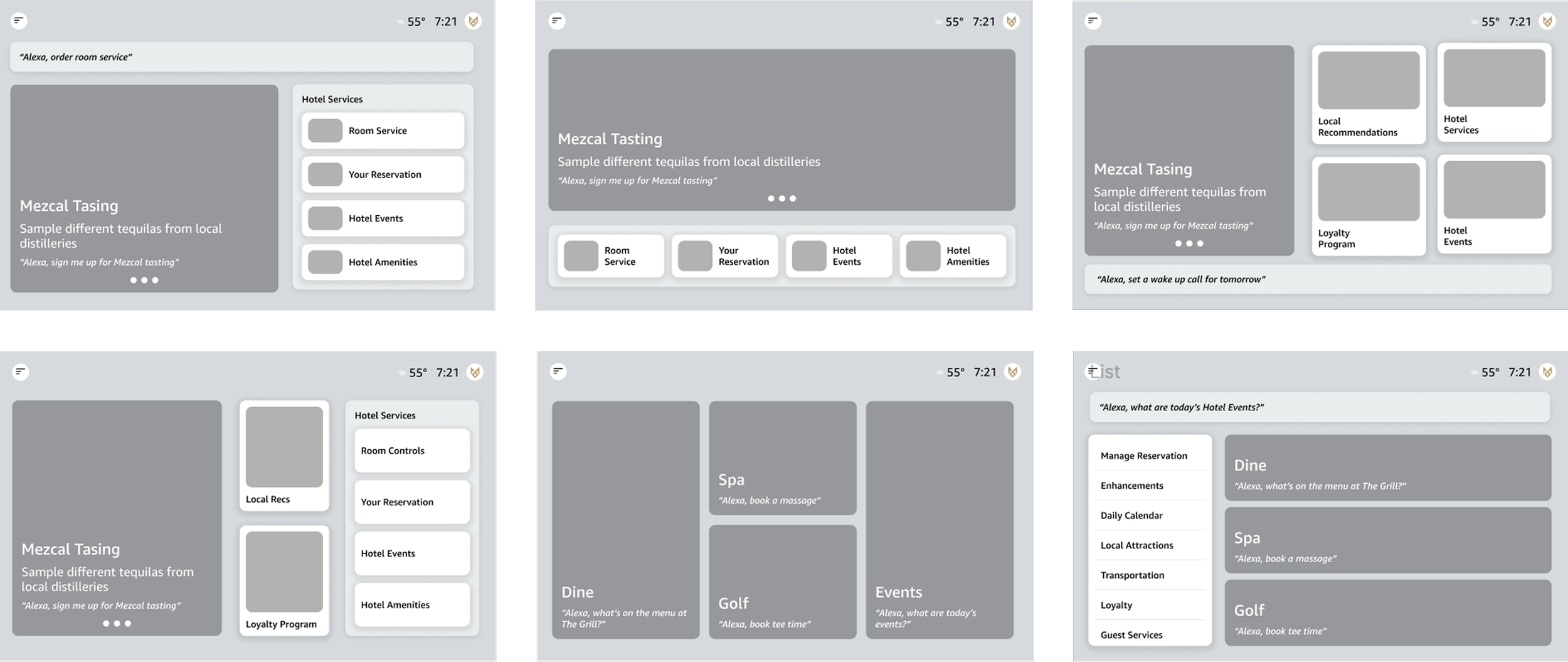
I explored a variety of potential layouts that would support the top use cases for hospitality and senior living properties.
Design Exploration
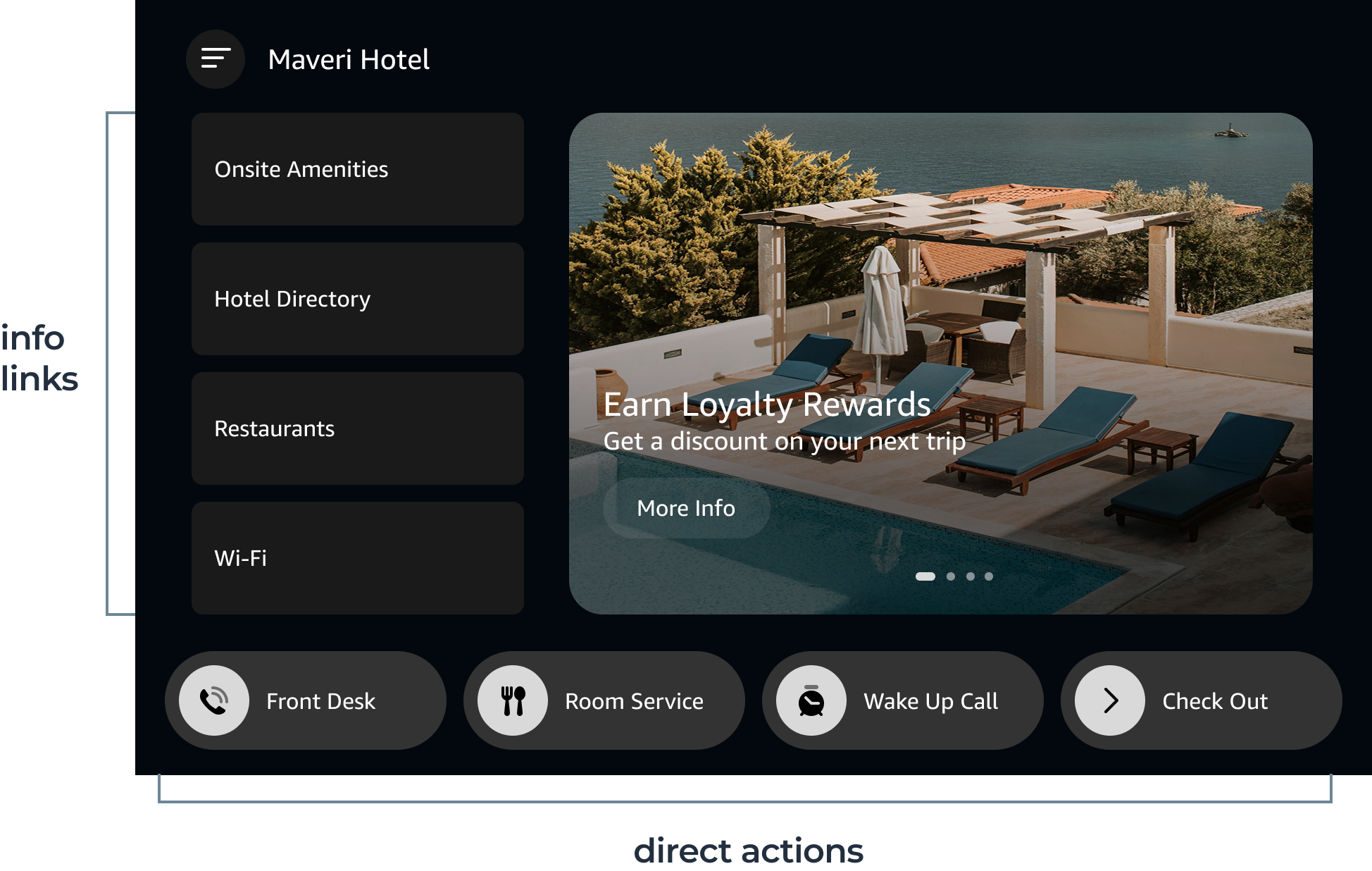
Menu and Tappable Actions
Direct action buttons help users easily access features that may be relevant to them, driving discovery and engagement.
Ingress to Menu
By default, end users see ambient rotating content. They can tap a button to open a menu of property services. This solution supports partners who still want to show ambient content, but limits the discoverability of property features and services.
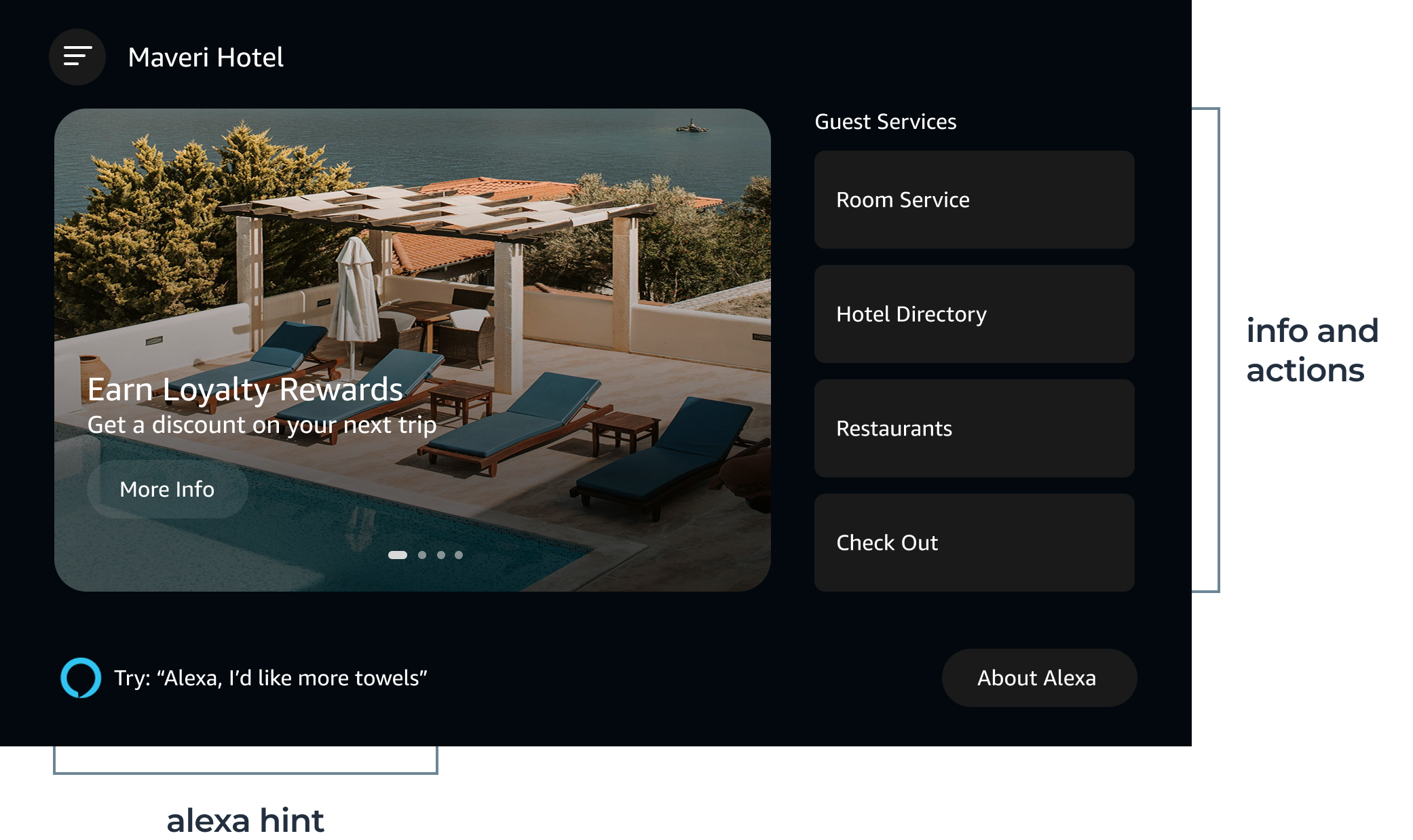
Menu and Hint ✅
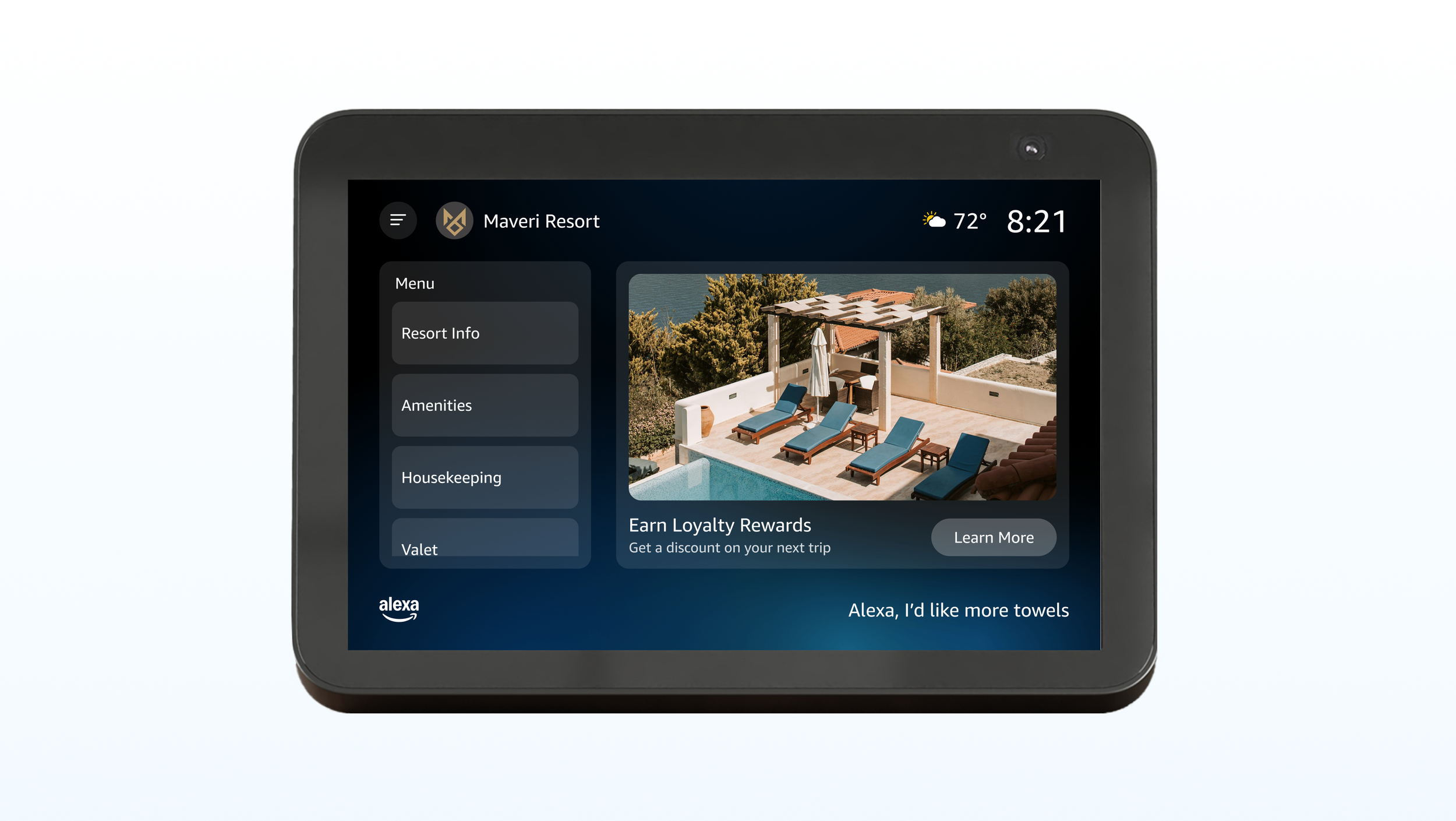
A simple layout that balances ambient and fixed property content while offering Alexa education and discovery. This is the layout we aligned on for our initial release due to its flexibility, scalability, and user feedback during product validation.
Design solution
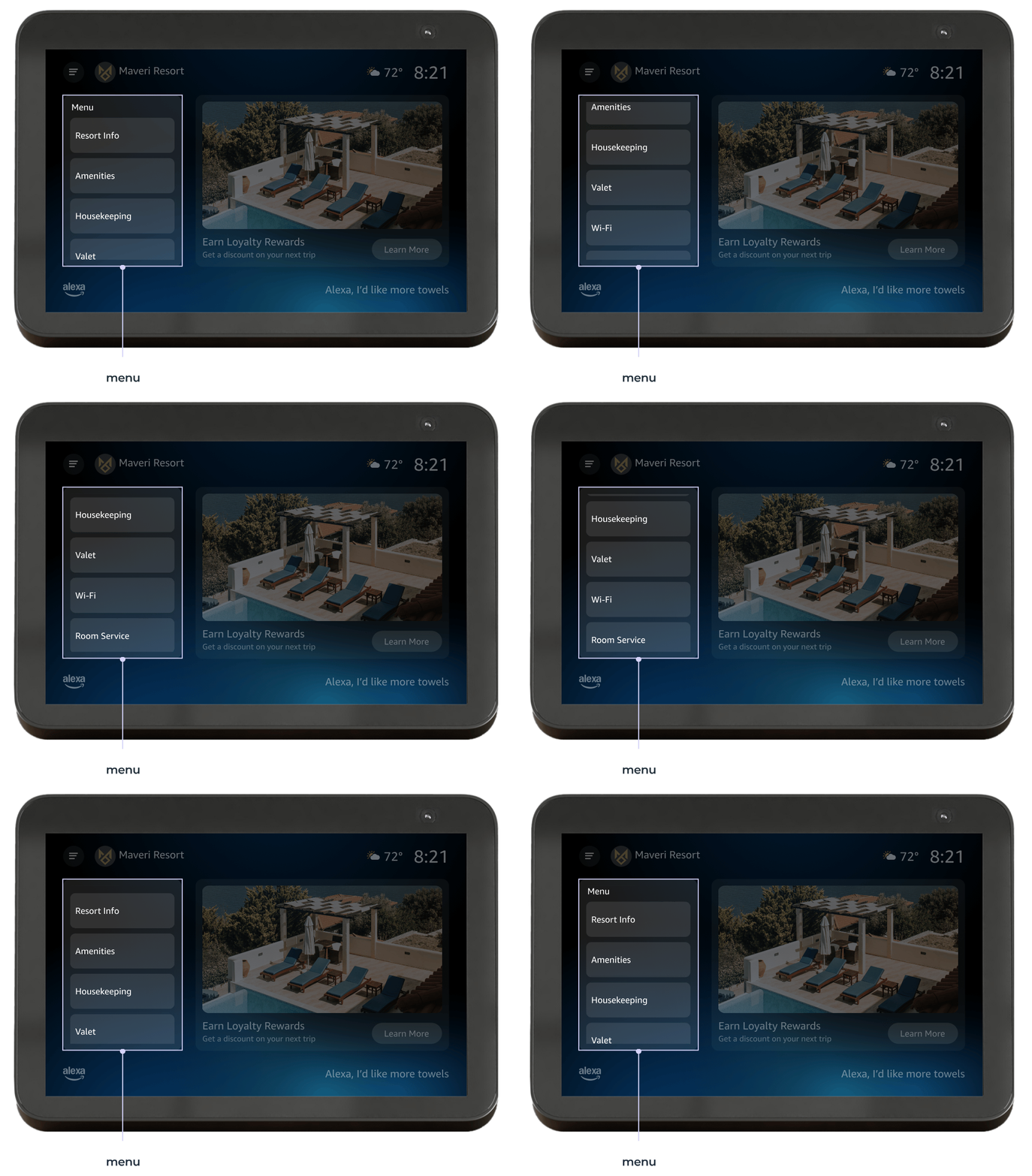
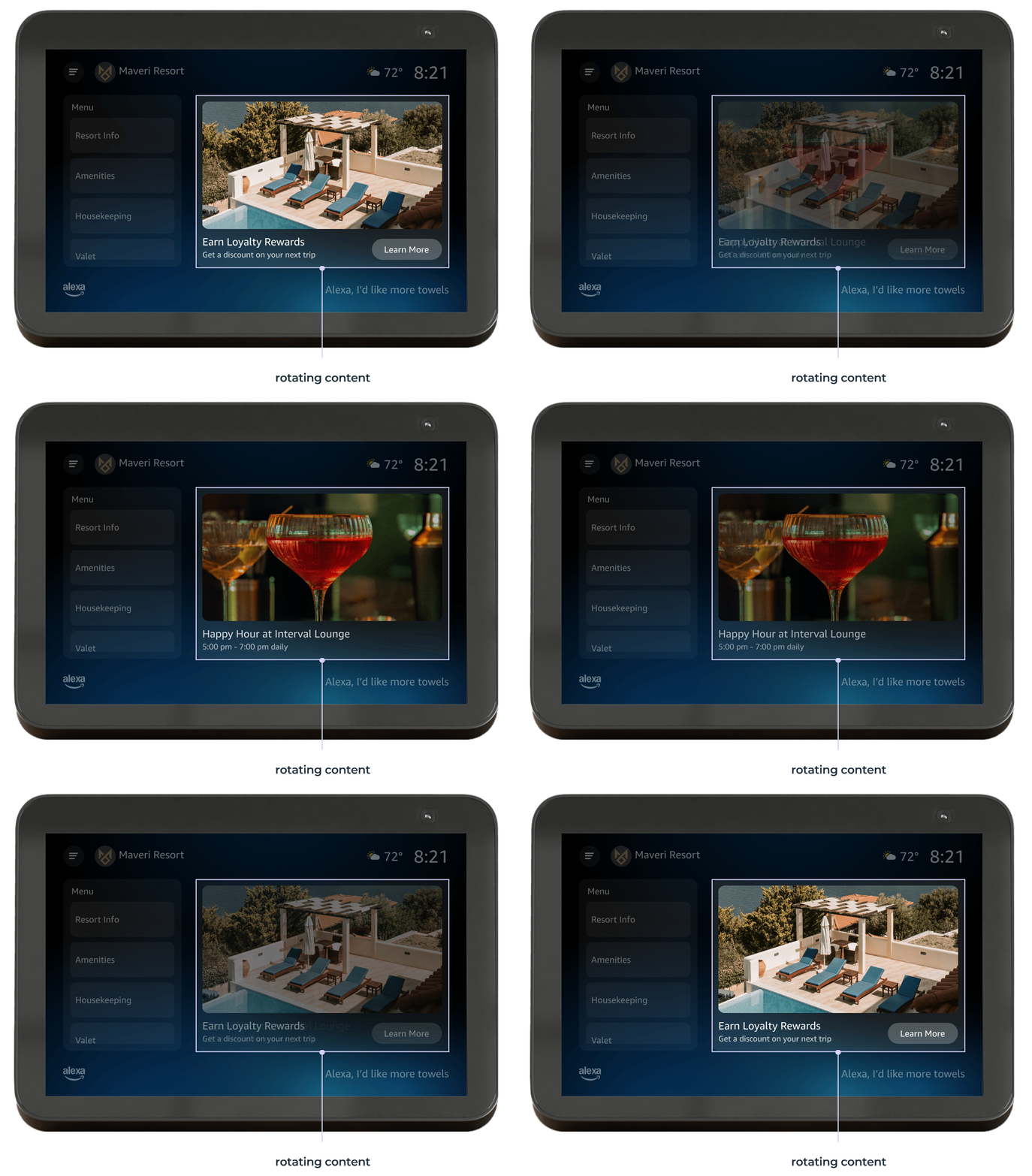
The final design for the initial launch is comprised of four components.
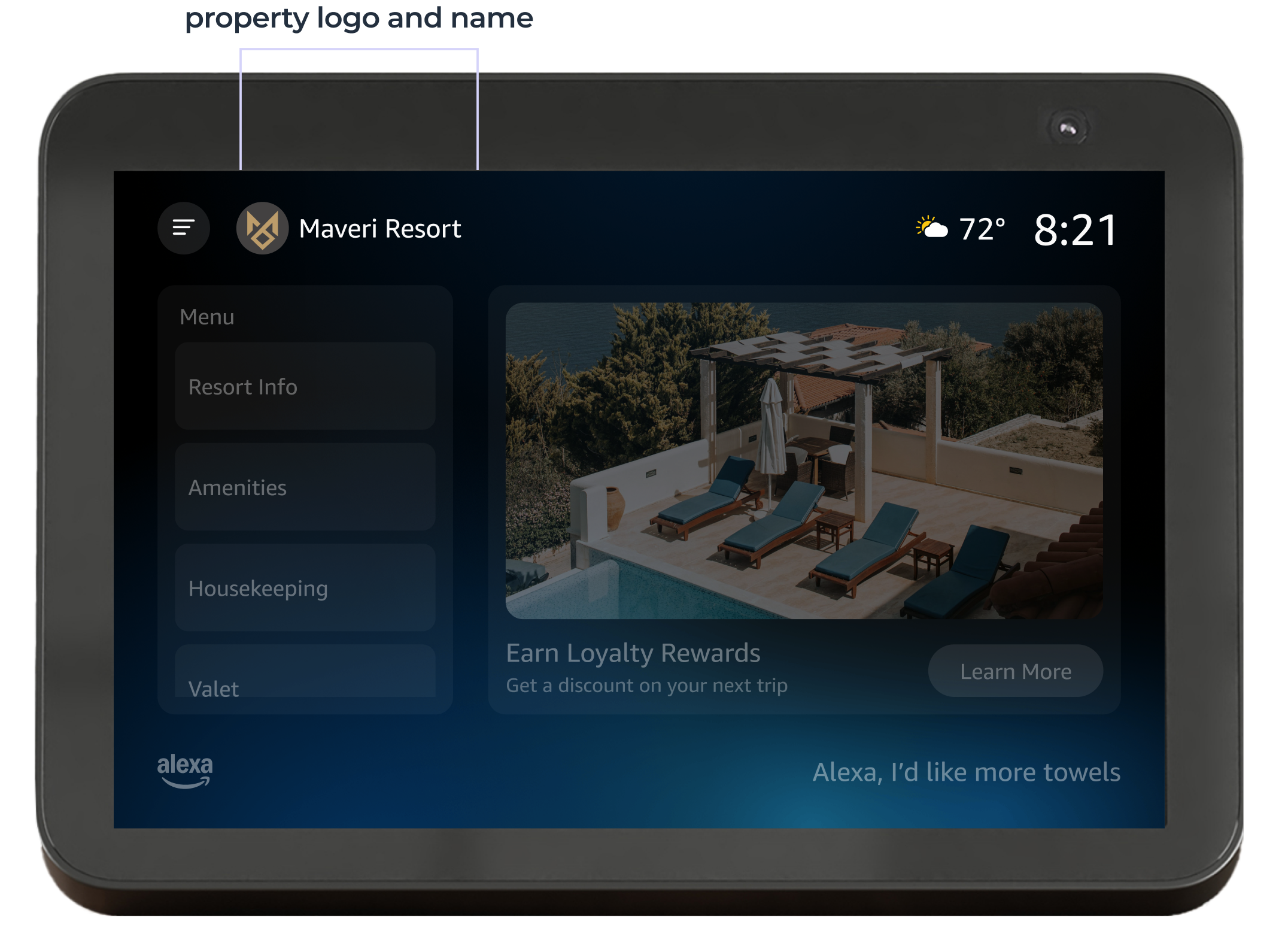
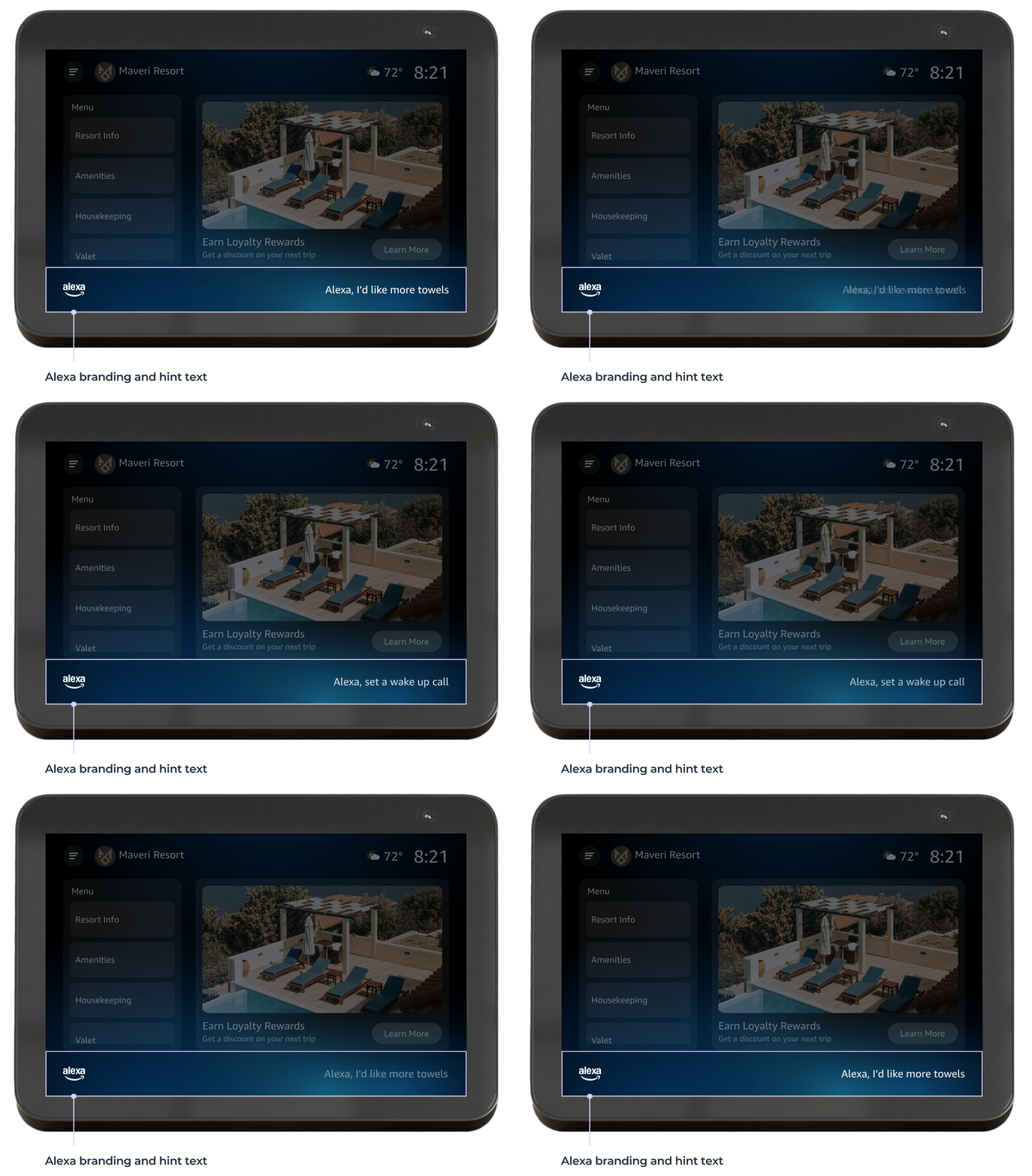
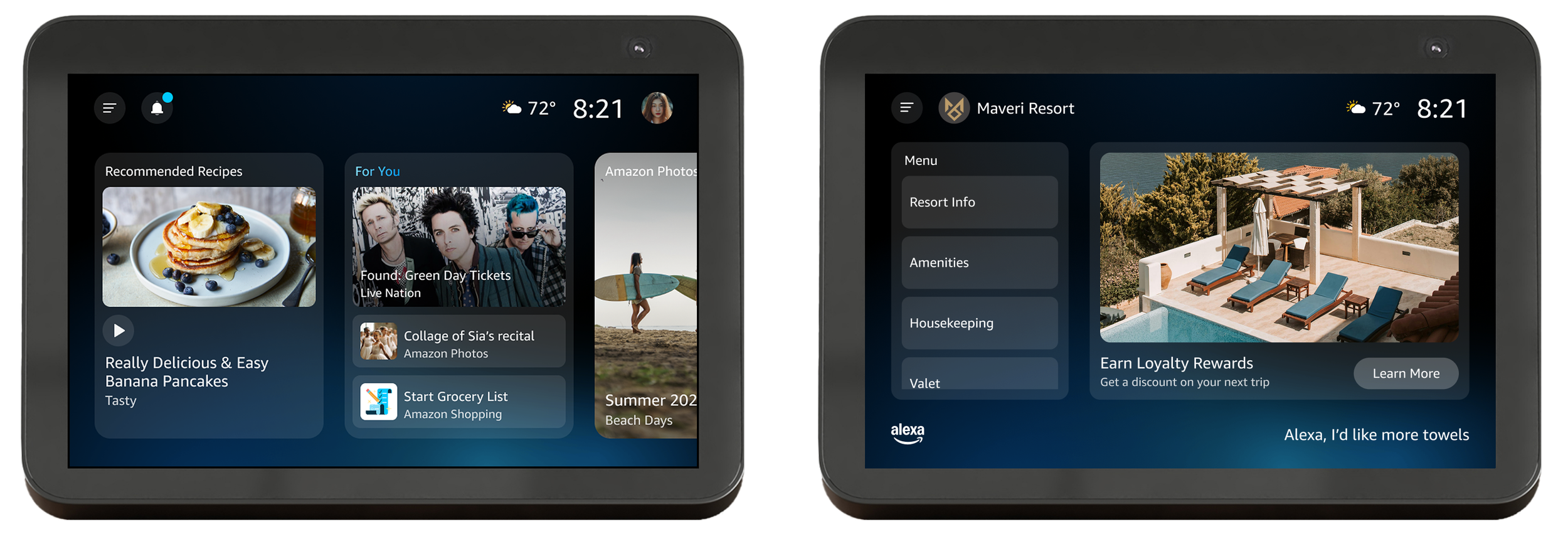
Consumer vs. Enterprise
While the layout and components are different, the visual styling remains consistent between the two.
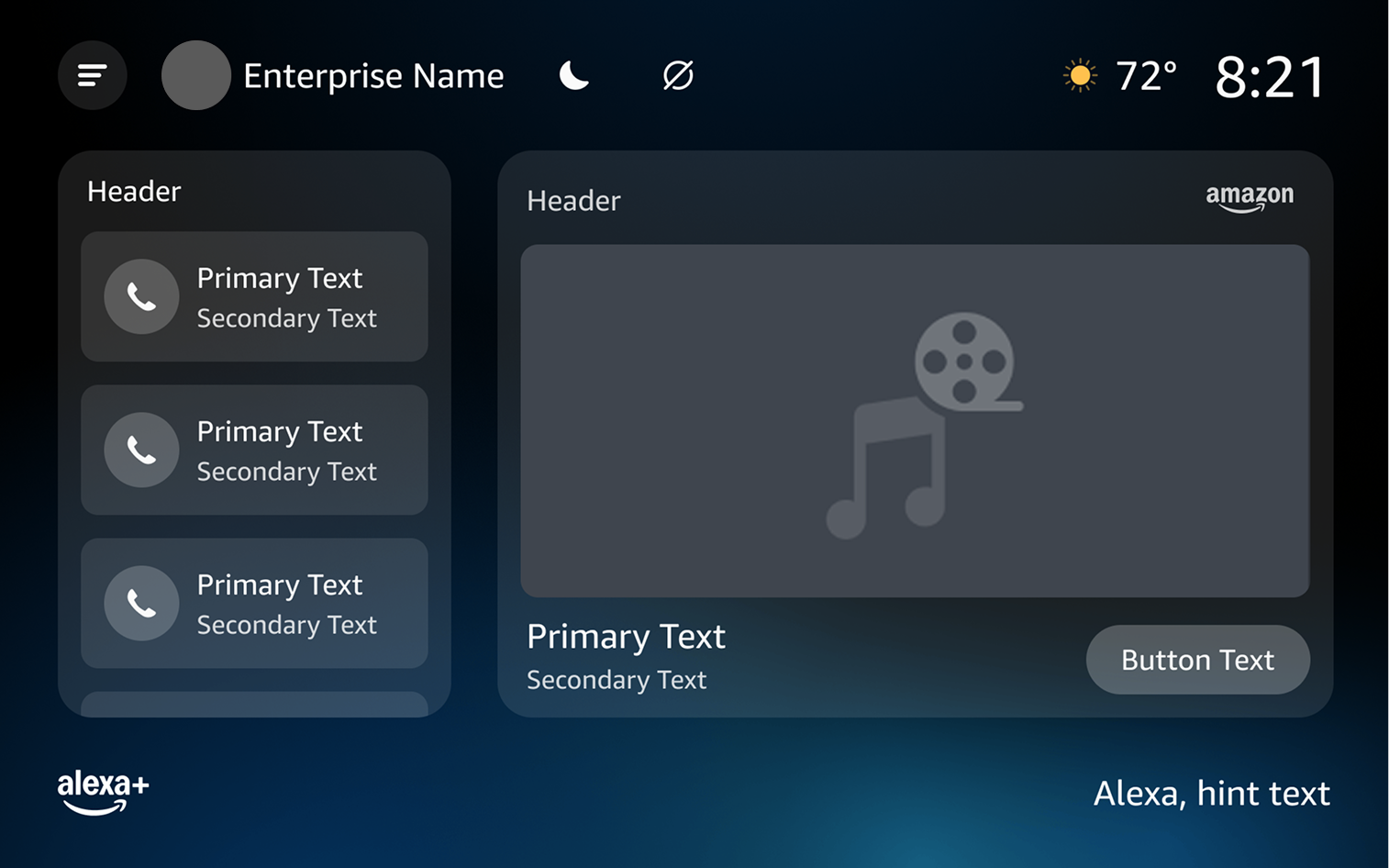
Customization Guidelines
Alexa visual consistency > customization
Alexa branded
Visual accessibility is a must
I erred on the side of keeping things consistent with other Alexa devices rather than opening things up to too much customization for this initial release. The goal was to keep the presentation layer clearly part of the overall Alexa experience. However, I did want to give partners the tools to support visual accessibility, especially for senior living.
Background Color
Partners can choose between the default dark mode and an alternative light mode.
Dark Mode
Light Mode
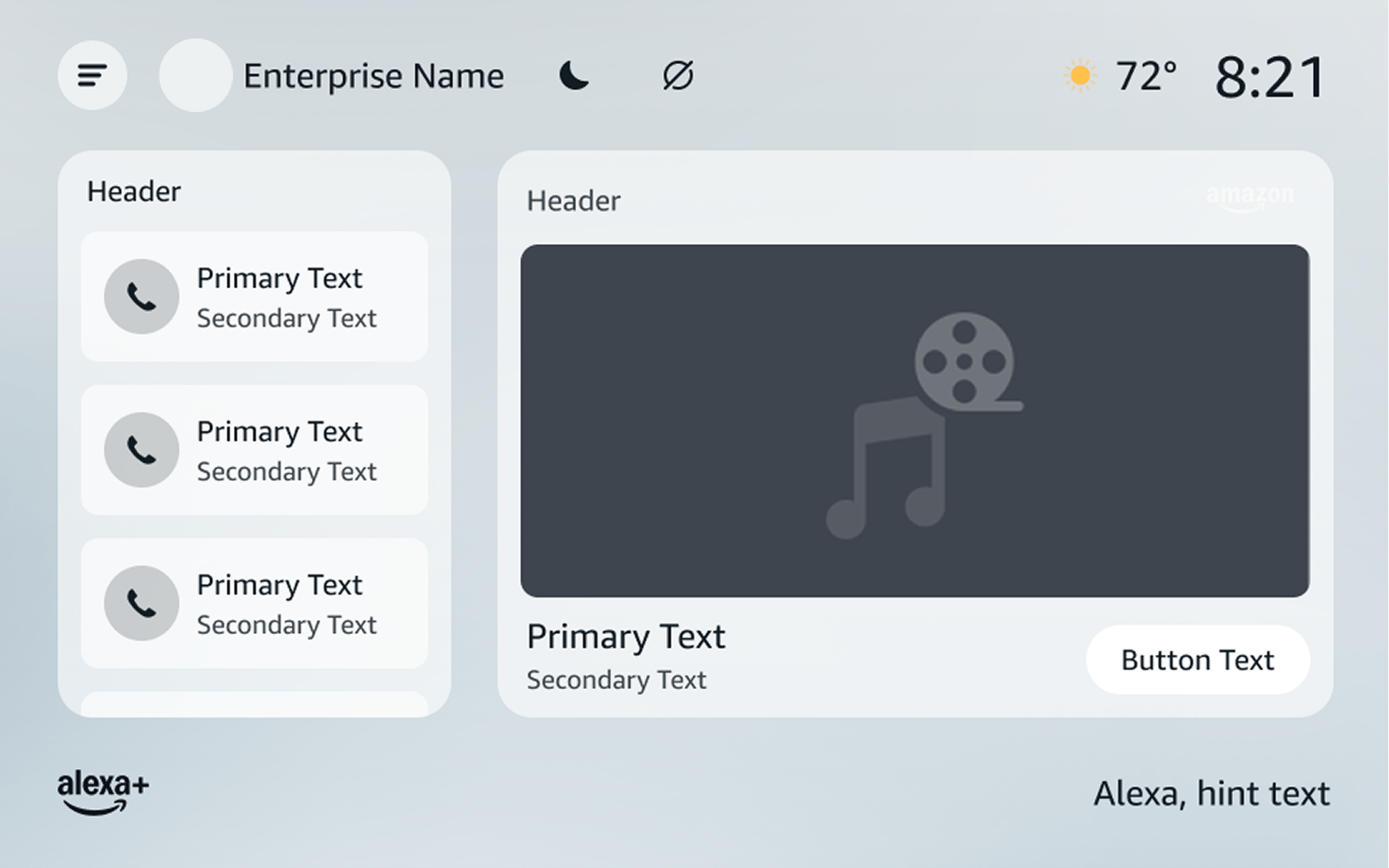
Text Size
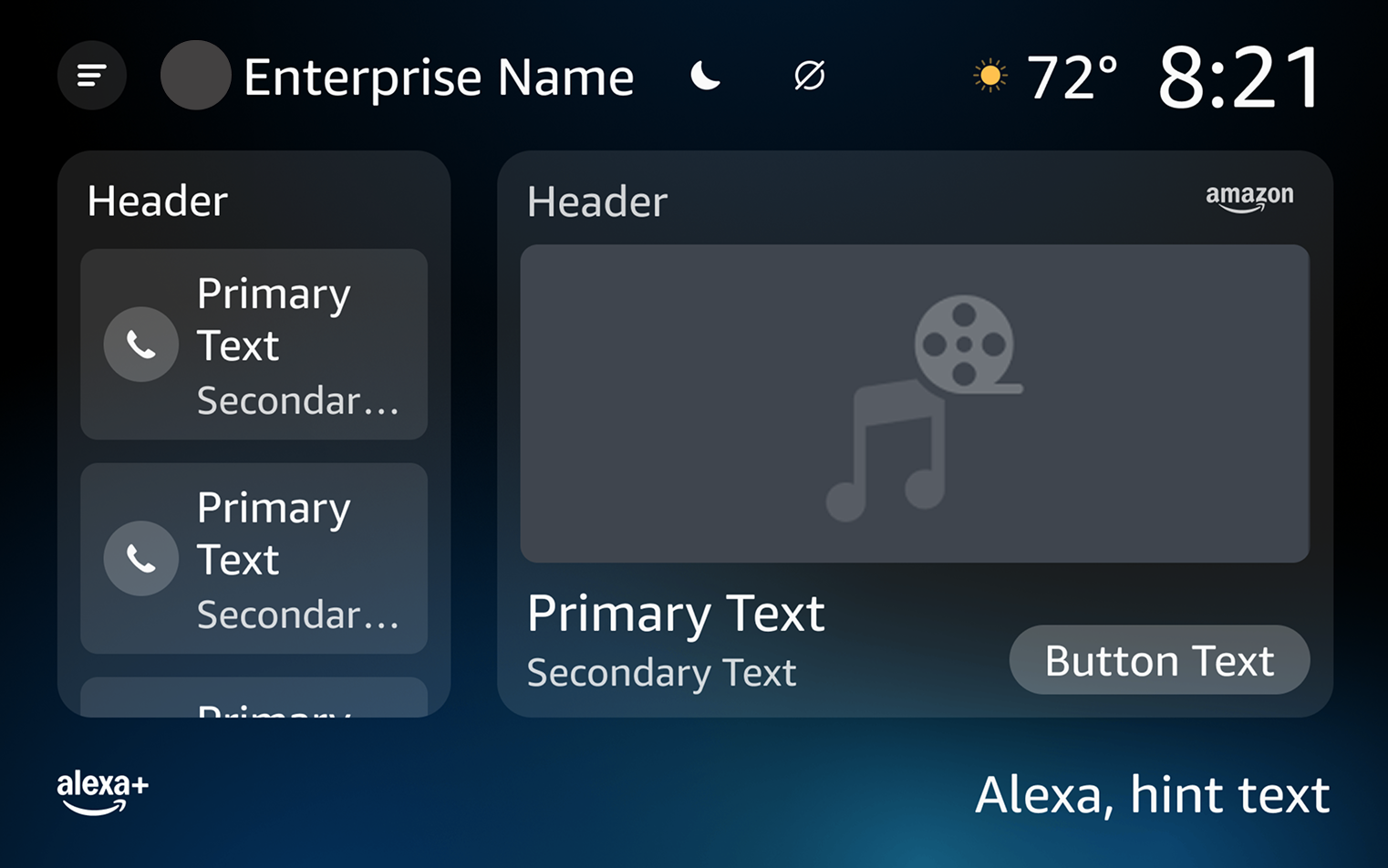
Text scale supports senior living end users with impaired vision.
Scale: 125%
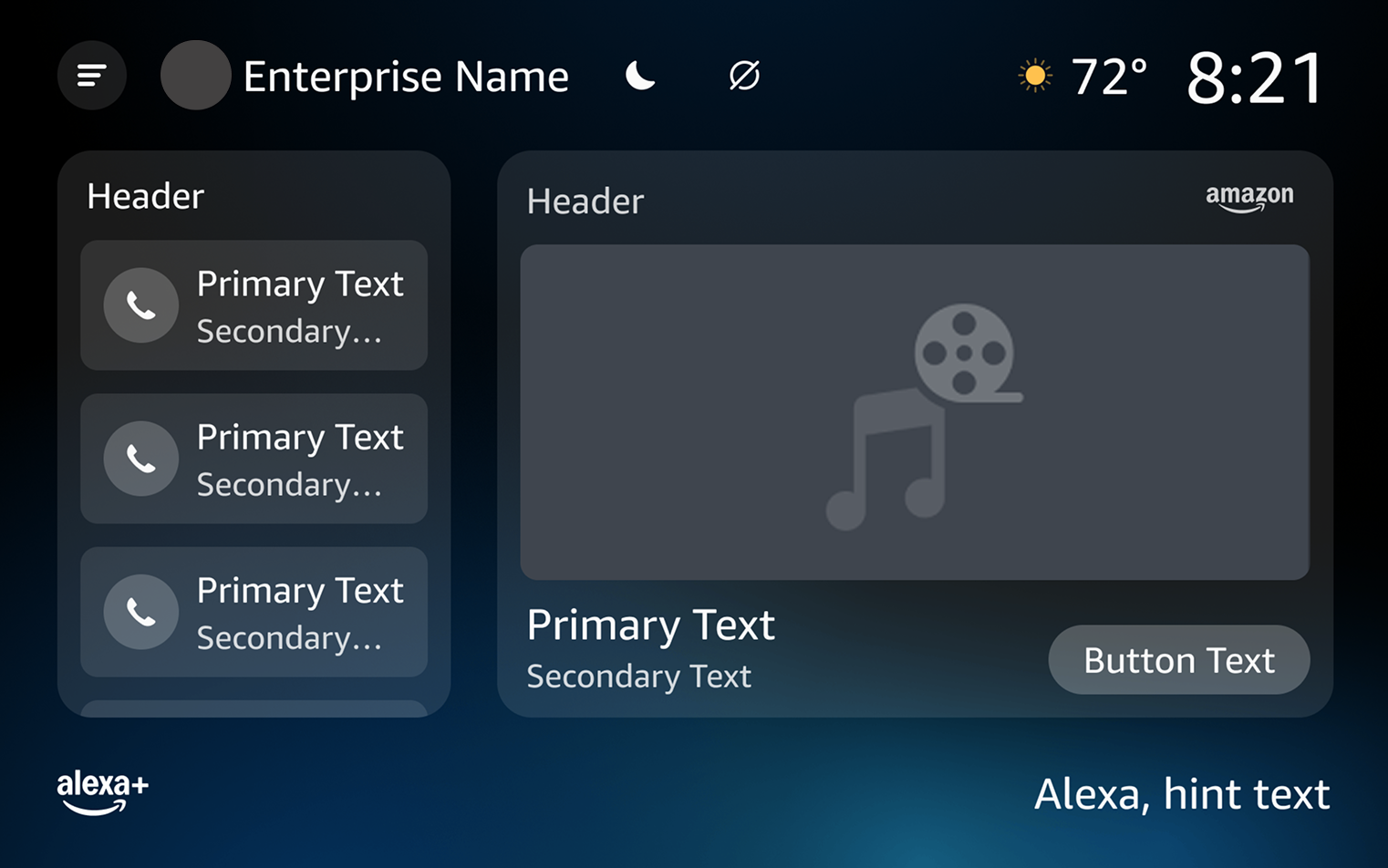
Scale: 150%
Interactions
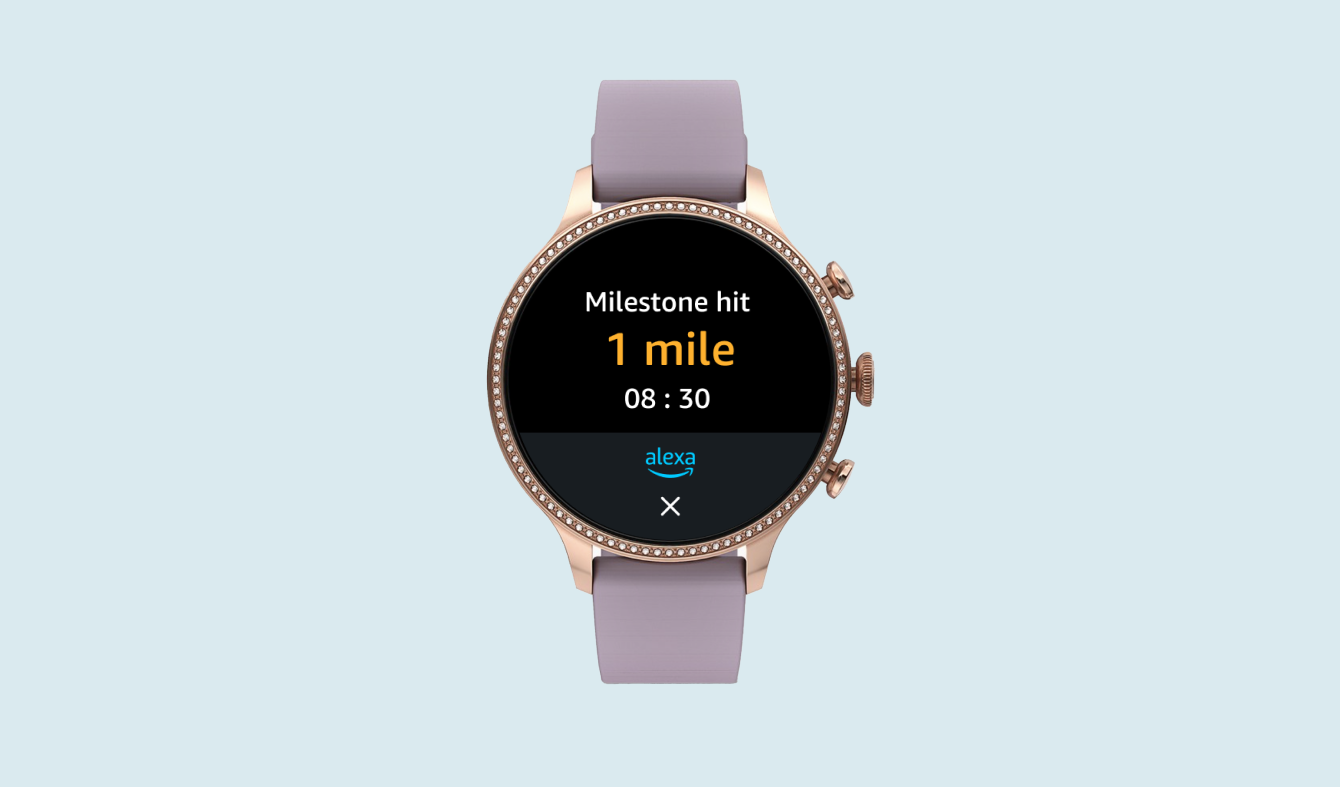
Users can interact with either tap-touch or by talking to Alexa with voice.
onscreen tap-to-touch
voice
Component System
While most of the styling came from the Alexa+ consumer design system, I needed to create component variations for enterprise, handling things like character limits, variations, and make sure that they would scale properly across dark and light mode as well as the three different text size presets.
Every hotel would want this
— Participant feedback
Product Validation
We ran product validation with 16 participants across hospitality and senior living and received overwhelmingly positive feedback:
✅ Senior Living communities see this as a potential differentiator
✅ Hotels view the ability to upsell onscreen as valuable
✅ Both like giving their end users the ability to get things done without having to contact staff
Beta Results
We have conducted two betas so far, with CSATs that meet our internal launch criteria:
• 5.5 out of 7
• 5.6 out of 7
One of these beta partners is reporting a 2.5x increase in enterprise feature usage with the new presentation layer. 🎉
Next Steps: AI Content Generation
In the future, property admin will be able to upload content such as events calendars and leverage Alexa’s AI capabilities to generate content for end users onscreen.