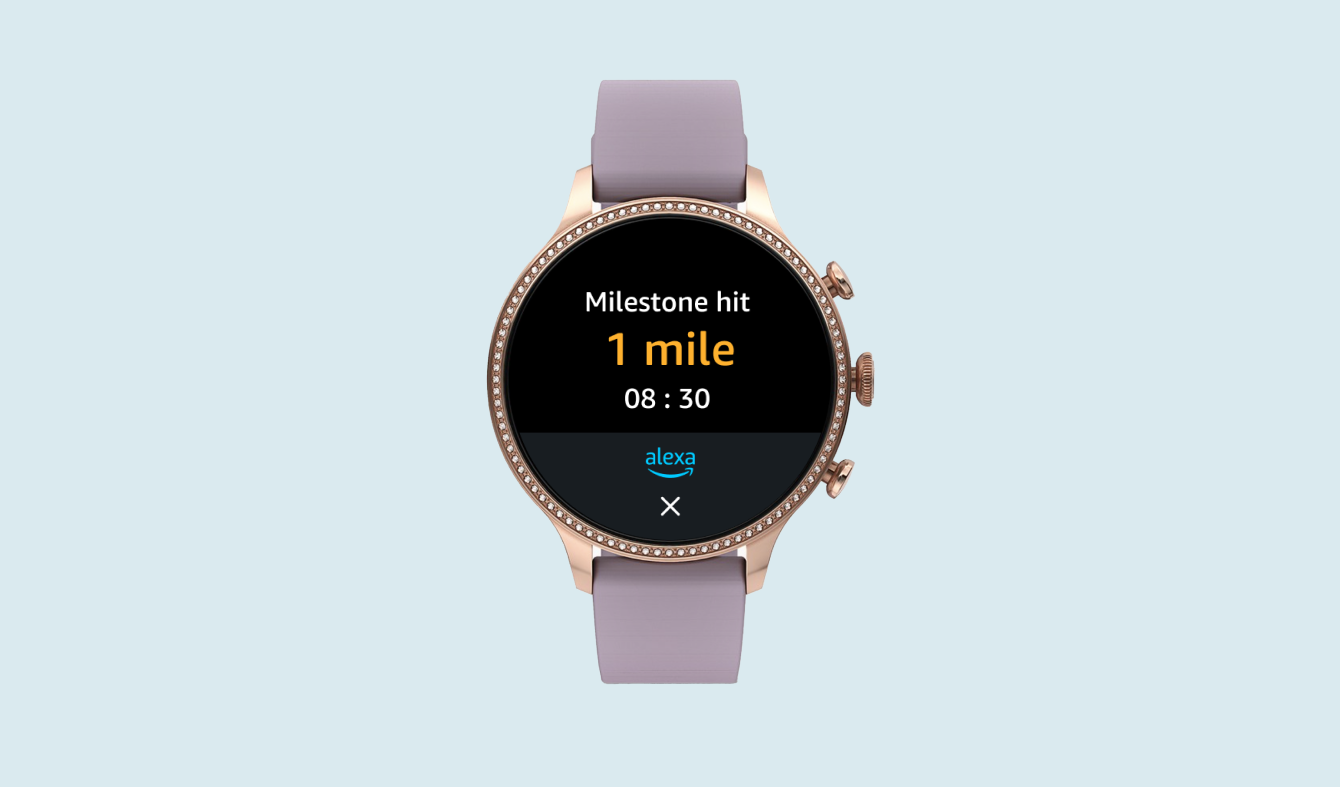
Alexa for TV
Mobile App Setup
Design Problem:
How might we use Amazon mobile apps to drive increased adoption of Alexa for TV?
my role
Sole UX Designer
Deliverables
• User flows
• Design definition
stakeholder teams
• Alexa Built In product and engineering
• Alexa mobile app design team
• Amazon shopping app design team
Timeline
1 month
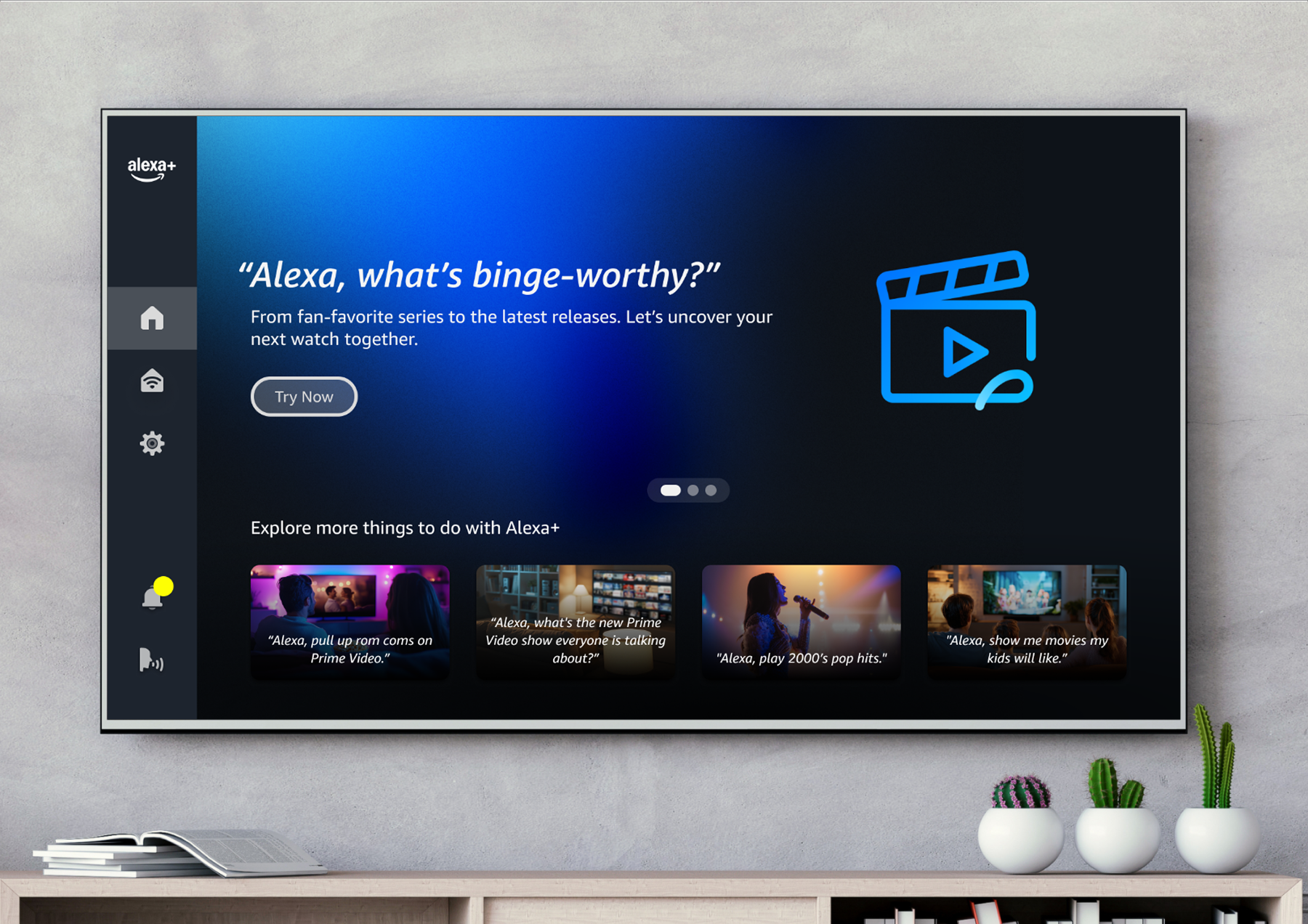
Alexa on TV
Alexa comes built in on many TVs sold through Samsung and LG. Users can ask Alexa information questions, as well as control TV functionality like searching for videos. This is separate from Fire TV.
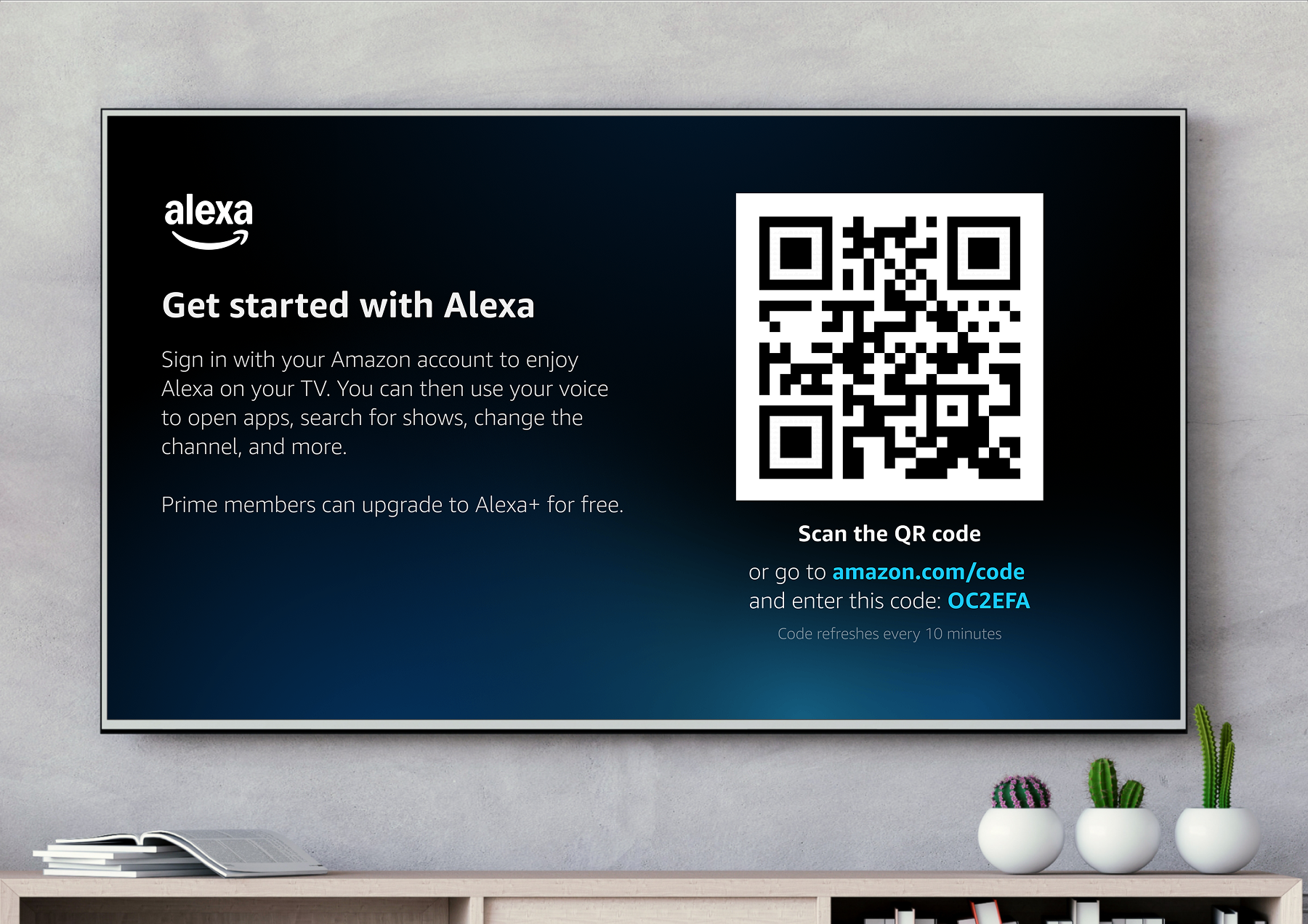
Setup: TV → Mobile
Users set up Alexa on their TV by scanning a QR code onscreen, which opens a web-based flow on their phone.
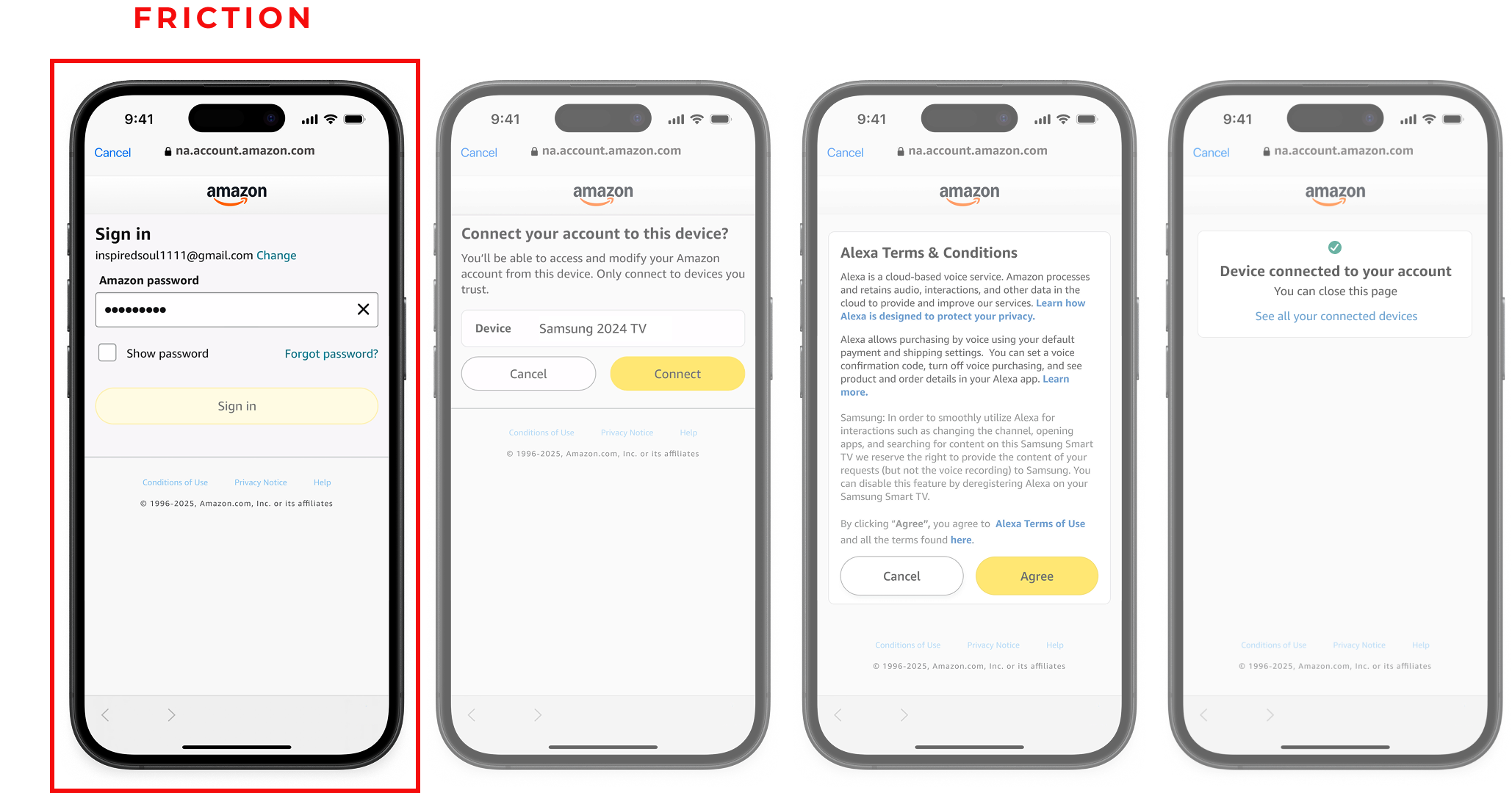
problem:
High drop off
Logging into your Amazon account is a source of friction
Goal
Improve the Alexa for TV setup flow to drive increased Alexa engagement
• Reduce friction: Remove need for Amazon login and password
• Alexa+ adoption: Connect eligible users to Alexa+ for a better conversational UX
solution:
New Setup Options
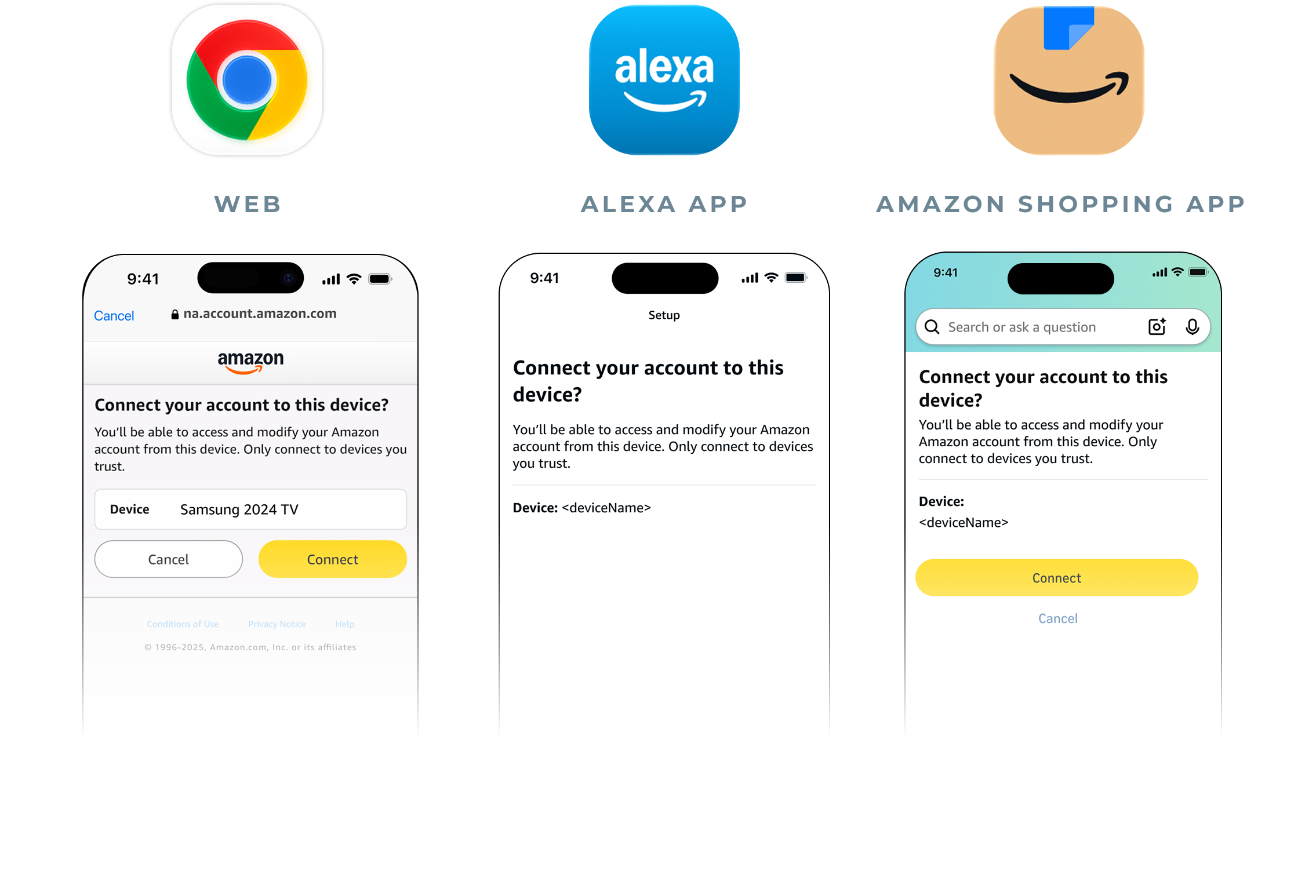
• Users with Alexa or Amazon Shopping mobile apps are taken to those apps to set up Alexa.
• Allow users to upgrade to Alexa+ during setup.
Users
Alexa Mobile App
Existing Alexa users
Already have an Alexa device such as Echo Show
Amazon Shopping App
New to Alexa
Likely existing prime members, Alexa+ eligible
Reducing Friction
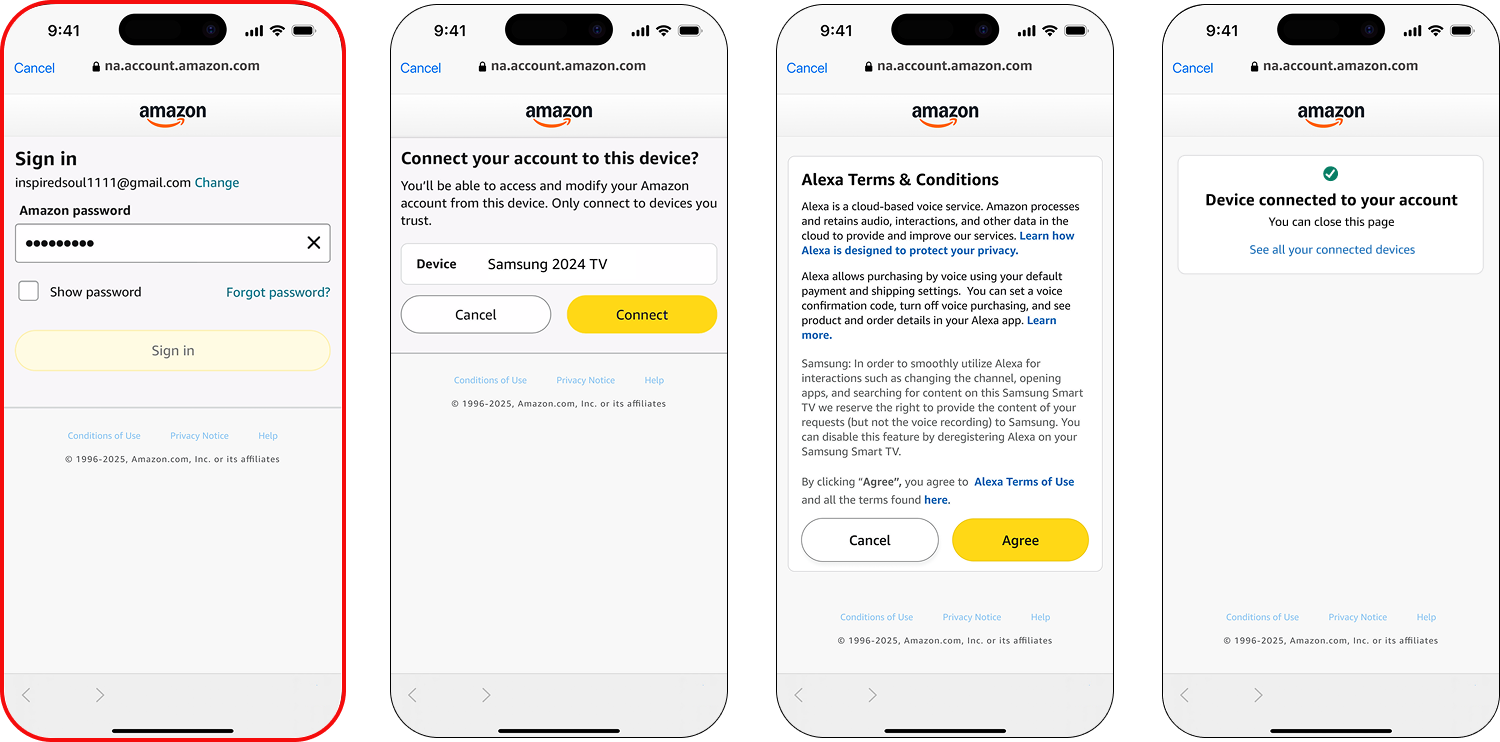
In an existing mobile app, users do not need to log in to their account
after
Before
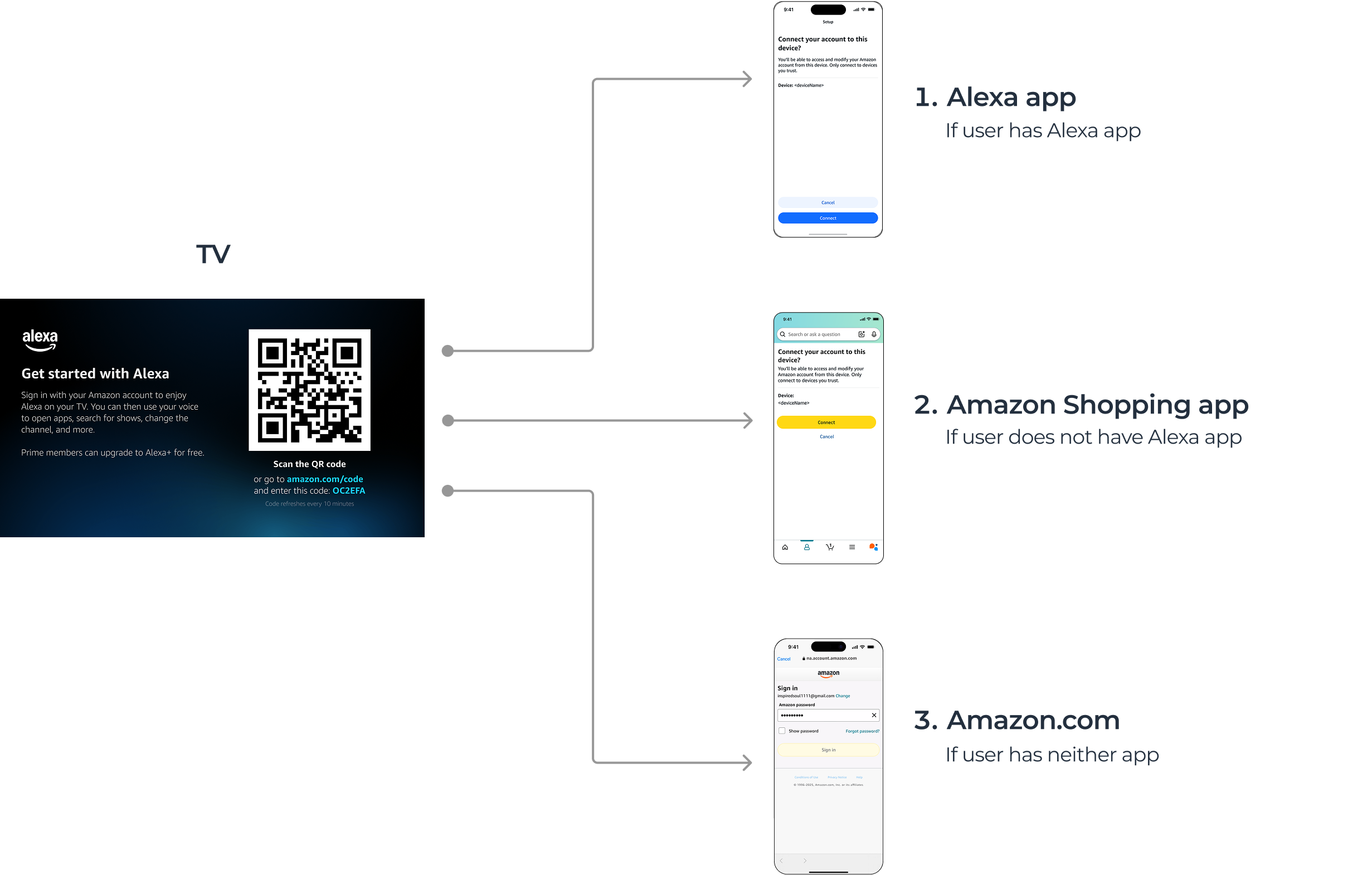
User Flow: App Routing
Users are automatically sent to one of three apps
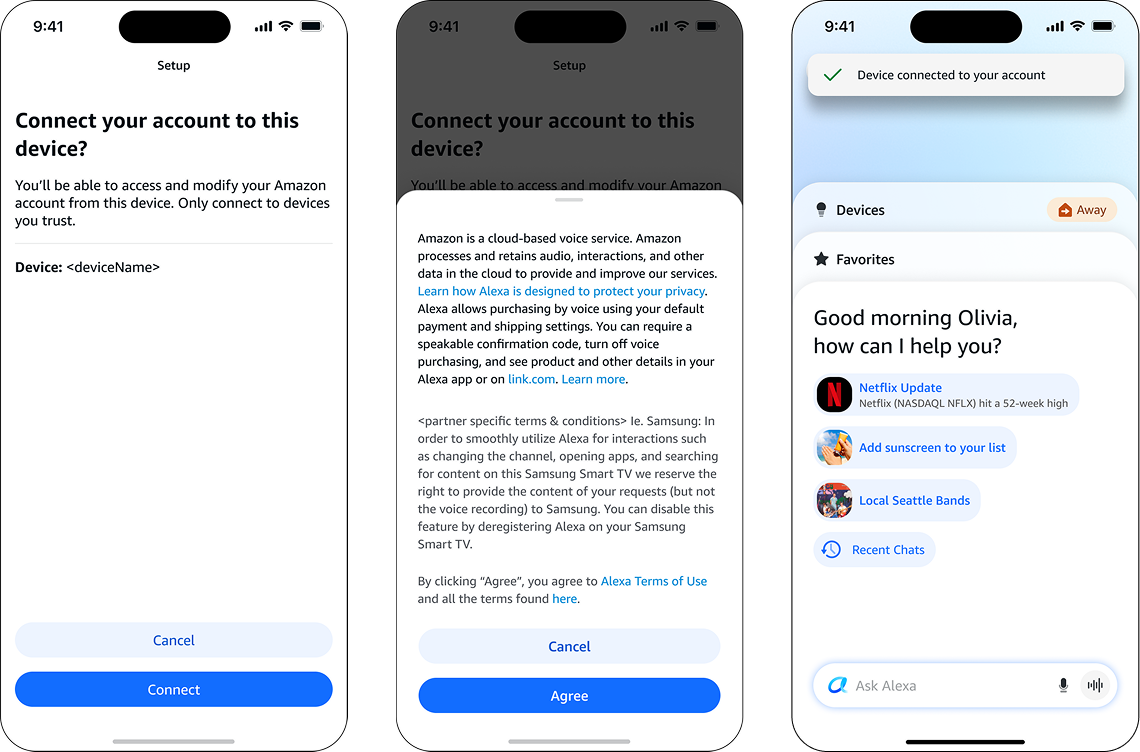
User Flow: Alexa mobile app
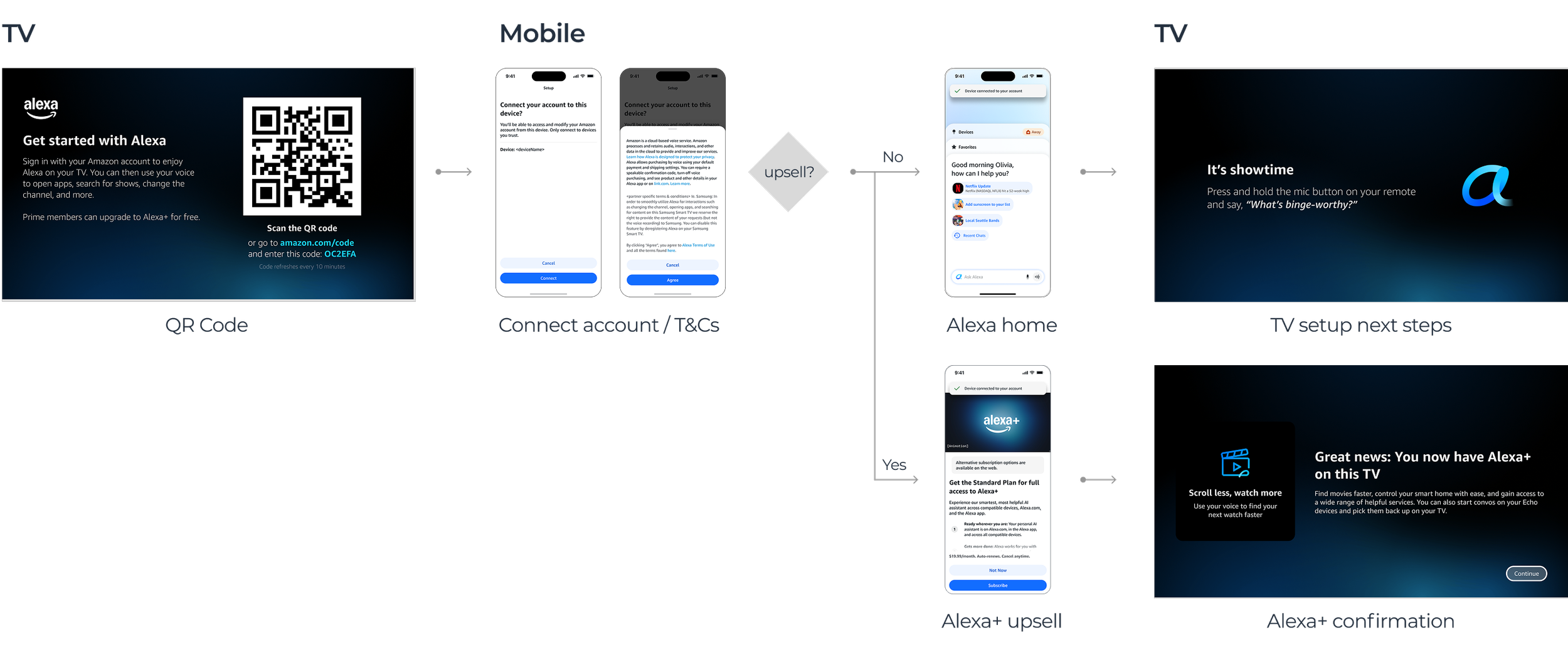
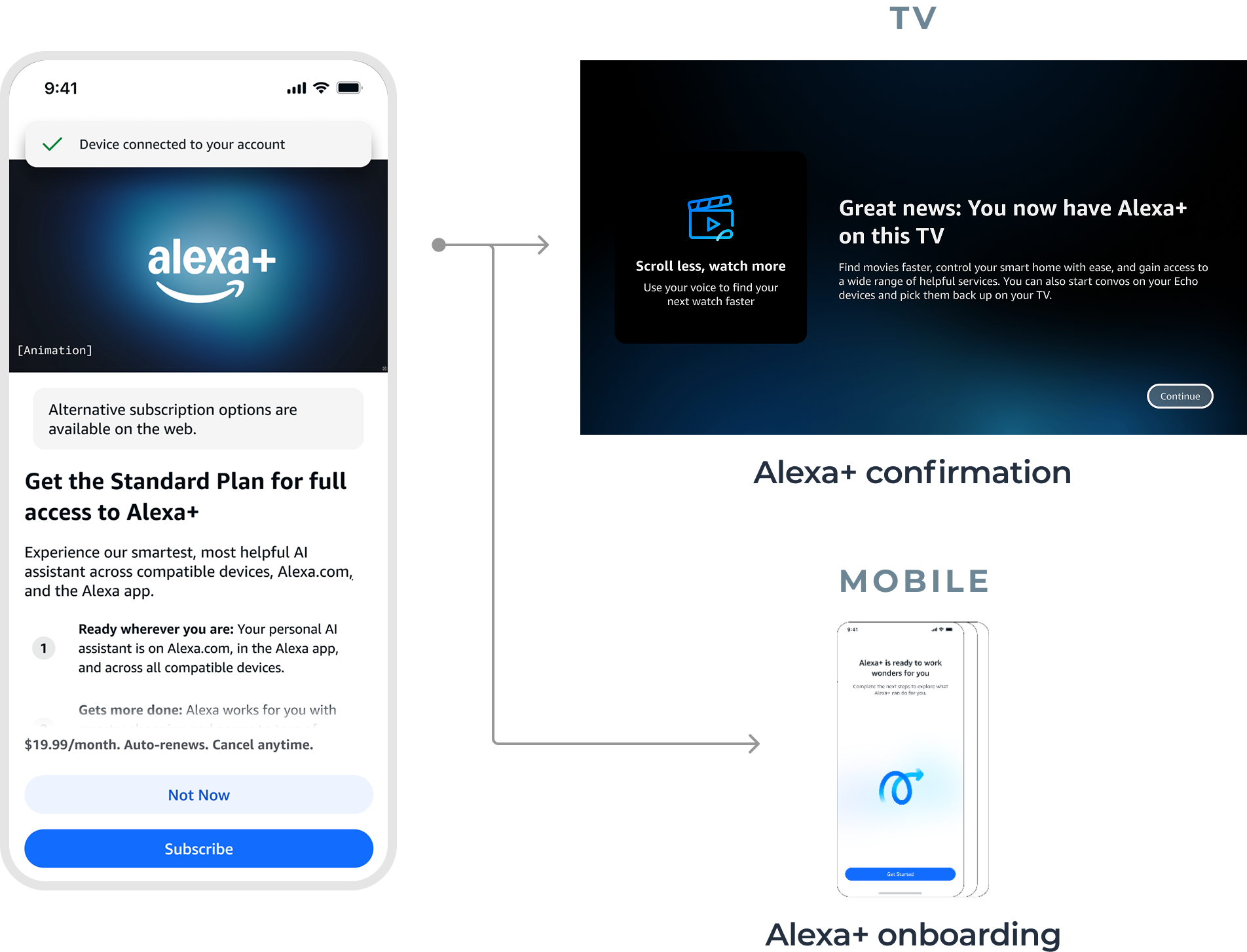
Alexa+
Users who are eligible for Alexa+ but not yet enrolled are taken to the Alexa+ upsell screen.
If they choose to subscribe, their TV will reflect this and they have the option to complete Alexa+ onboarding in the app.
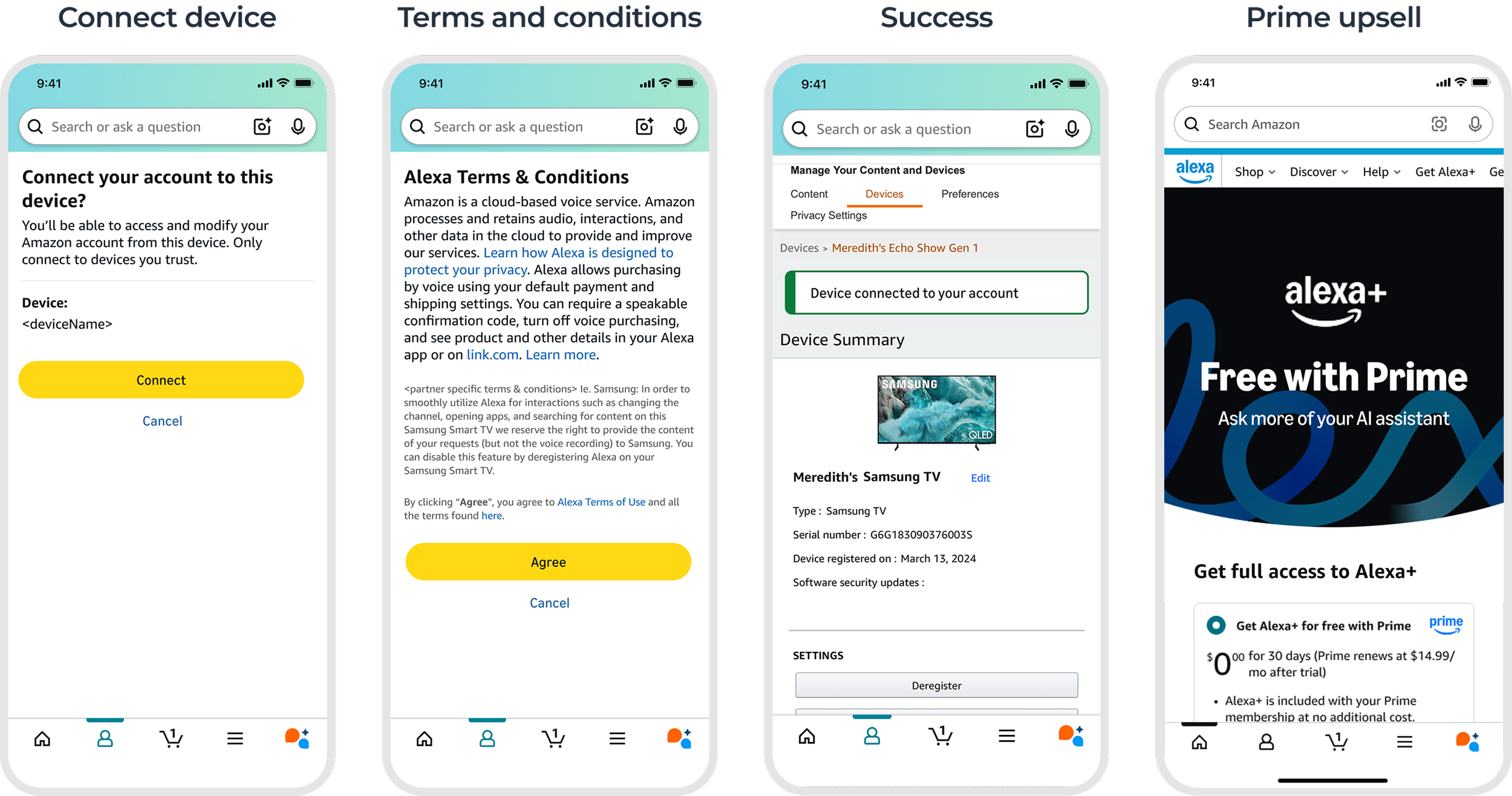
Amazon Shopping mobile app
Content and steps remain consistent, but touchpoints are slightly different as they fit into the existing information architecture of this application.
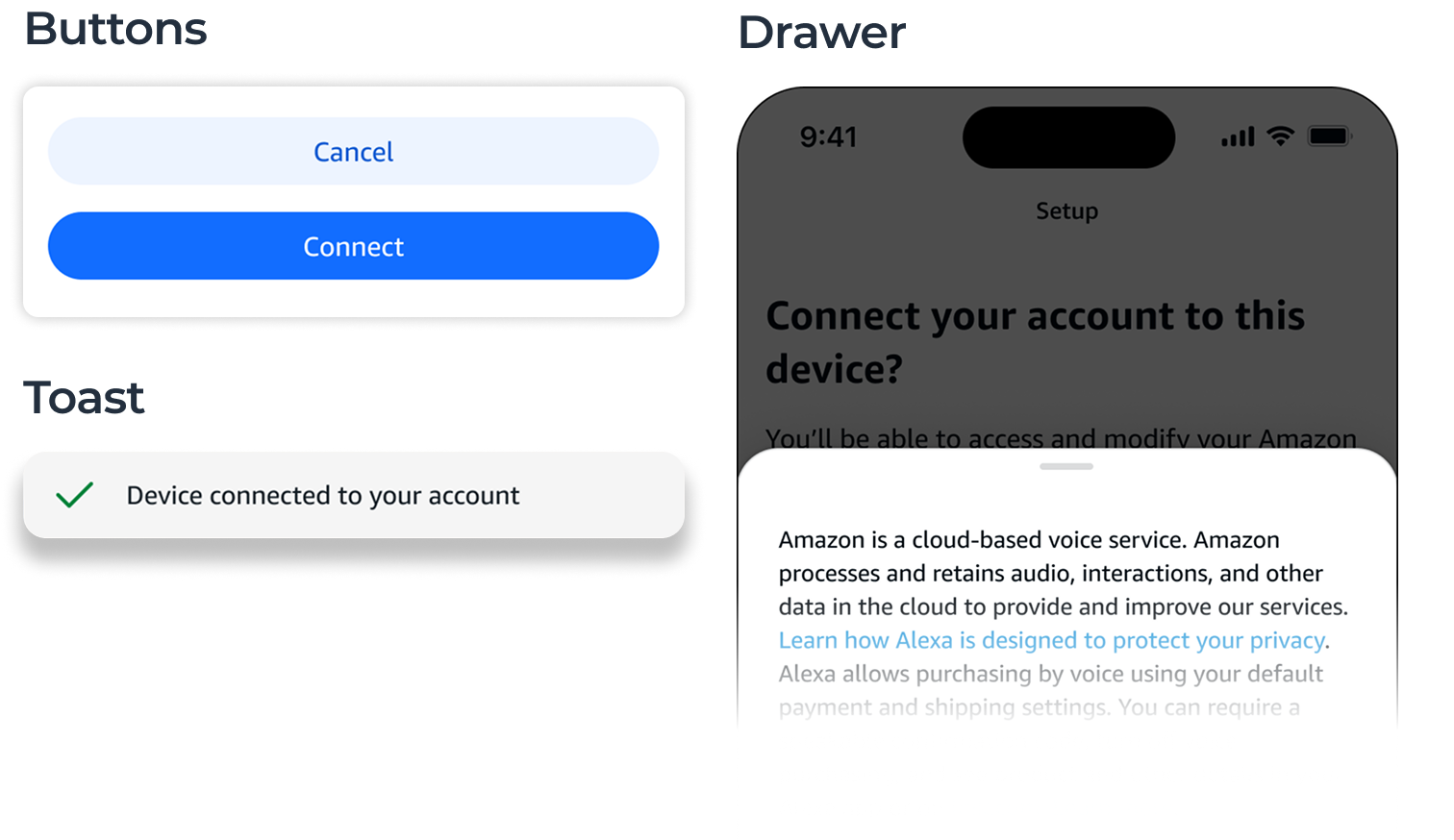
Design Systems
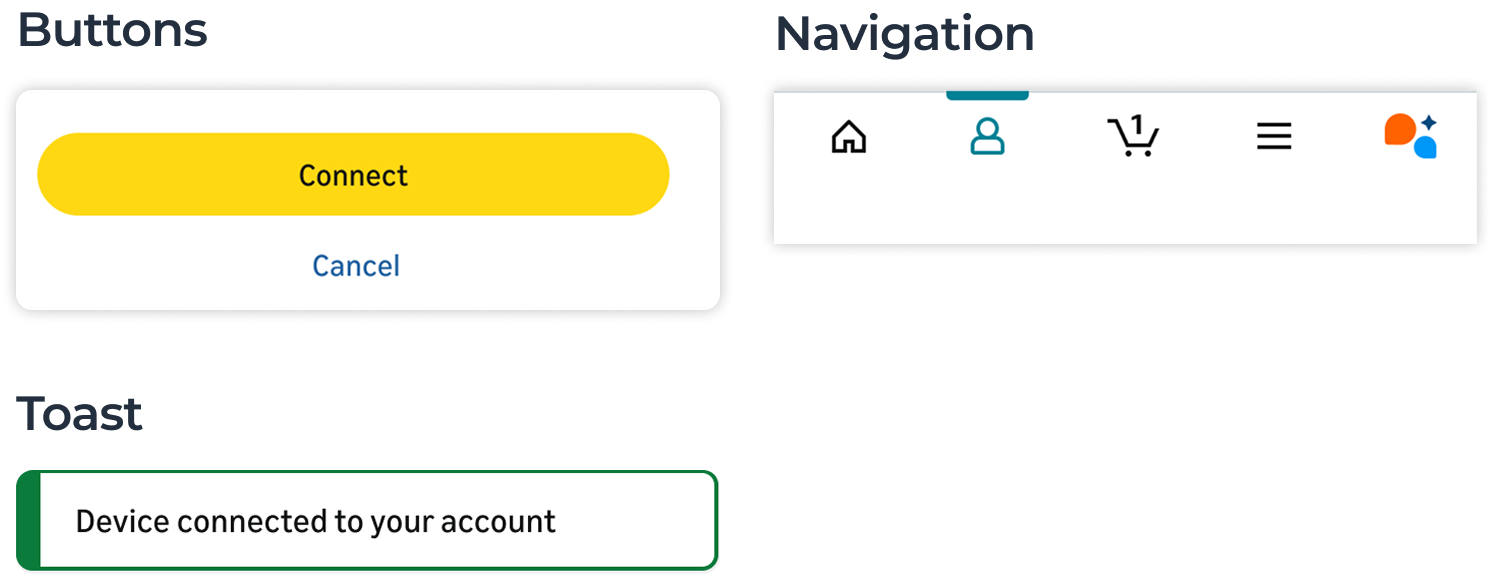
Designing for each app required using separate design systems with distinct styles and components
amazon shopping app
alexa app
Next steps
• Handoff to engineering
• Alexa mobile app launch: Q2 2026
Mobile Discovery for Existing Users
How might we help existing Alexa users discover and set up Alexa for TV?
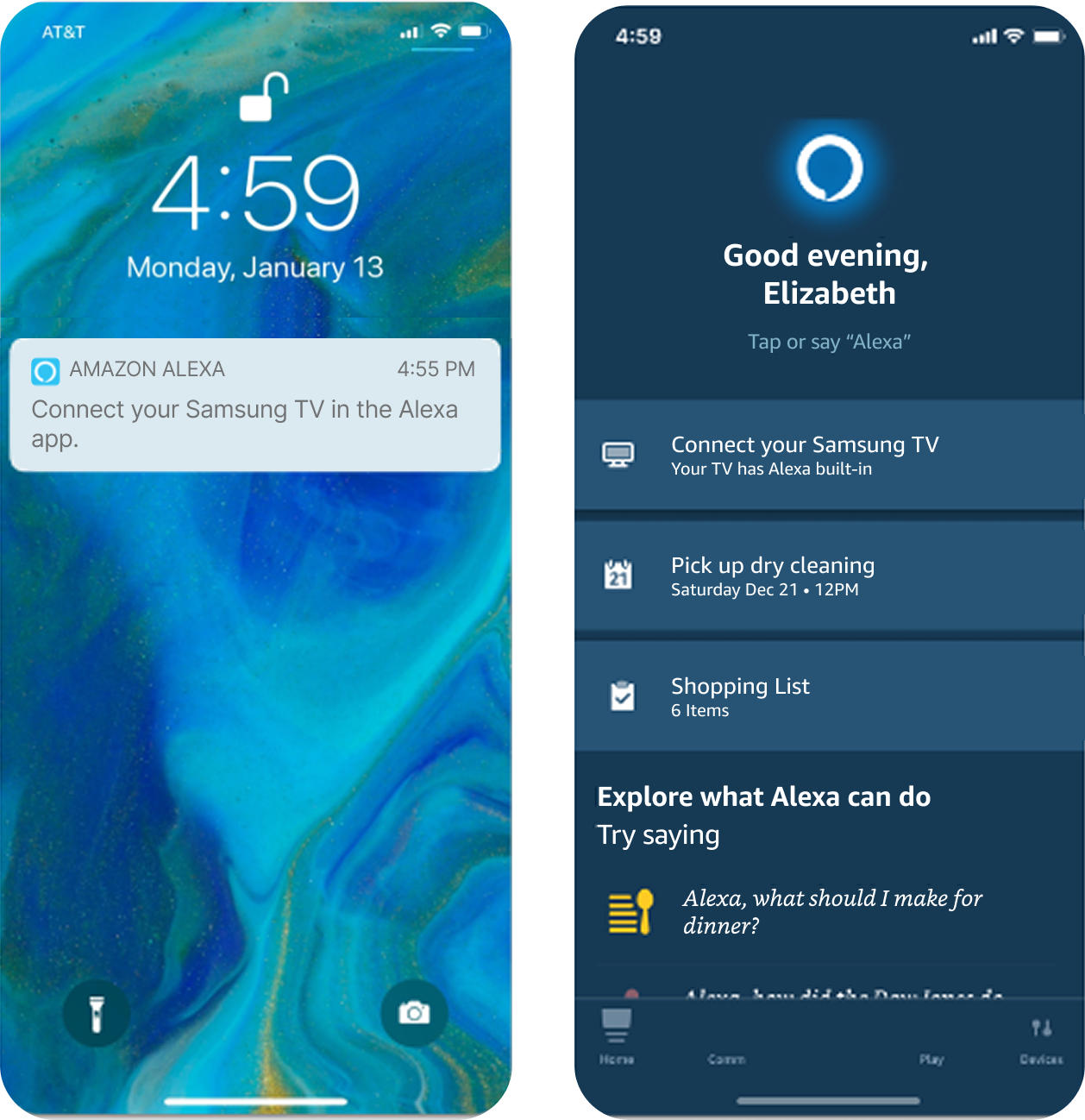
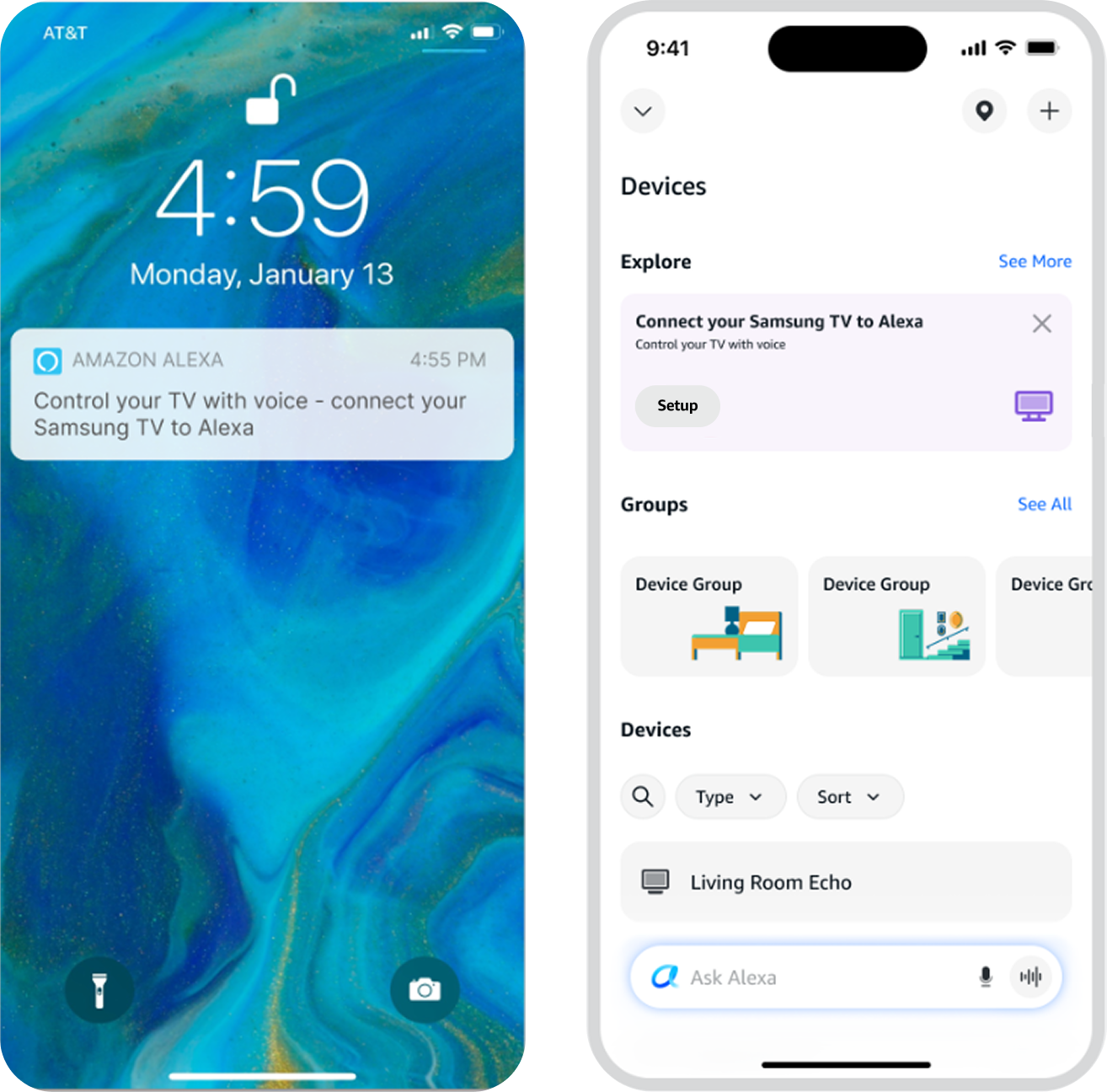
Device Discovery from the Phone
Sometimes users purchase a TV with Alexa built in but do not set up Alexa on the TV right away.
If users already have an Alexa account, we can send a push notification directly to their phones to prompt them to set up their device.
Users can also discover they have a new device to set up from the ‘Devices’ screen of the Alexa mobile app.
Updates and Improvements
The original designs were created by another designer three years ago but never shipped due to shifting organizational priorities.
In addition to updating the designs to match today’s Alexa app patterns, I made several improvements to simplify the setup flow and make it more user-friendly.
Full user flow before
Discovery
I included a simple value proposition: “Control your TV with voice” along with the call to action.
Before
after
Introduction and Instructions
The TV must be on and connected to
Wi-Fi in order to complete setup in the app. This was previously a problem during beta testing.
I solved for this by simplifying instructions so that both requirements are clear.
Since we’ve already included a value proposition at discovery, there is no need for an additional introductory screen.
before
after
Loading
Connection time typically takes just a few seconds. Instead of the timing messaging, I included a rotating set of value propositions about what users can do with Alexa on TV.
Success
I combined multiple screens by simplifying text to make it more user-friendly.
We ask users to try pressing a button and talking to Alexa right away so that they get used to interacting in this way. I changed the suggested request to one that is TV-specific.
Edge Cases
If users didn’t turn on their TV or connect to Wi-Fi, I included an error to remind them
If users decided to cancel out, I created a winback to remind them to return and finish later
In rare cases, customers may have more than one TV with Alexa built in.