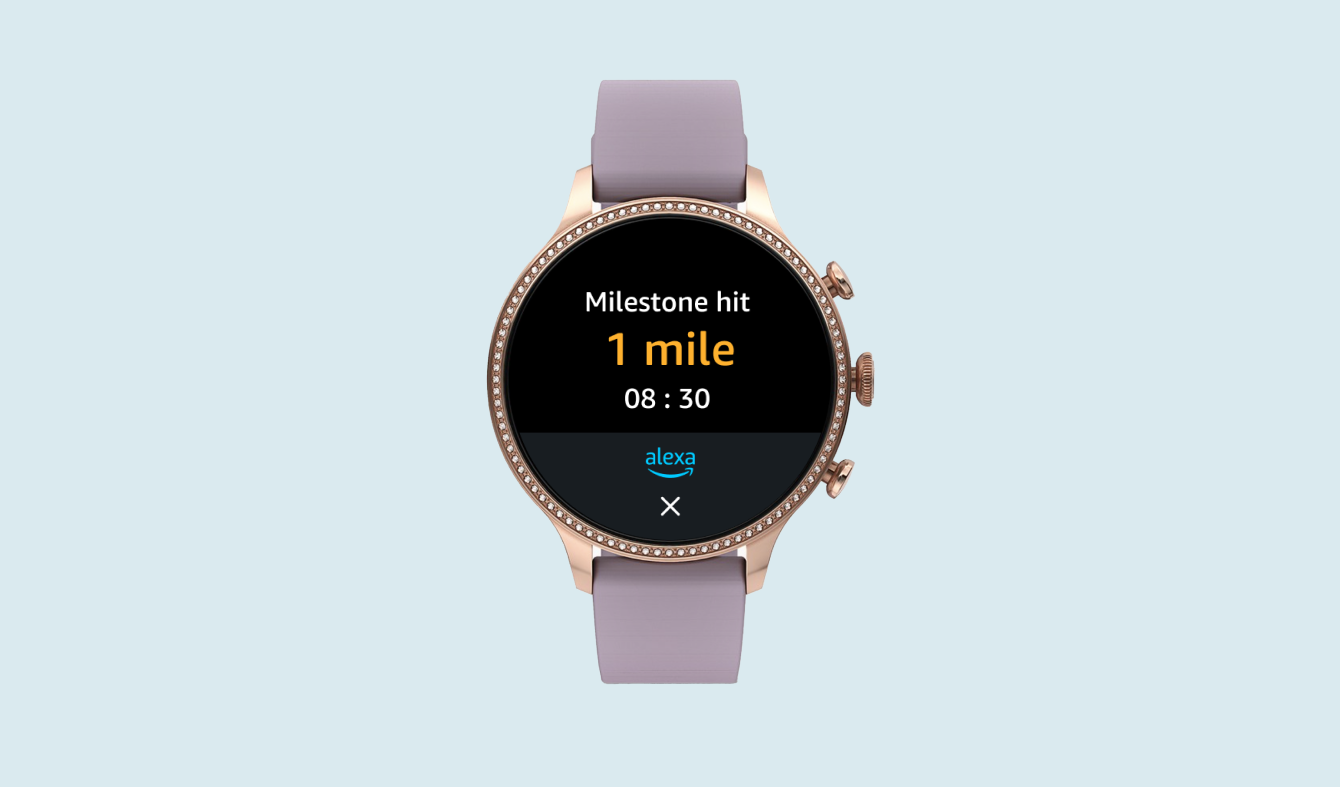
Alexa for Smartwatches
objective
Support the initial launch of the Alexa App for smart watches
my role
Design exploration
Design definition
Overview
In 2022, the Alexa WearOS app was launched on Fossil watches. This was the first design-supported integration of Alexa onto a smartwatch.
Customers can talk to Alexa by tapping a button onscreen or by setting up a hardware button shortcut. Alexa will answer questions on the watch with a combination of voice and onscreen visuals.
What I Delivered
I was one of three designers working on this project and collaborated closely with stakeholder teams. These are the features that I specifically delivered:
Design System
Setup on Device
Fossil Tile
Alexa Responses Onscreen
Music Deeplinking
Alexa Lists
Error States
Research Insights
Before the start of the design process, our team's user researcher ran a diary study with several participants. This was a qualitative study designed to uncover user attitudes about voice assistants on smartwatch.
User needs:

Source: Dscout Wearables Diary Study, 2021
Constraints
Designing for the watch comes with a few key constraints that impacted my design decisions:
Battery life → black background, minimal graphics
Small screen size → minimal content, shallow navigation
On body → privacy, options to silence Alexa
Design Styles
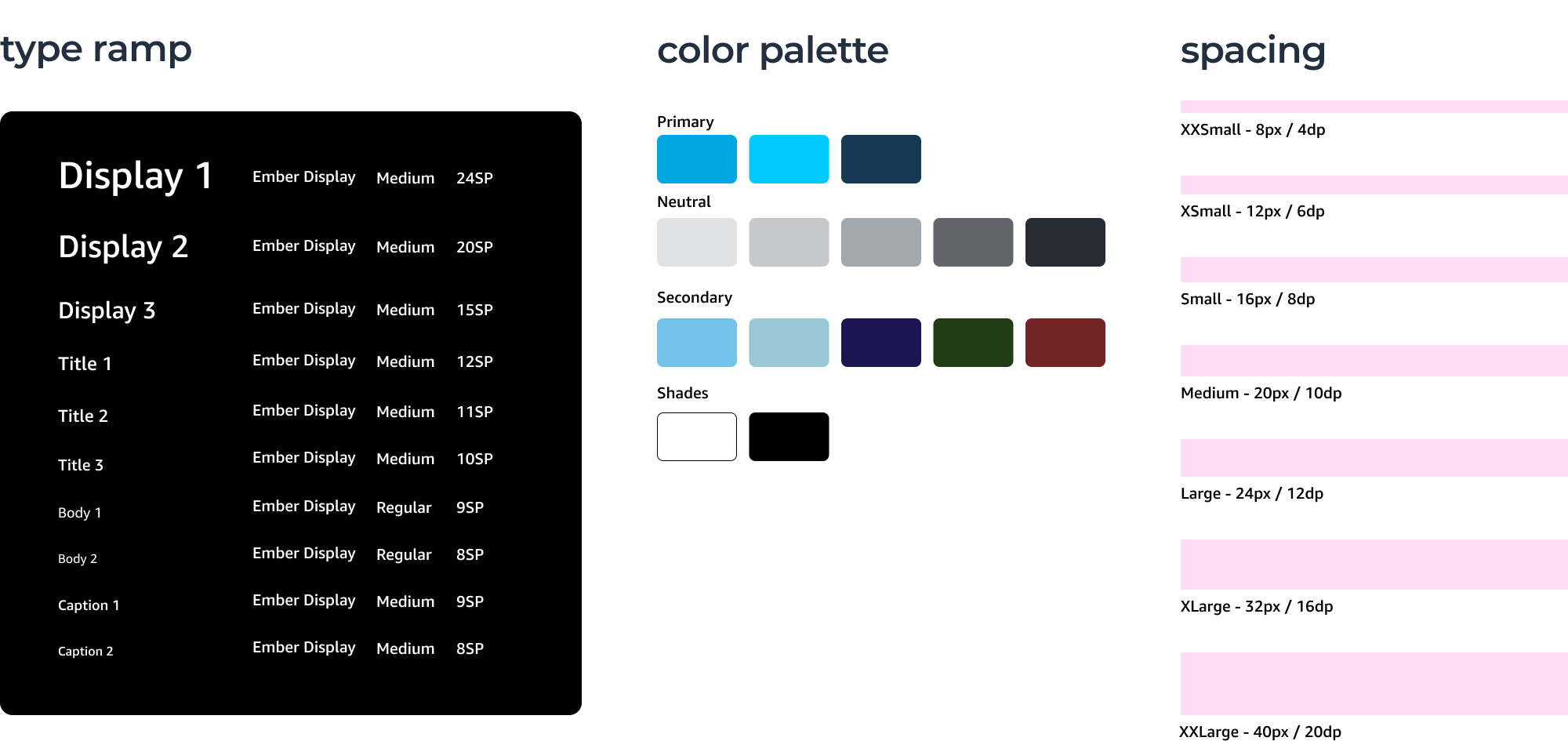
Alexa branding, optimized for the watch. I created the initial design styles for the Alexa smartwatch app, including Alexa's brand colors applied minimally on-screen to conserve watch battery life. I defined spacing and sizing using density-independent pixels that scale to any watch screen size and pixel density.
Design Components
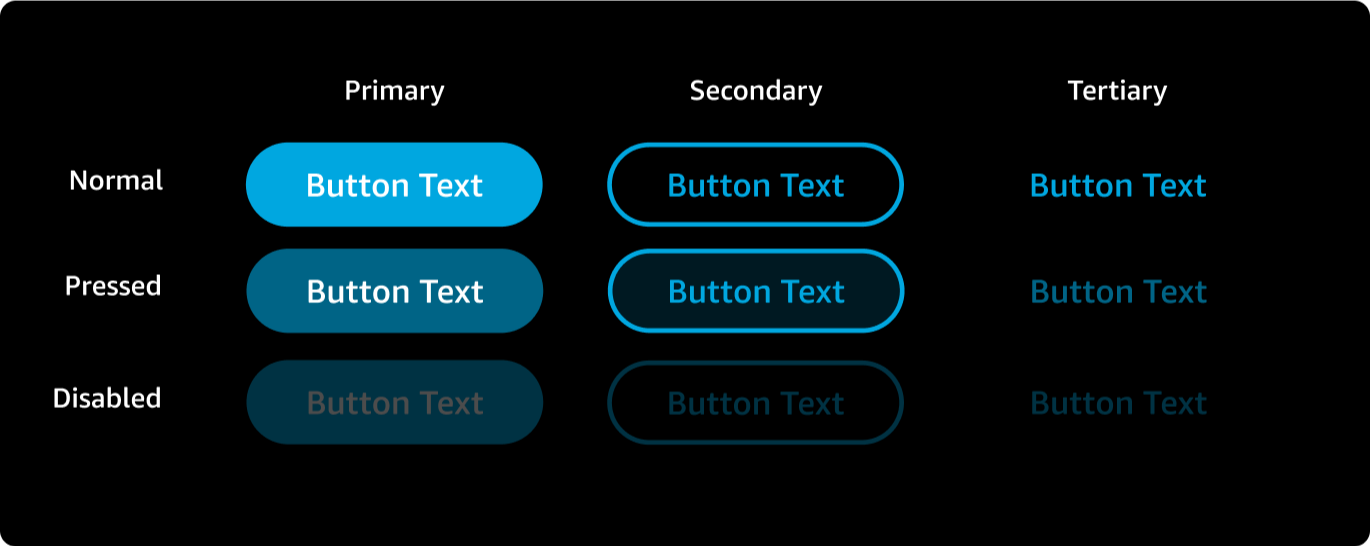
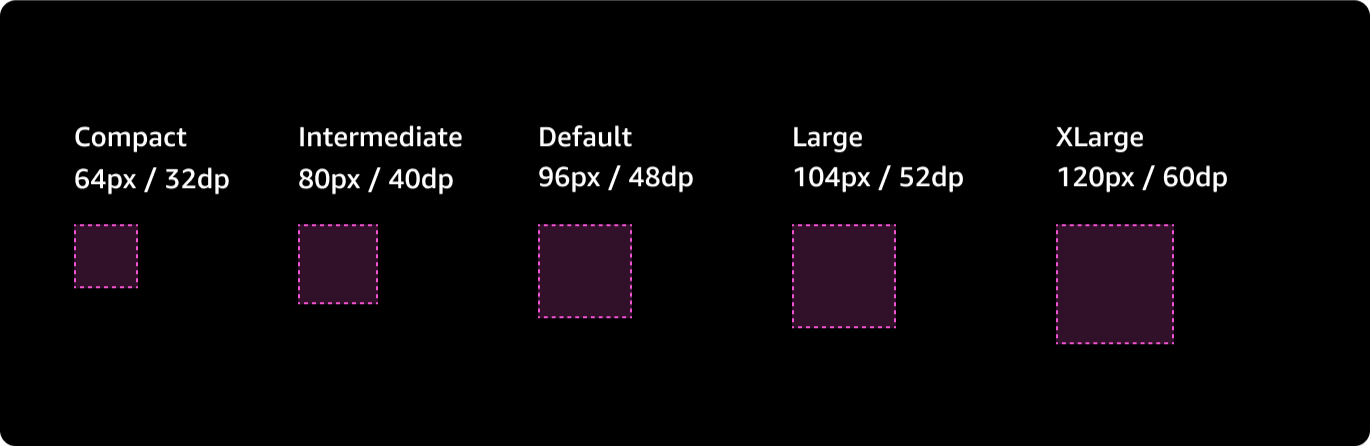
I also created initial components, including button types and states, as well as tap target sizing based on smart watch best practices.
Buttons
Tap targets
Fossil Watch Surfaces
The Alexa app is a third-party application, rather than a native voice assistant like Siri on the Apple watch. I worked to make sure that accessing Alexa was as easy as possible by designing for multiple access points.
Fossil Watch Surfaces
Alexa App Home
Three steps to talk to Alexa. This is the default way to interact with Alexa. Users open the app menu, open the Alexa app, then tap a button on-screen to open the microphone. The high number of taps and swipes is a point of friction for our users that I solved for by supporting other ways to access Alexa.
Fossil watch surfaces
Alexa Tile
Two steps to talk to Alexa. Tiles are user-customized screens accessed by swiping left from the home screen.
The Fossil Tile was not originally part of our product roadmap, but I advocated for it because it offers an easier entry point to Alexa than the app.
Fossil watch surfaces
Hardware Shortcut
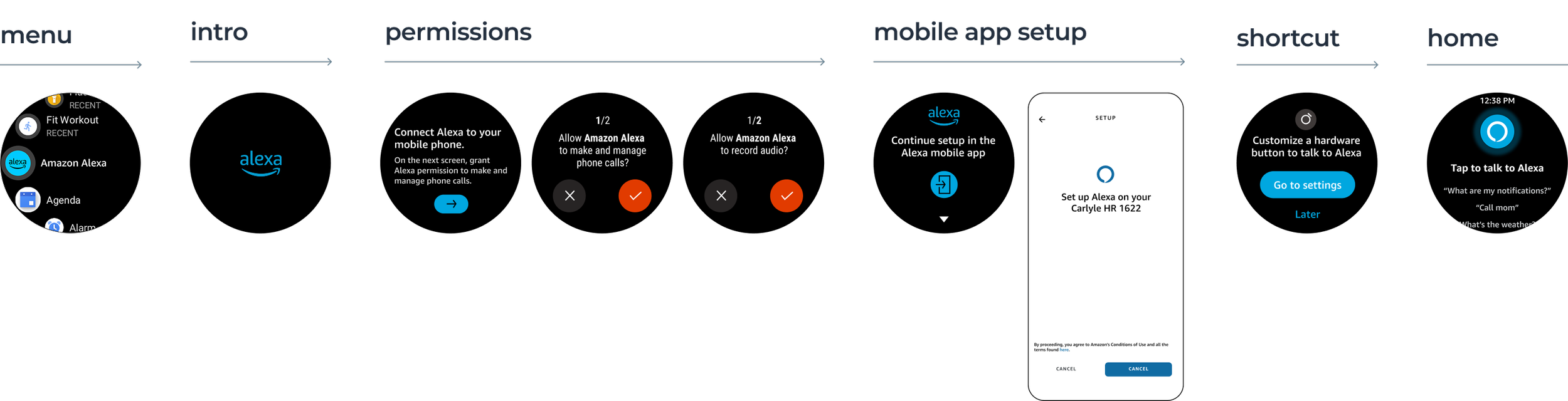
One step to talk to Alexa. Users can customize the top or bottom physical button on the side of their watch to open an app of their choice. This is by far the fastest way to access Alexa, and I worked with engineering to ensure the Alexa hardware shortcut opens directly to the microphone instead of simply opening the app.
Setup
In the setup happy path, users open the app, grant a few permissions, then switch to their phone to complete setup before returning to the app.
Setup
Handoff to Phone
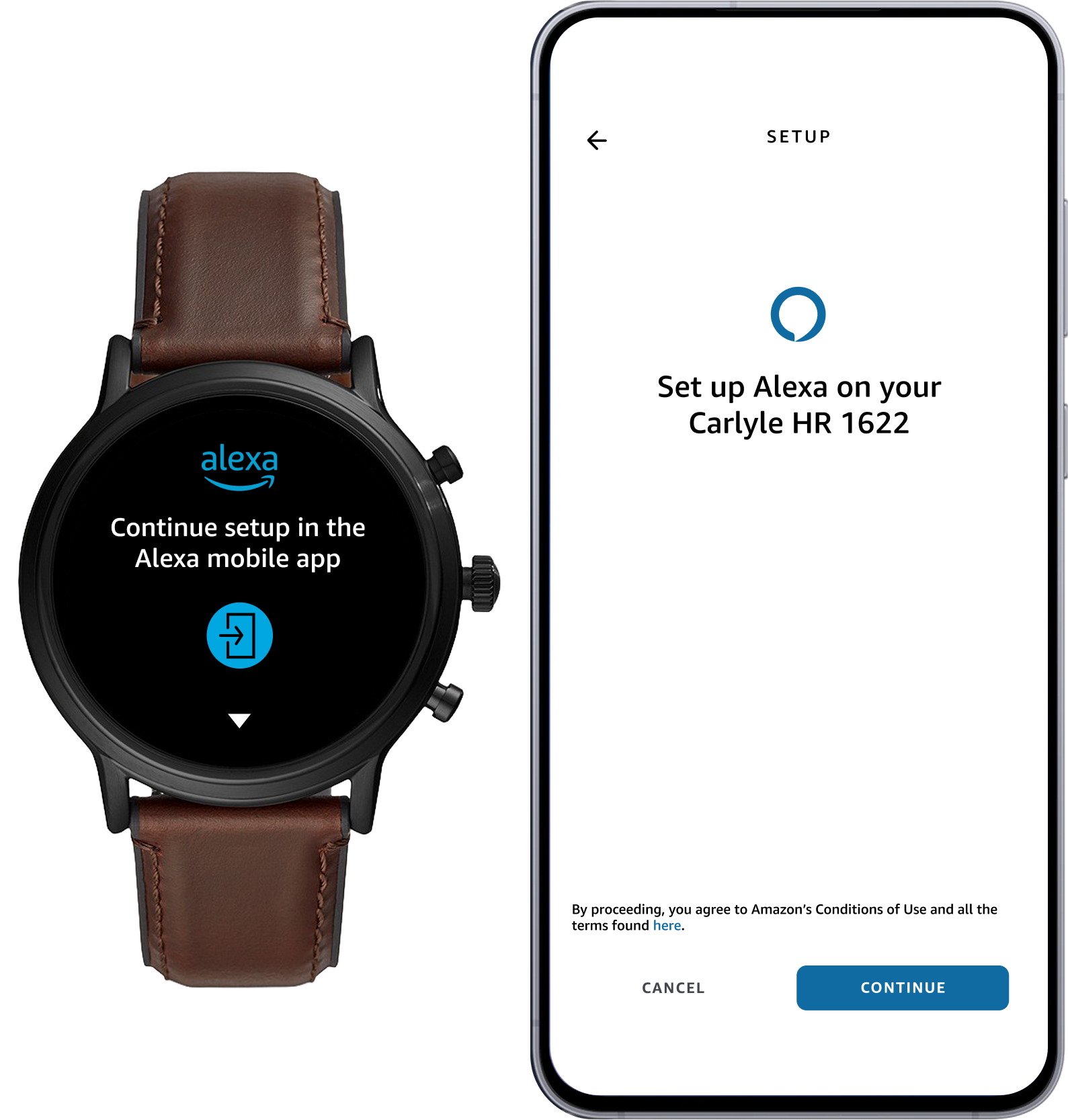
To help users easily switch between devices, I worked with engineering to create a button on the watch home screen that would open the Alexa app on the user's mobile phone (or prompt them to download it from the app store).
setup
Shortcut Configuration
Next, I helped encourage users to set up a hardware button shortcut for Alexa during the setup process.
Talking to Alexa
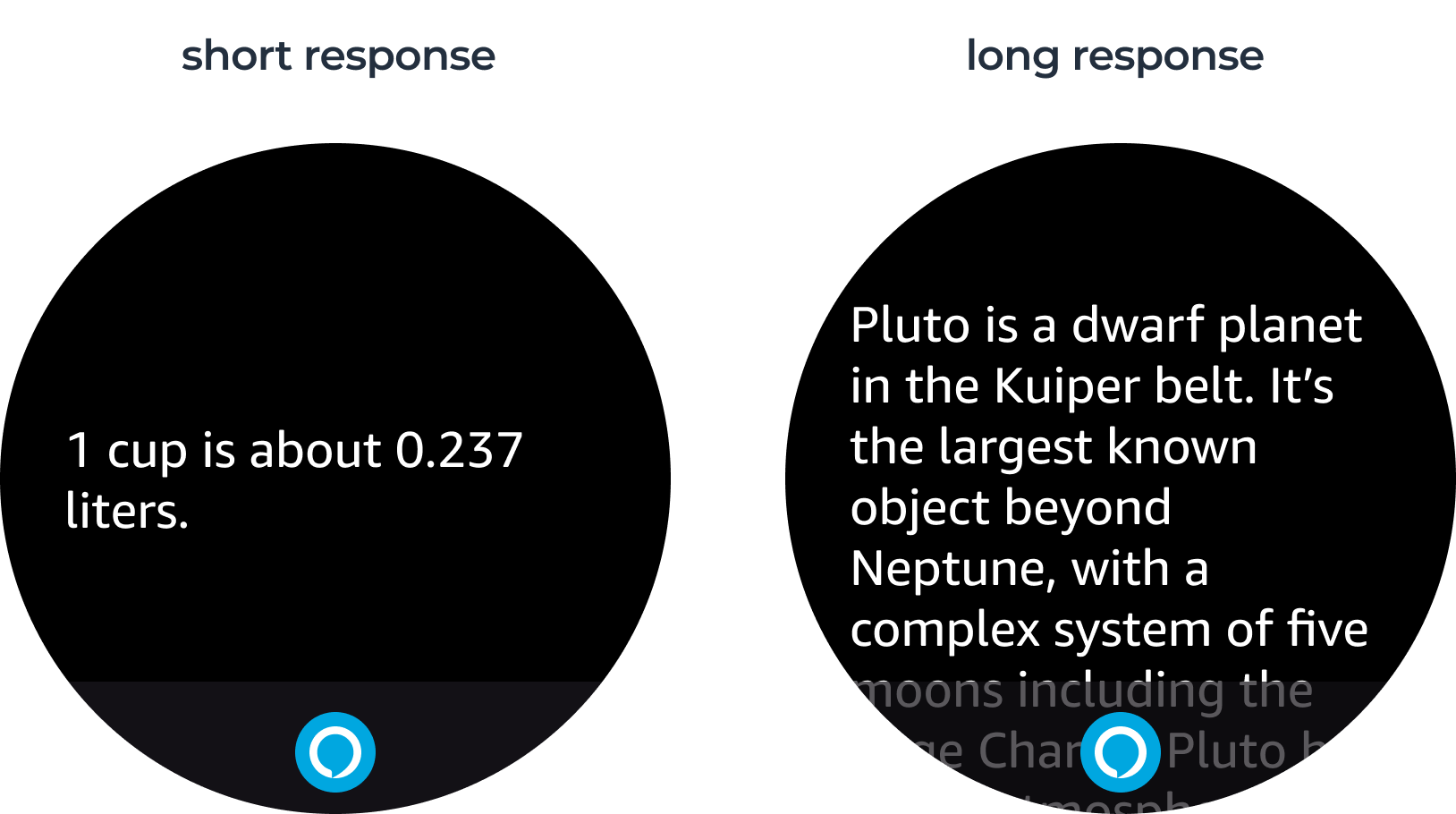
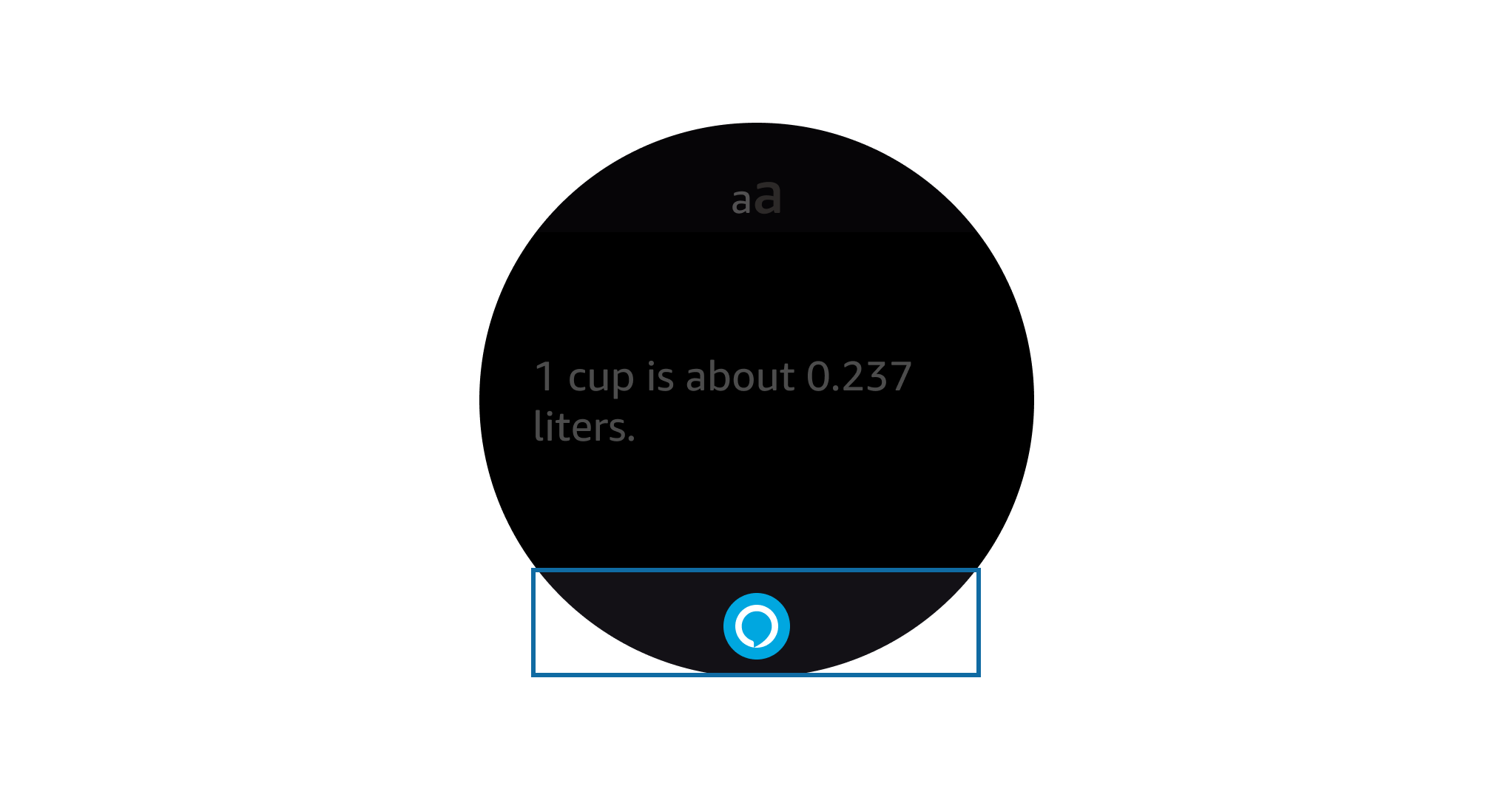
For the initial launch, most Alexa responses are text-only. Text aligns to the left side of the screen, and long responses can scroll to read the whole thing.
design exploration
Text Size Adjustment
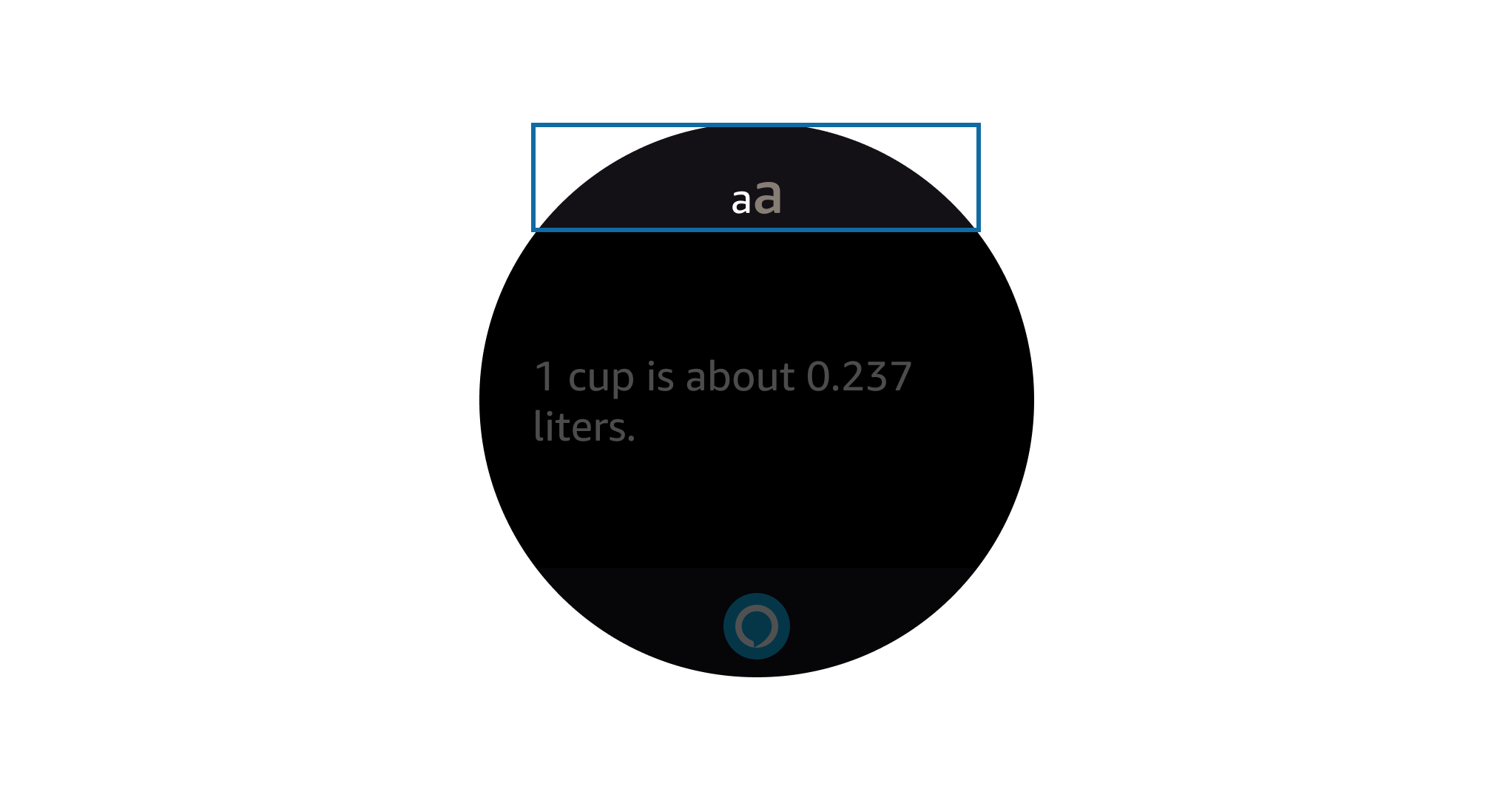
I explored a feature that would let users resize the text of Alexa’s response.
Ultimately, I decided against this to minimize the number of tap targets onscreen, erring on the side of better accessibility with larger text sizes by default.
design exploration
Re-Invoke Button
Included for launch. This feature I created helps users easily re-engage with Alexa. Users can tap the button at the bottom of the response screen to reopen the mic and ask a new question.
User Testing
I led one round of user testing. I recruited five internal participants from within Amazon and worked with one of the team's engineers to create an on-device prototype. The testing focused specifically on the Alexa attention system and its responses.
Insights
✅ 100% comprehension of the listening state
✅ Overall satisfaction with responses
✅ Slight preference for voice response
🔴 No one understood Alexa is tap-to-talk
🔴 Mixed comprehension for re-invoking Alexa
Our team attempted to address this with updates to the Alexa app homescreen. Setup changes were out of scope in this release, but in later releases, we added a screen nudging users to try talking to Alexa right away.
Results and Improvements
The app received low initial ratings on the Google Play Store. Based on user reviews, this was primarily due to it being pre-installed and prompting users to complete setup, something that we addressed quickly in an over-the-air update.
Over the course of two subsequent releases, I worked on design improvements and additional features, including fitness support. Our team worked to reduce overall latency and error rates. As a result of these improvements, we hit an average rating of five stars on Google Play by the next year.

Post-Launch Reflections
Fossil exited the smartwatch market in 2024, due to bad market fit and competition from more established watchmakers.
Designing a watch-optimized Alexa app required research, design thinking, and continual iteration. My scalable design system, close collaboration with engineering, and bar-raising design improvements all helped to drive an overall high rate of user satisfaction. Fossil’s exit from the market is a reminder that a successful design and a product line don’t always share the same fate.