Alexa for TV
Mobile Discovery and Setup
How might we use the Alexa mobile app to drive increased adoption of Alexa for TV?
Goal
Update and simplify the setup screen flow ahead of initial launch, solving for known existing pain points.
Deliverables
• User flows
• Mobile screen designs
Team
• Product
• Engineering
Timeline
2 weeks
Discovery from the Phone
Consumers sometimes purchase a TV with Alexa built in, but do not set up Alexa on the TV right away.
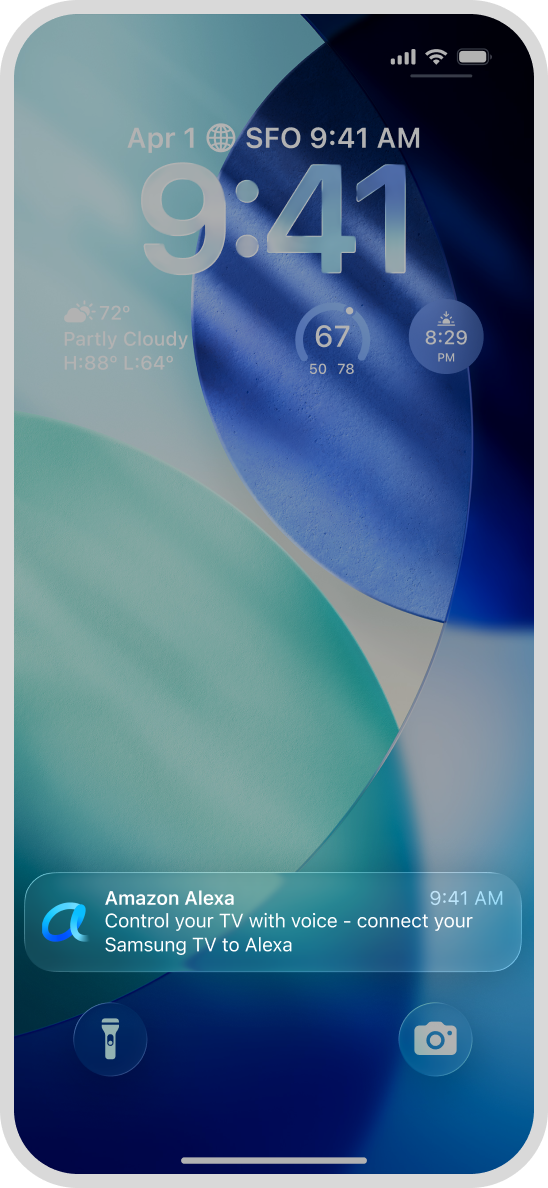
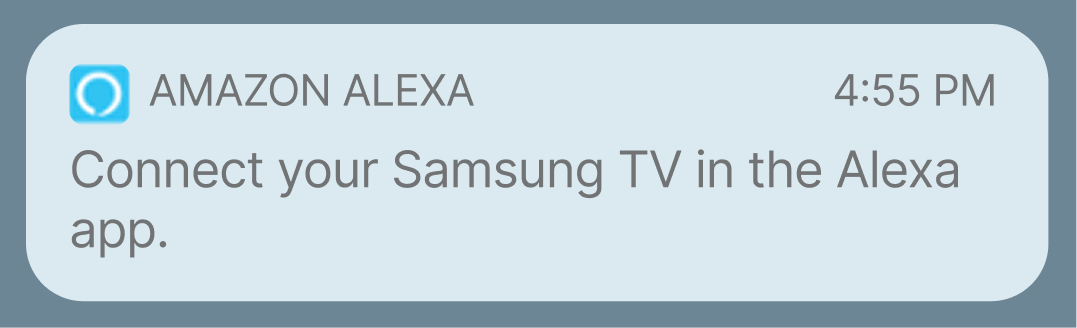
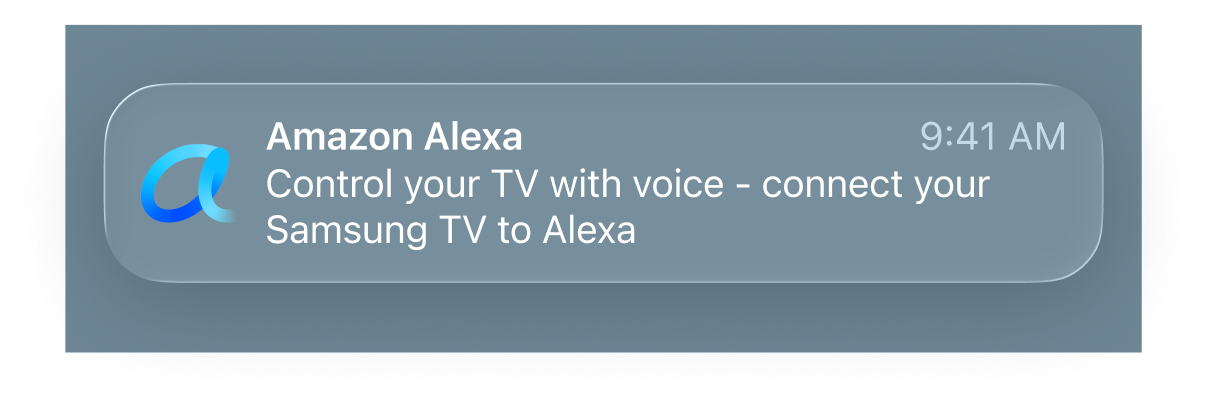
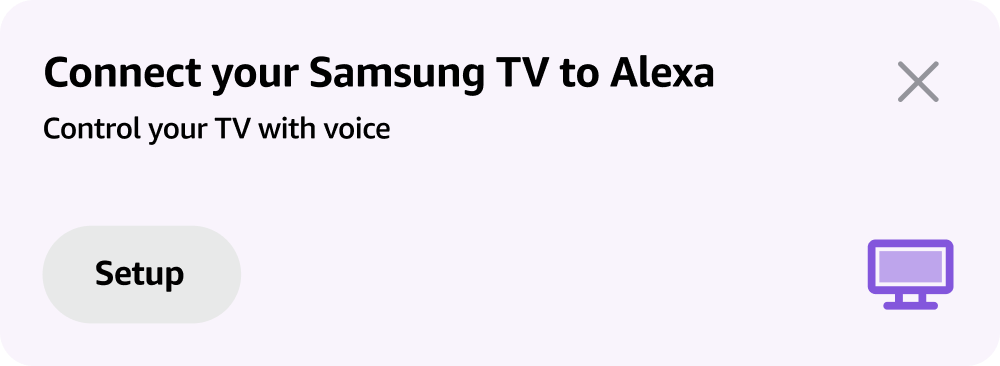
To help drive increased adoption, we can send a notification to existing Alexa users directly on their phones to prompt them to set up Alexa on their TV.
push notification
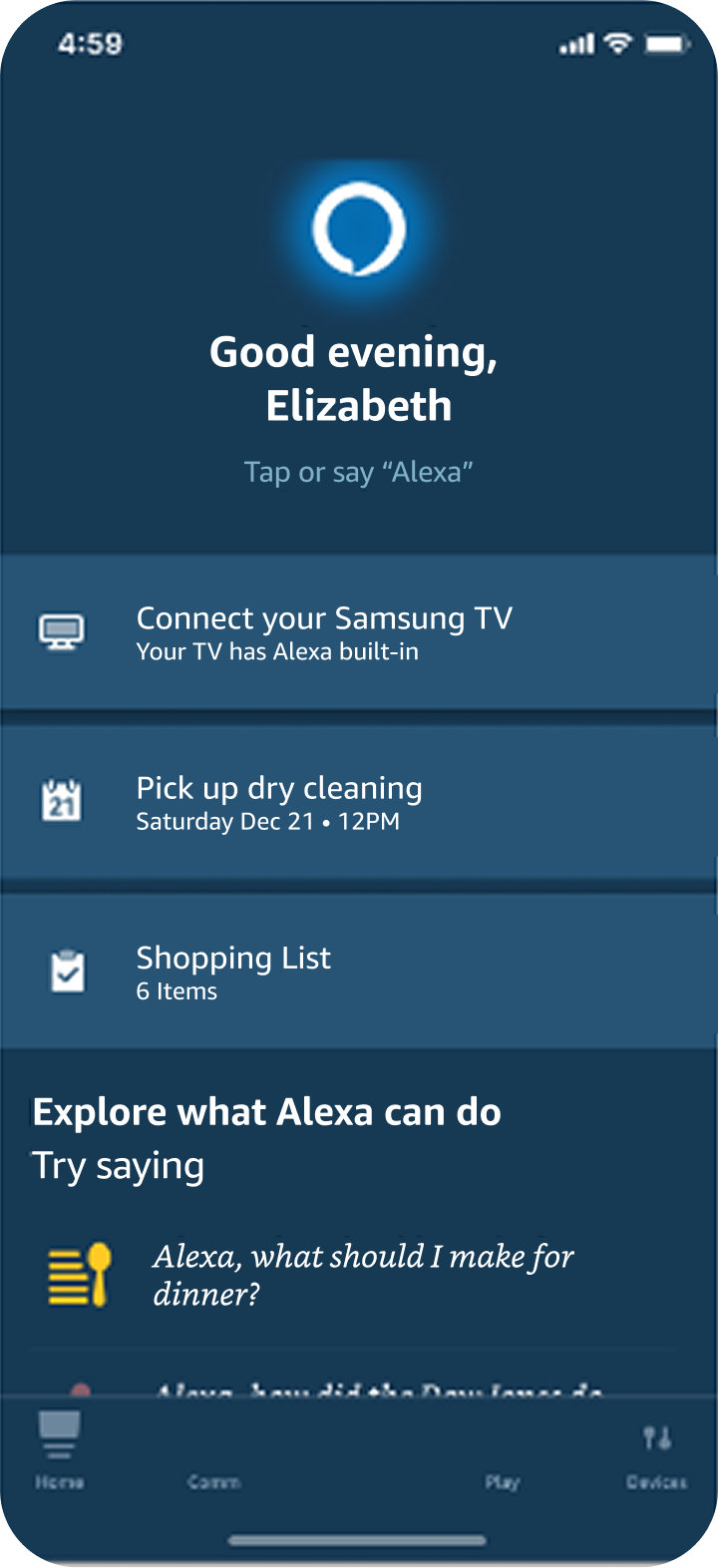
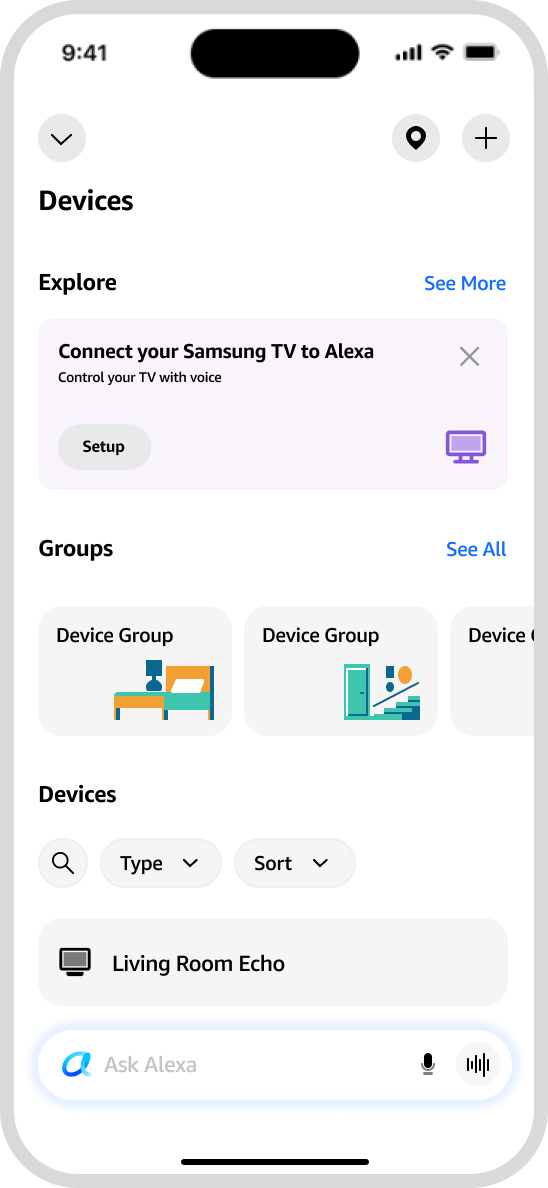
discovery card
Updates and Improvements
I was asked to make improvements to designs created two years previously. In addition to updating the designs to match today’s Alexa app patterns, I made several improvements to simplify the setup flow and make it more user-friendly.
before
after
Before
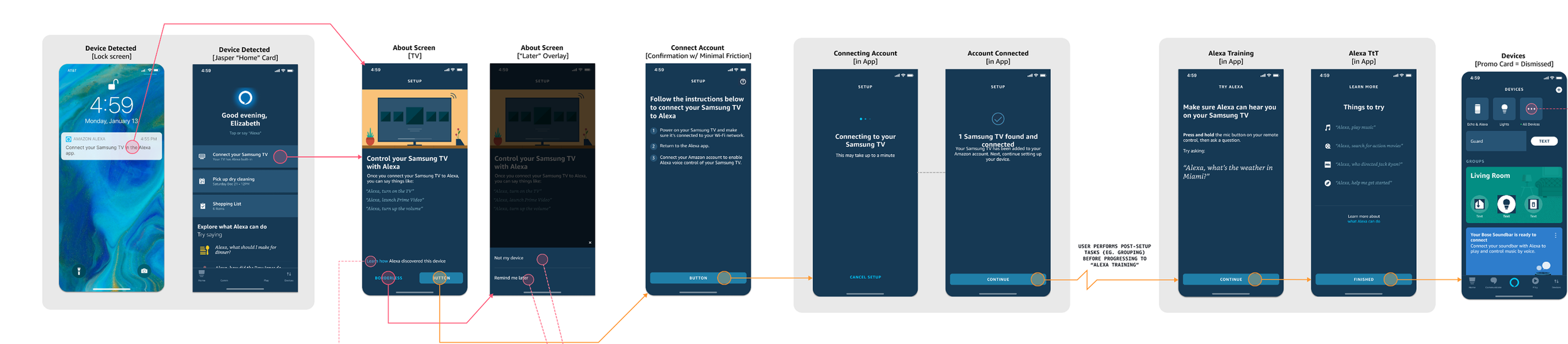
Full User Flow
The previous designs were created for an older version of the Alexa app, with long text strings and many steps, creating plenty of opportunities for users to drop off.
after
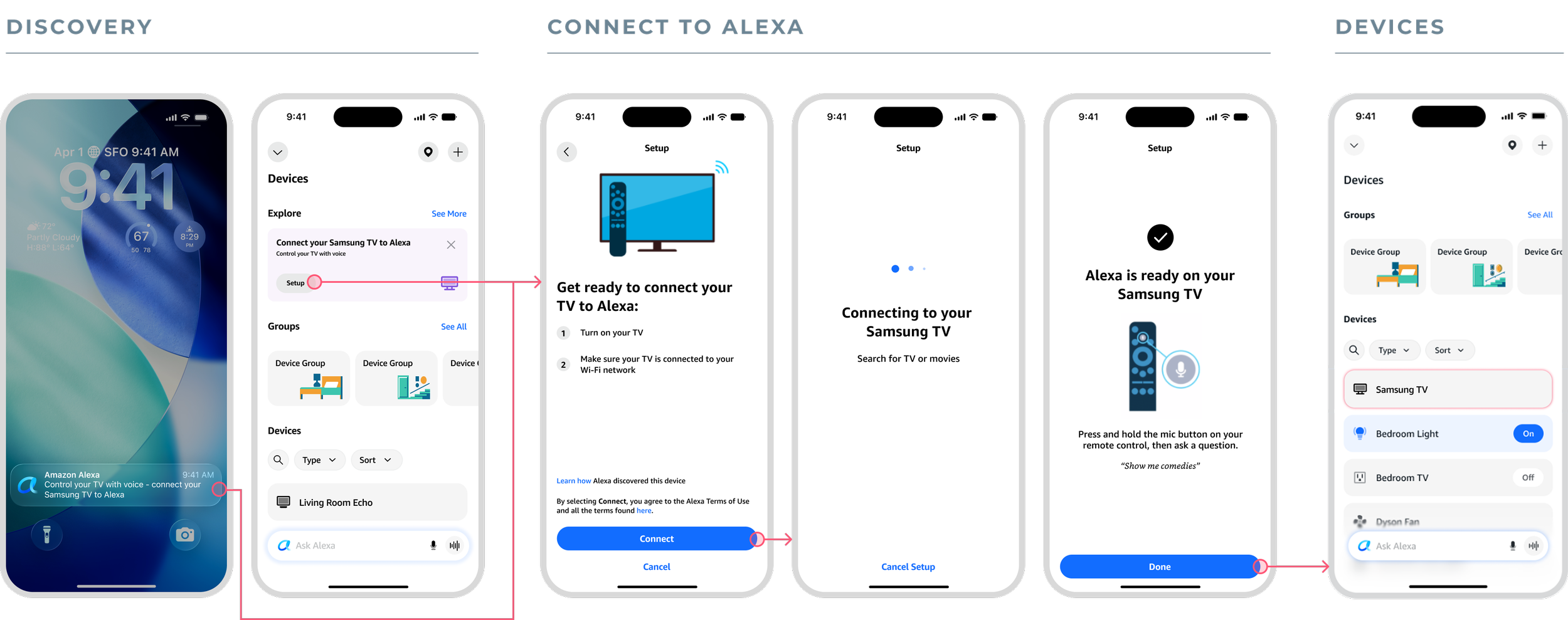
Full User Flow
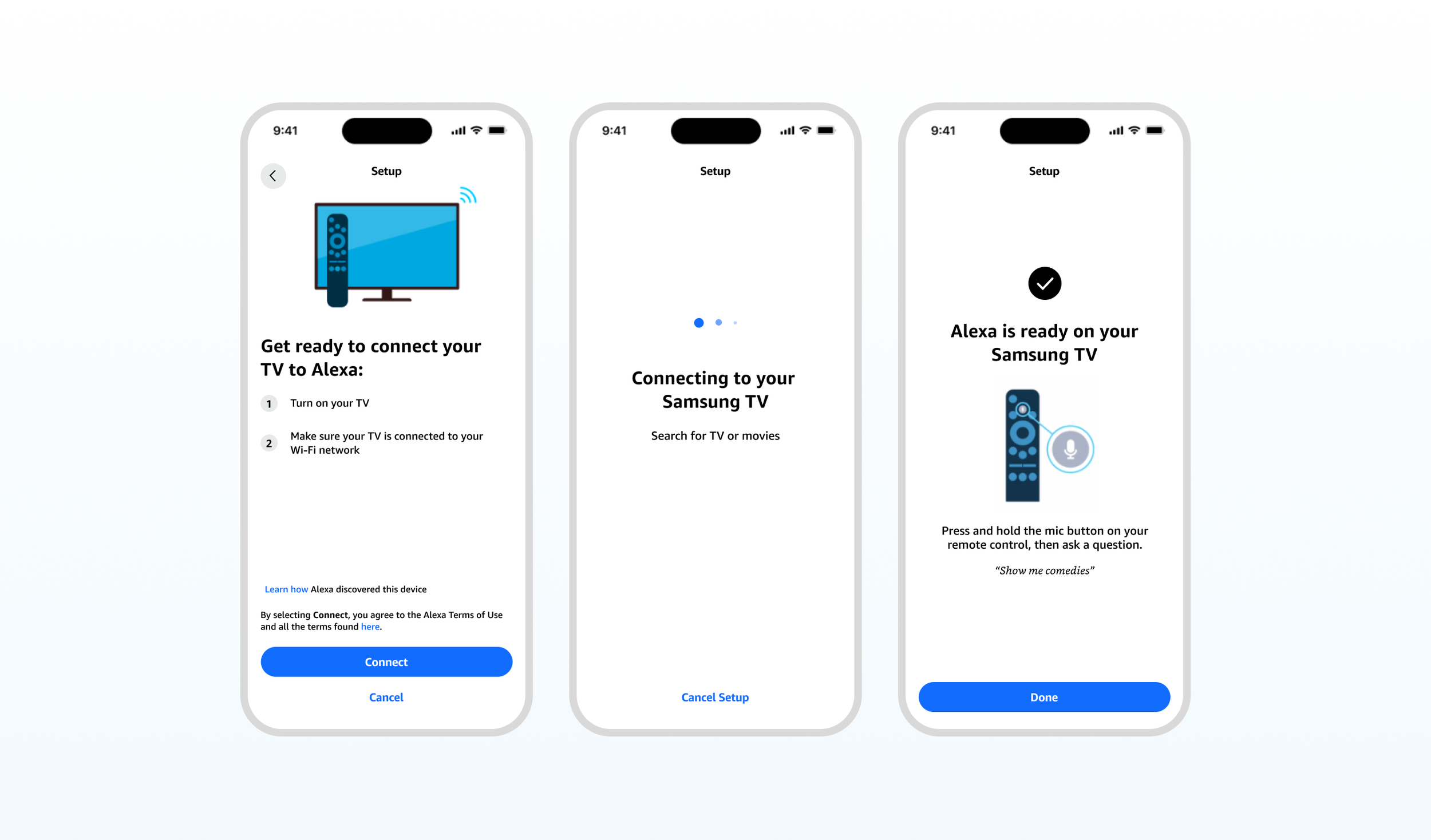
I removed a total of three screens from the user flow, while making updates to text copy and layout for increased clarity.
Discovery
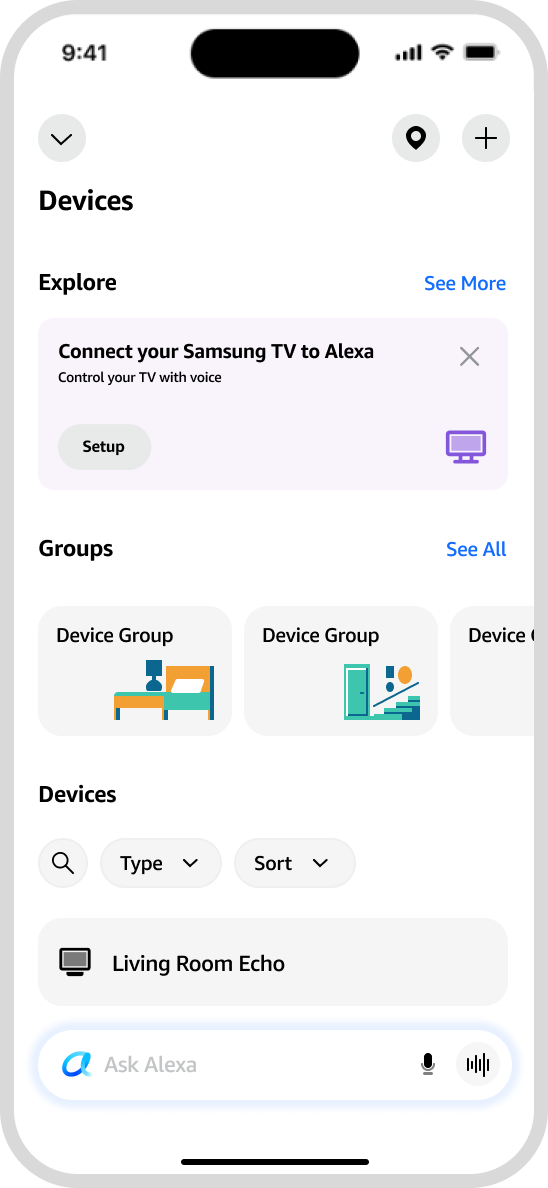
I needed to communicate what users should do and why as succinctly as possible, using the limited space provided in system notifications and the app’s discovery card. I kept the call to action (Connect your Samsung TV to Alexa) while adding a simple value proposition: “Control your TV with voice.”
Before

after
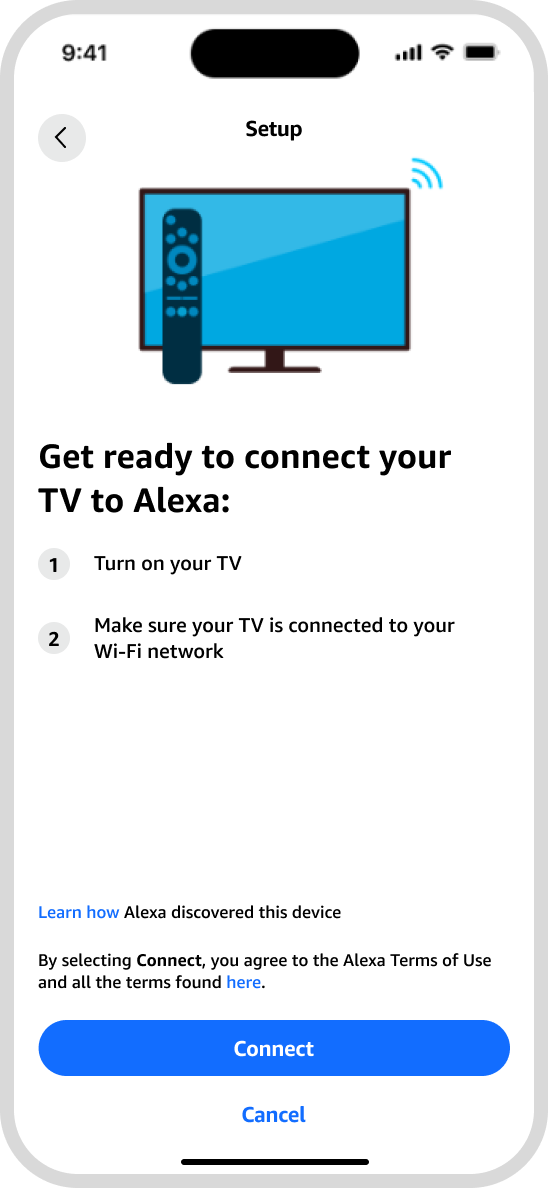
Introduction and Instructions
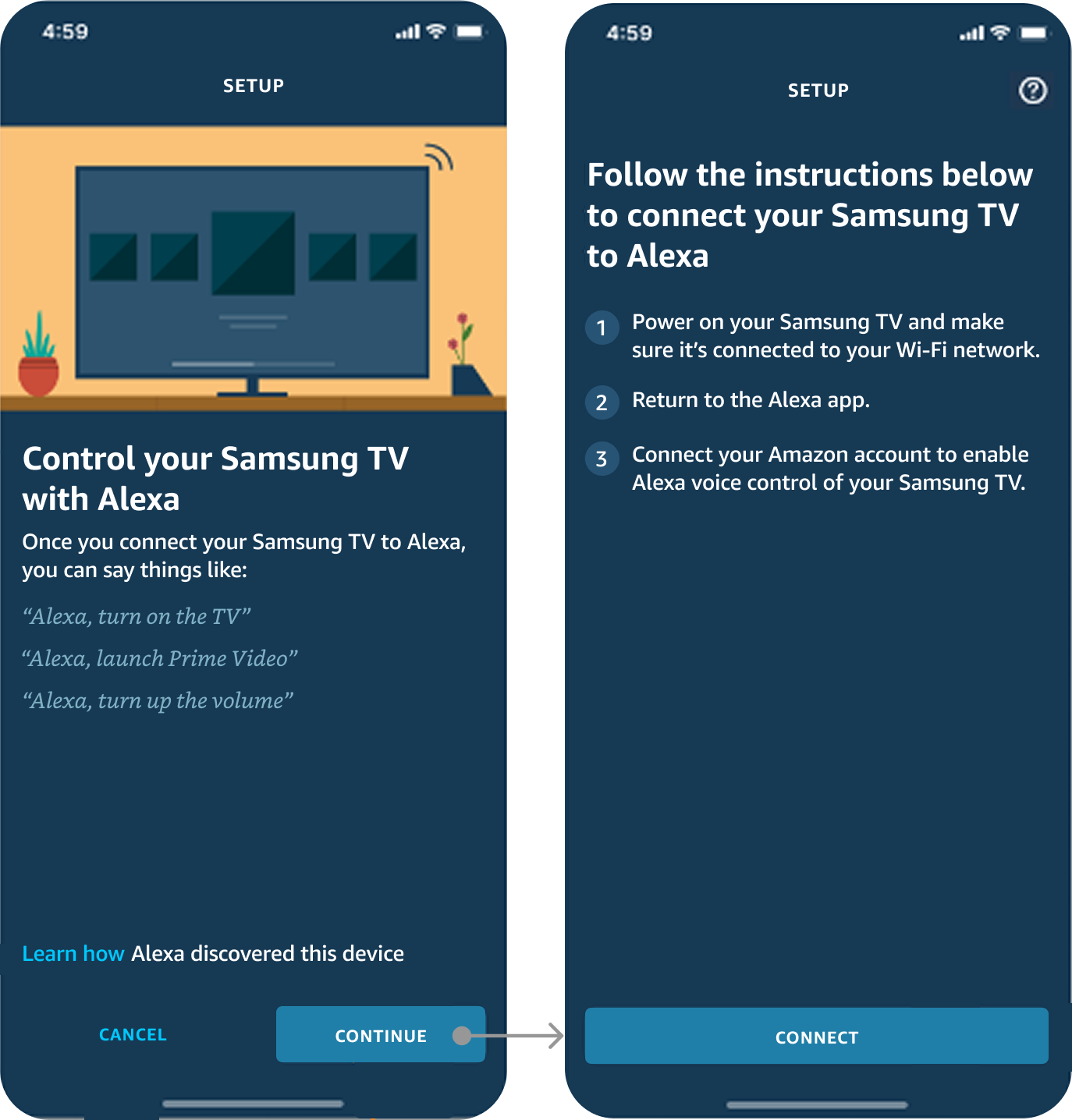
The TV must be on and connected to Wi-Fi to complete setup in the app. This was the biggest point of friction in past beta testing. I solved for this by simplifying instructions so that both requirements are listed simply and clearly.
The previous designs included a full screen explaining what you can do with Alexa on TV, creating a point where users sometimes dropped off from the setup process. For the redesign, I included value propositions that were more integrated into the setup flow at other points in the process.
Before
after
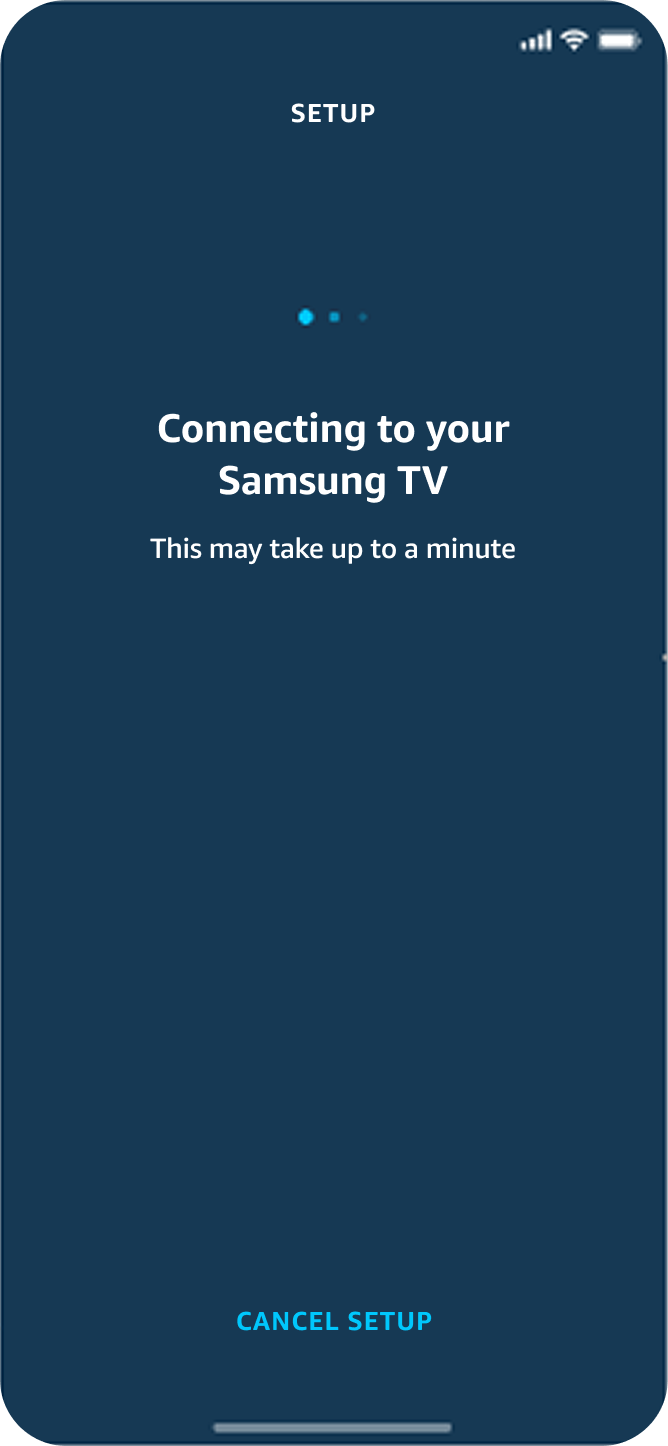
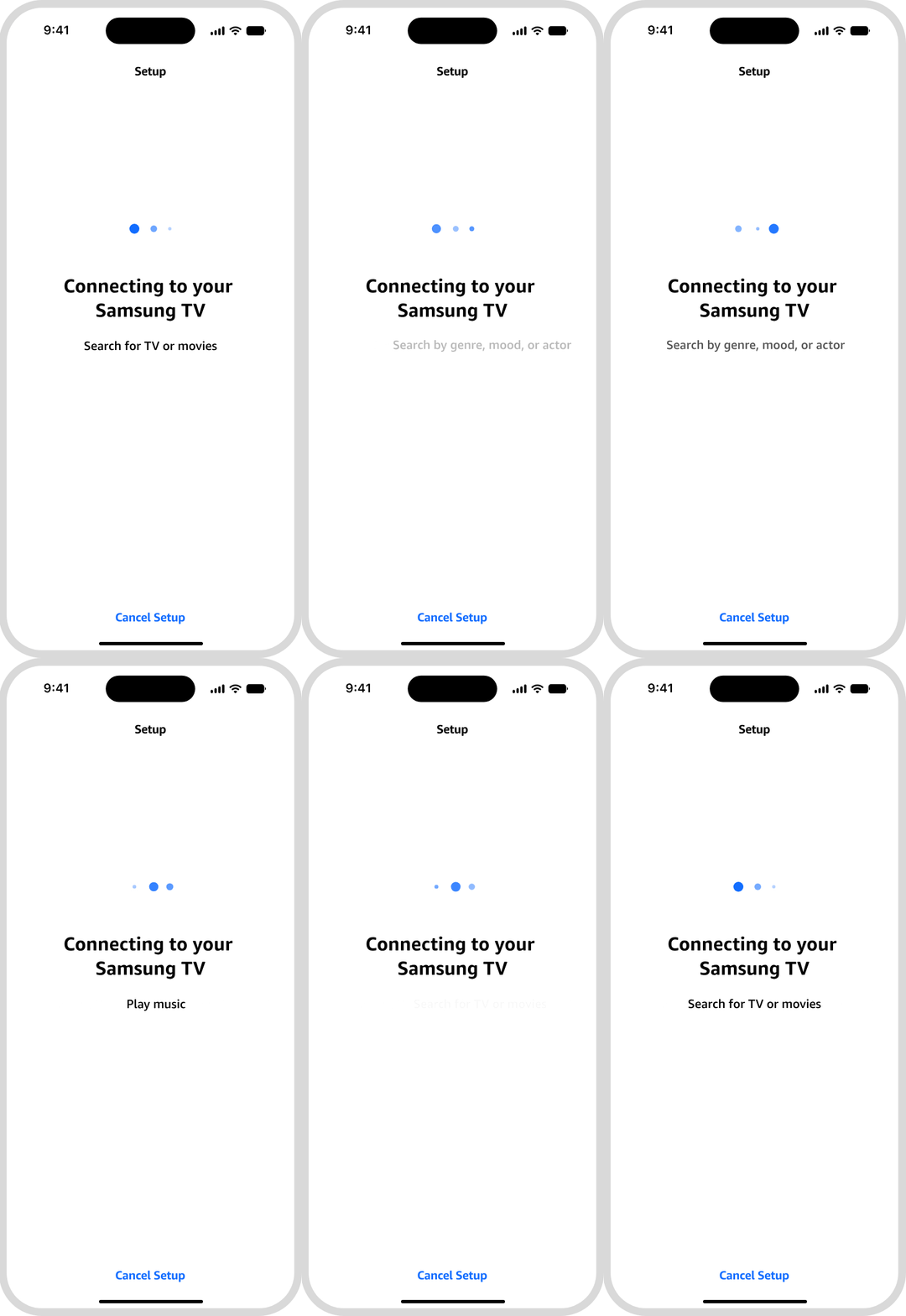
Loading
Connection time typically takes just a few seconds. Instead of the timing messaging, I used this space to include a rotating set of value propositions about what users can do with Alexa on TV.
before
after
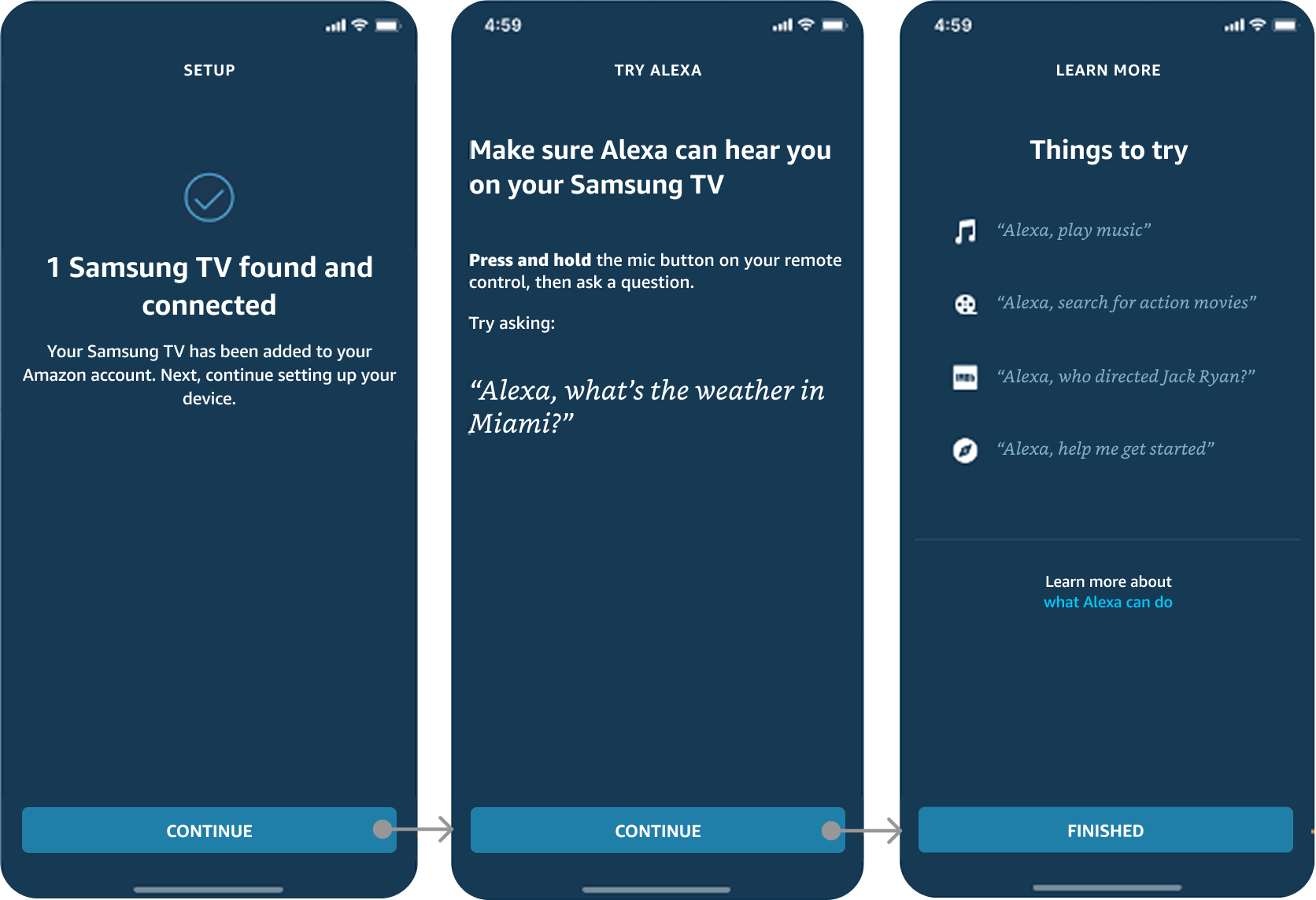
Success Confirmation
I combined multiple screens into a single screen by simplifying the text, shortening setup time by focusing on key information.
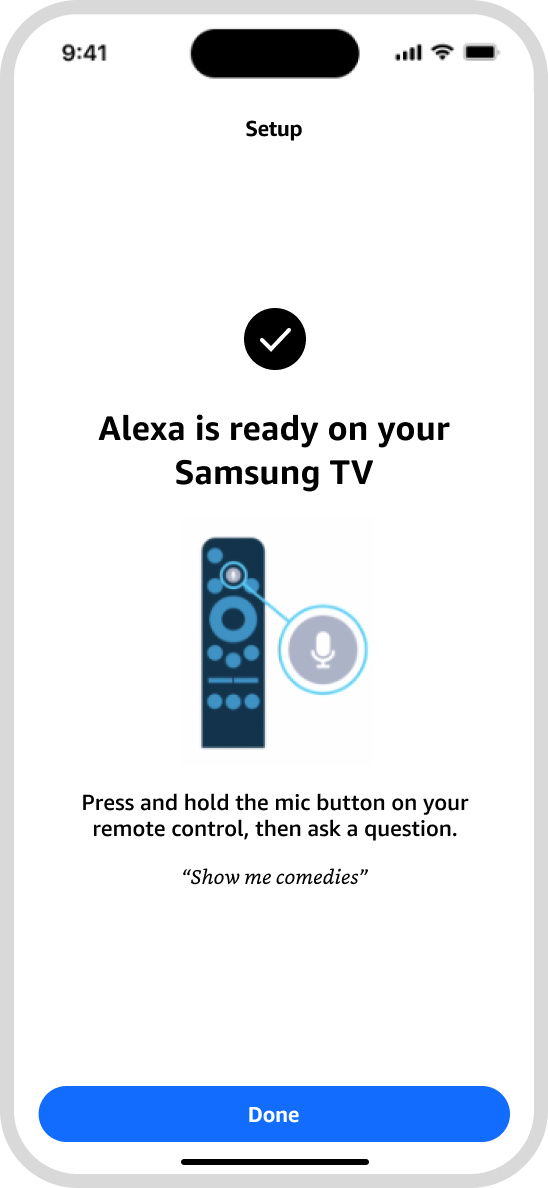
Talking to Alexa
Unlike an Alexa speaker, users talk to Alexa on TV by pressing a button on the remote. This is a significant behavior change and crucial to teach existing Alexa users. We ask users to try pressing a button and talking to Alexa right away so that they get used to this type of interaction. I added an illustration to help users understand what to do, and changed the suggested request to one that is TV-specific.
before
after
Edge Cases
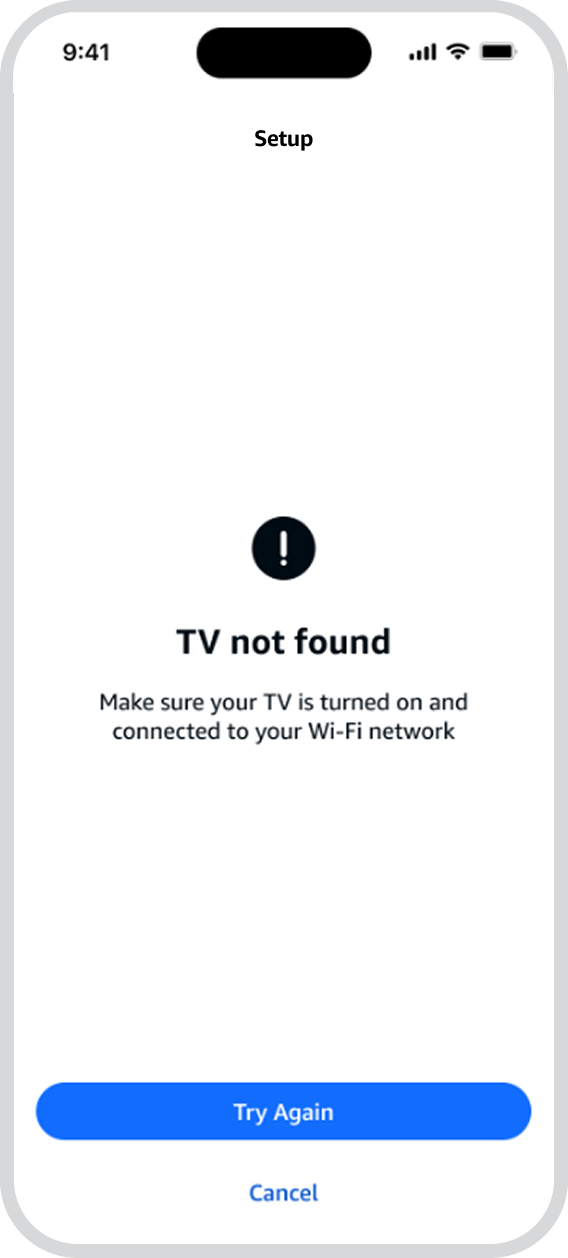
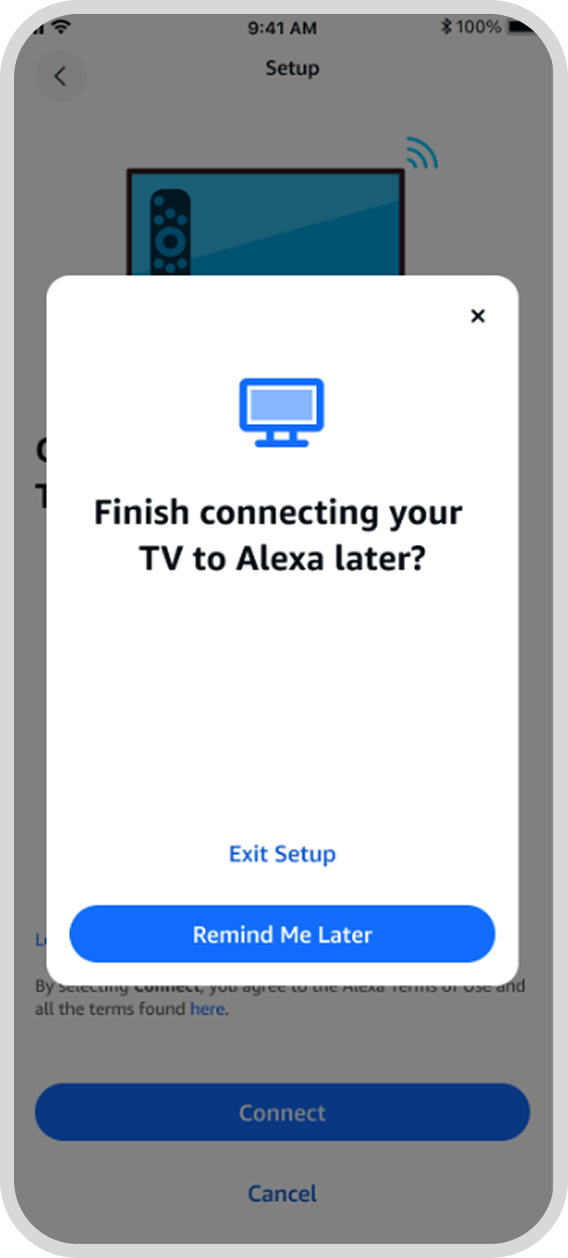
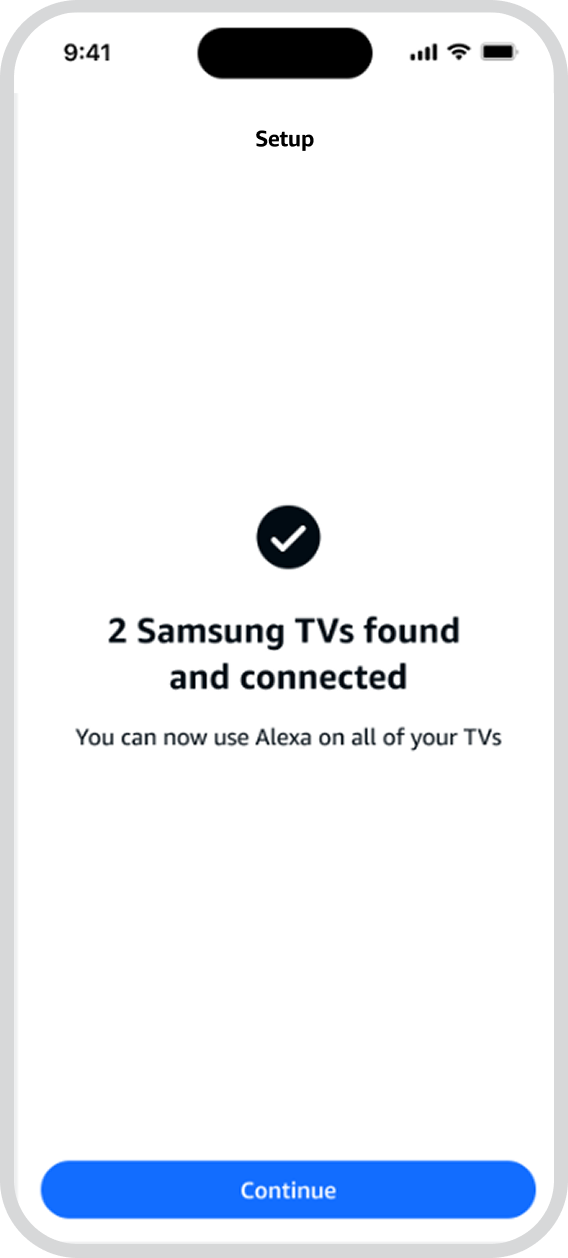
In addition to the happy path, I solved for several edge cases, including:
Users who didn’t turn on their TV or connect to Wi-Fi
Users who decided to cancel out of setup
In rare cases, users who may have more than one TV with Alexa built in.
error
Winback
multiple tvs
Results and Reflections
The new improvements in this setup flow led to a 17% increase in user registrations.
Designing for setup involves a balance of explanation and simplicity. I needed to give users a reason to set up Alexa on their TV without overwhelming them and keeping the process as easy and quick as possible. The design improvements for this launch help to strike this balance.